
On initiating a sync, Delphix Engine checks the staging server for the database of the given name and if a match is found, it then takes a snapshot of its data files. Before and after taking the snapshot, Delphix Engine runs a few validations to check the readiness and consistency of the database for the snapshot.
To take a snapshot of the Oracle staging push dSource, follow these steps:
-
Log in to the DCT instance.
-
Navigate to Data > dSources and select a non-MT oracle staging push dSource and click the View link.
-
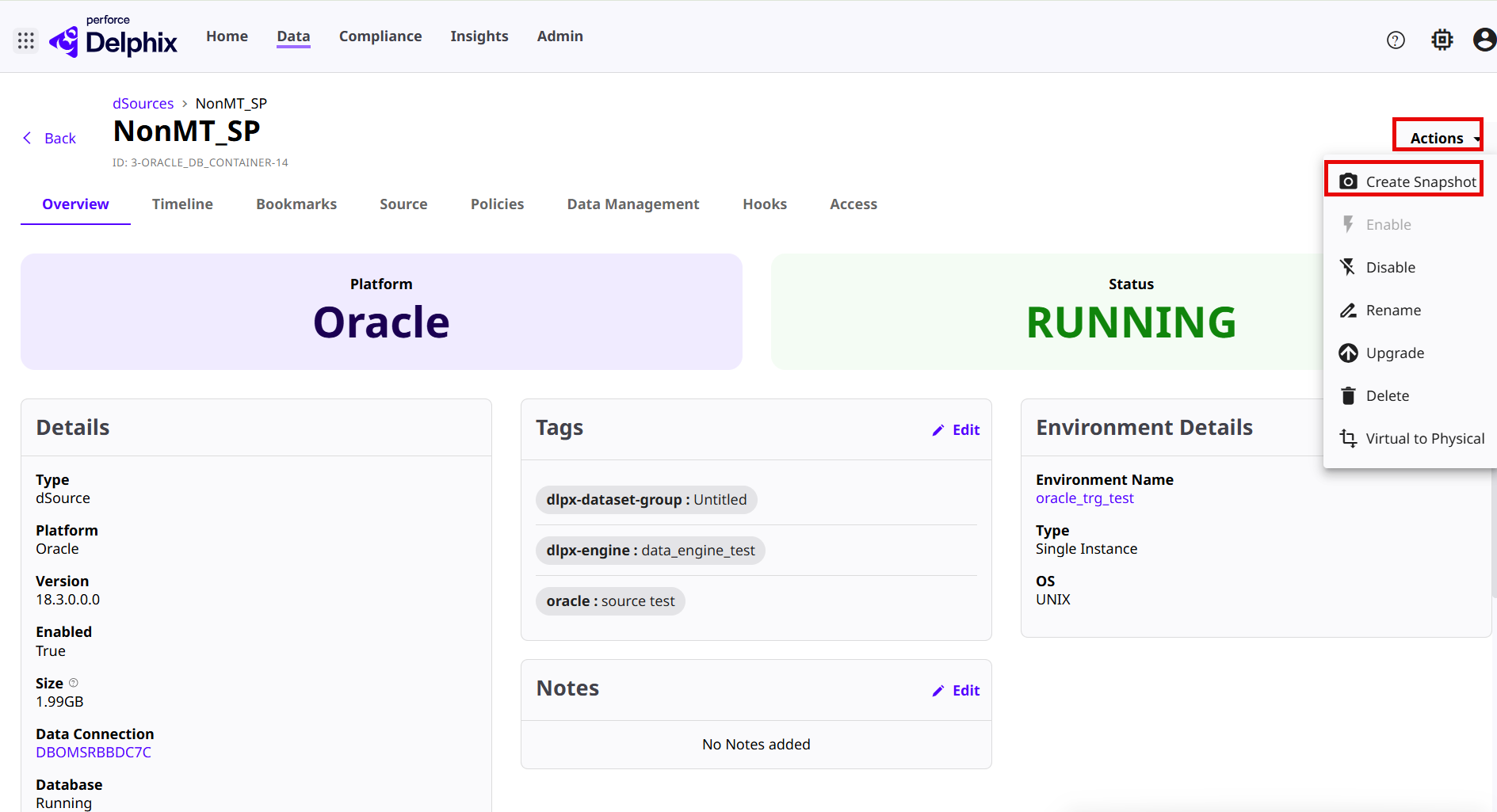
On the Overview page, click the Actions drop down menu and select the Create Snapshot option.
-
On the Confirm Snapshot page, click Confirm.
-
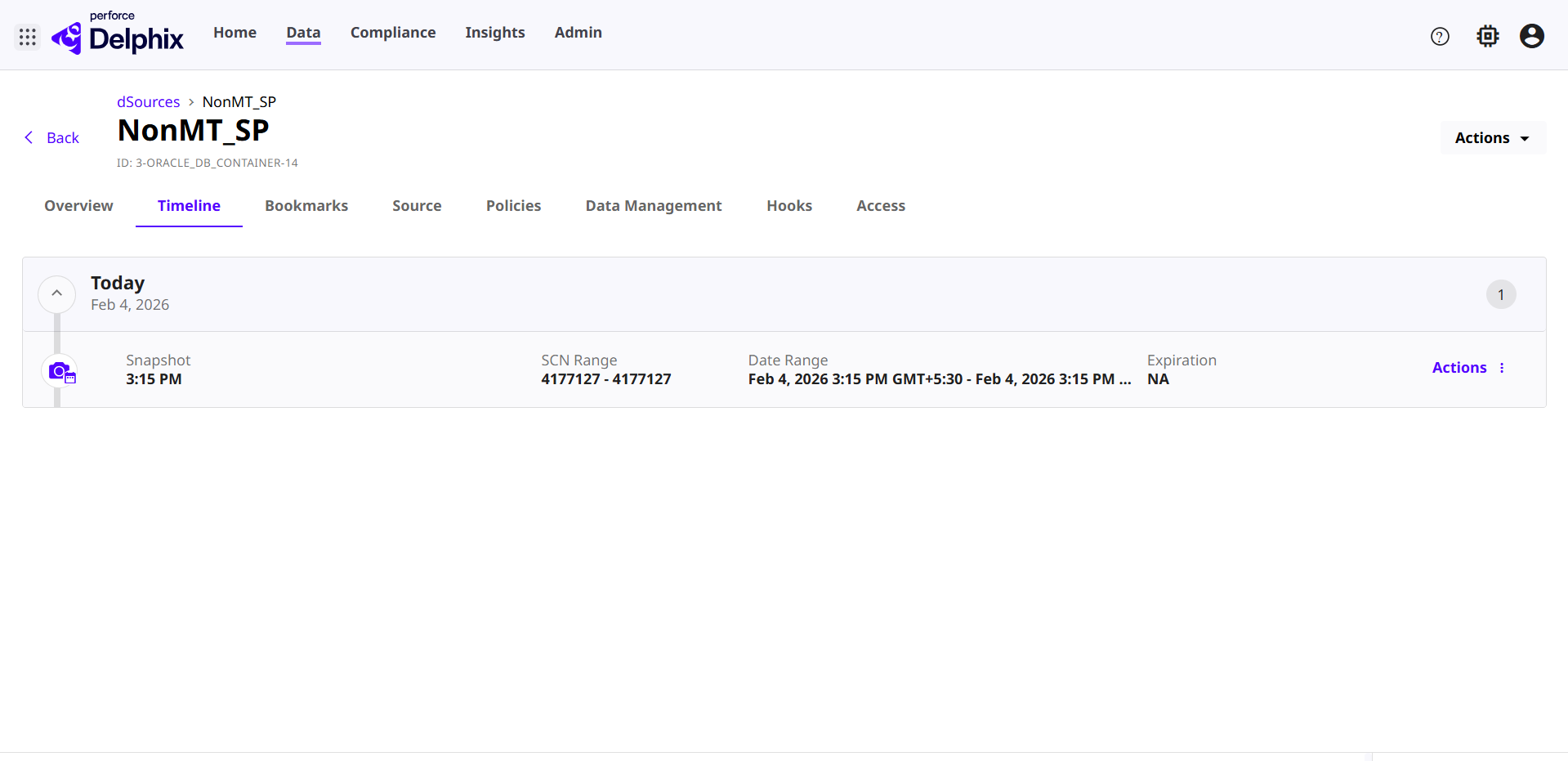
Once the snapshot is created successfully, select the Timeline tab to view the snapshot details.
-
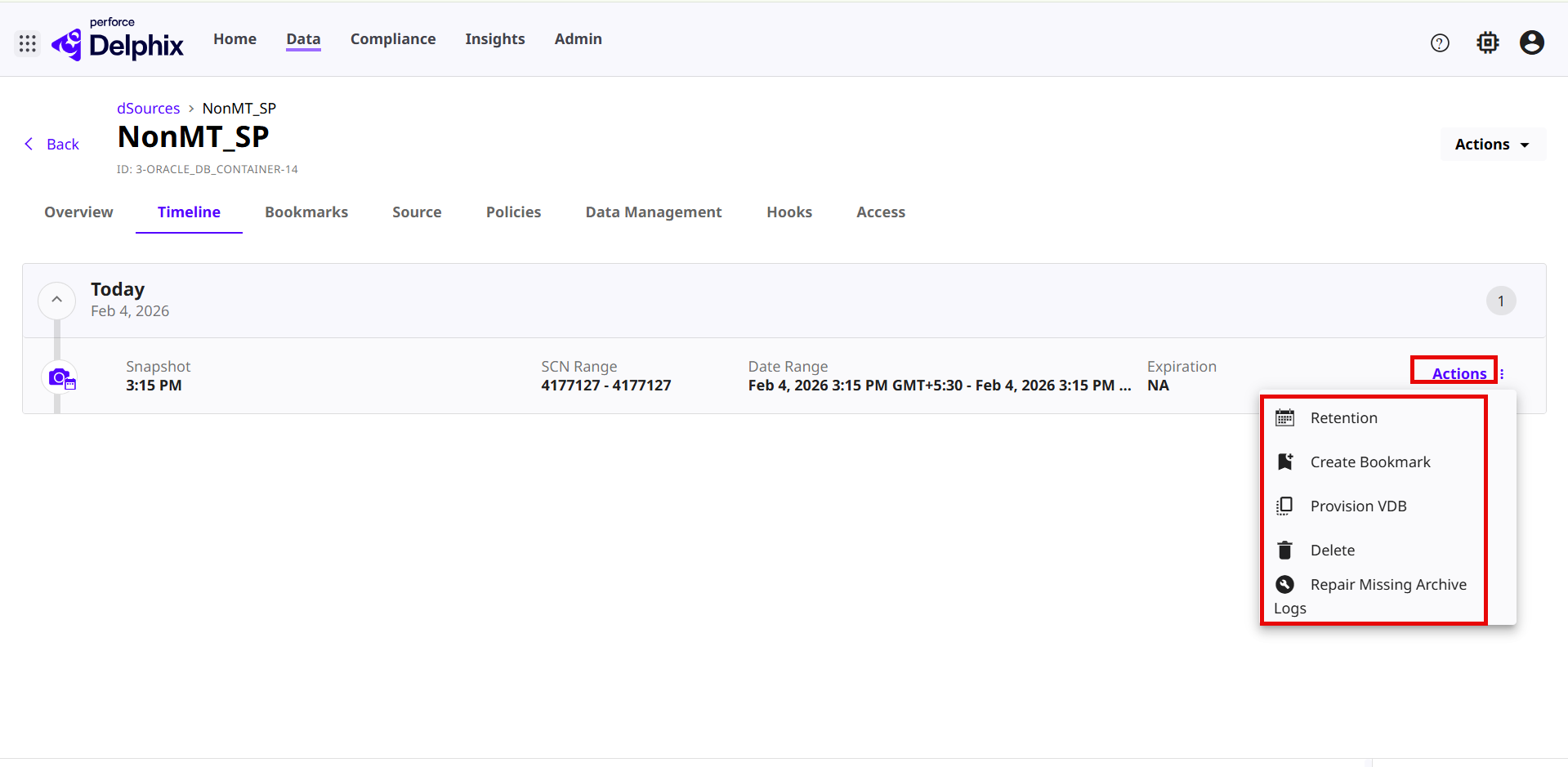
Click the Actions link to do the following tasks:
-
Retention: Update the retention policy details with the Unset Expiration, Keep Forever, or Choose Date options.
-
Create Bookmark: For more information, read the Bookmarks page.
-
Provision VDB: For more information, read the Provision VDB in the DCT infrastructure page.
-
Delete: Delete a snapshot.
-
Repair Missing Archive Logs: Repair any missing archive logs in the snapshot.
-