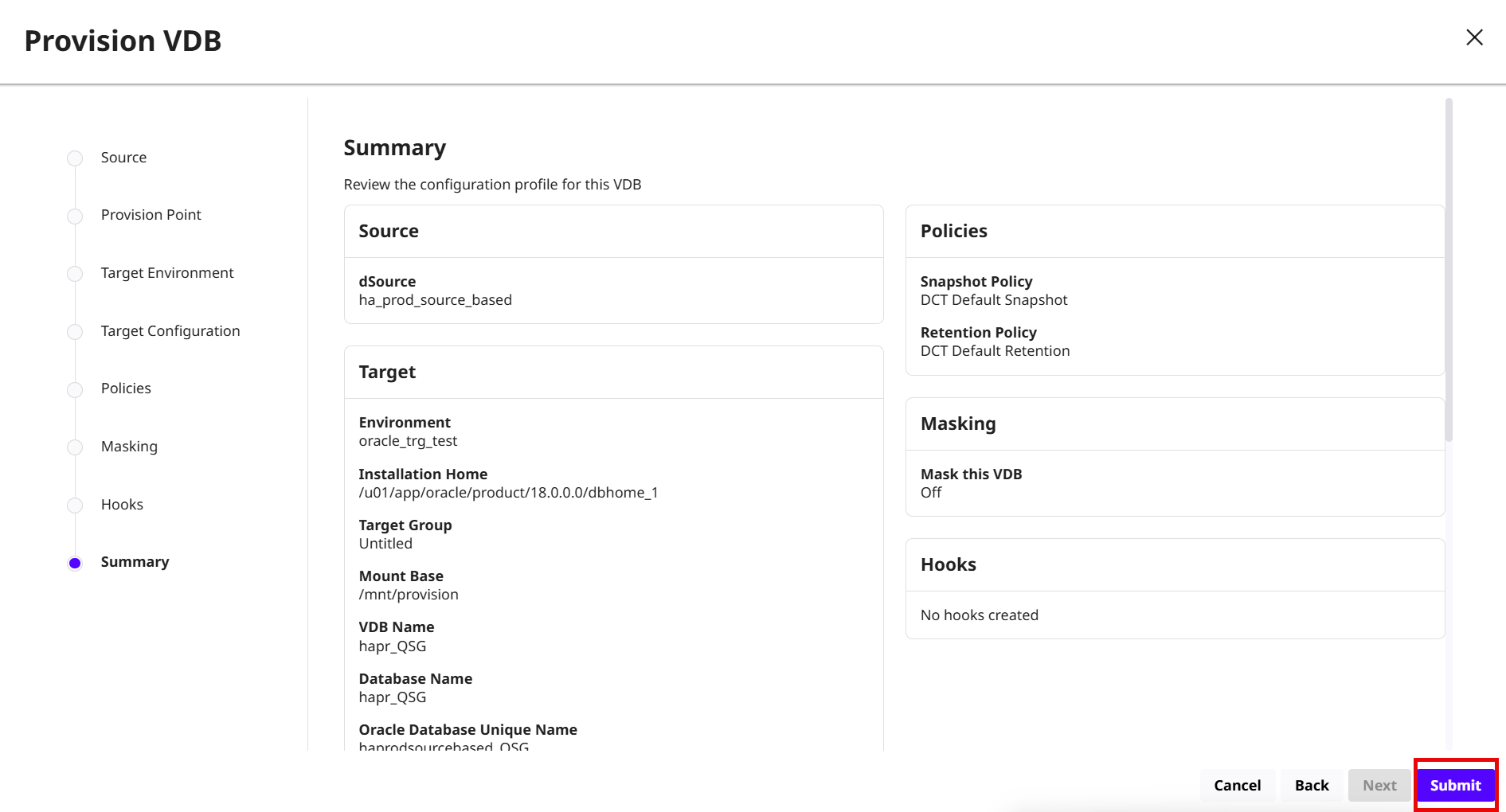
To provision a VDB in DCT, follow these steps:
-
Log in to the DCT instance.
-
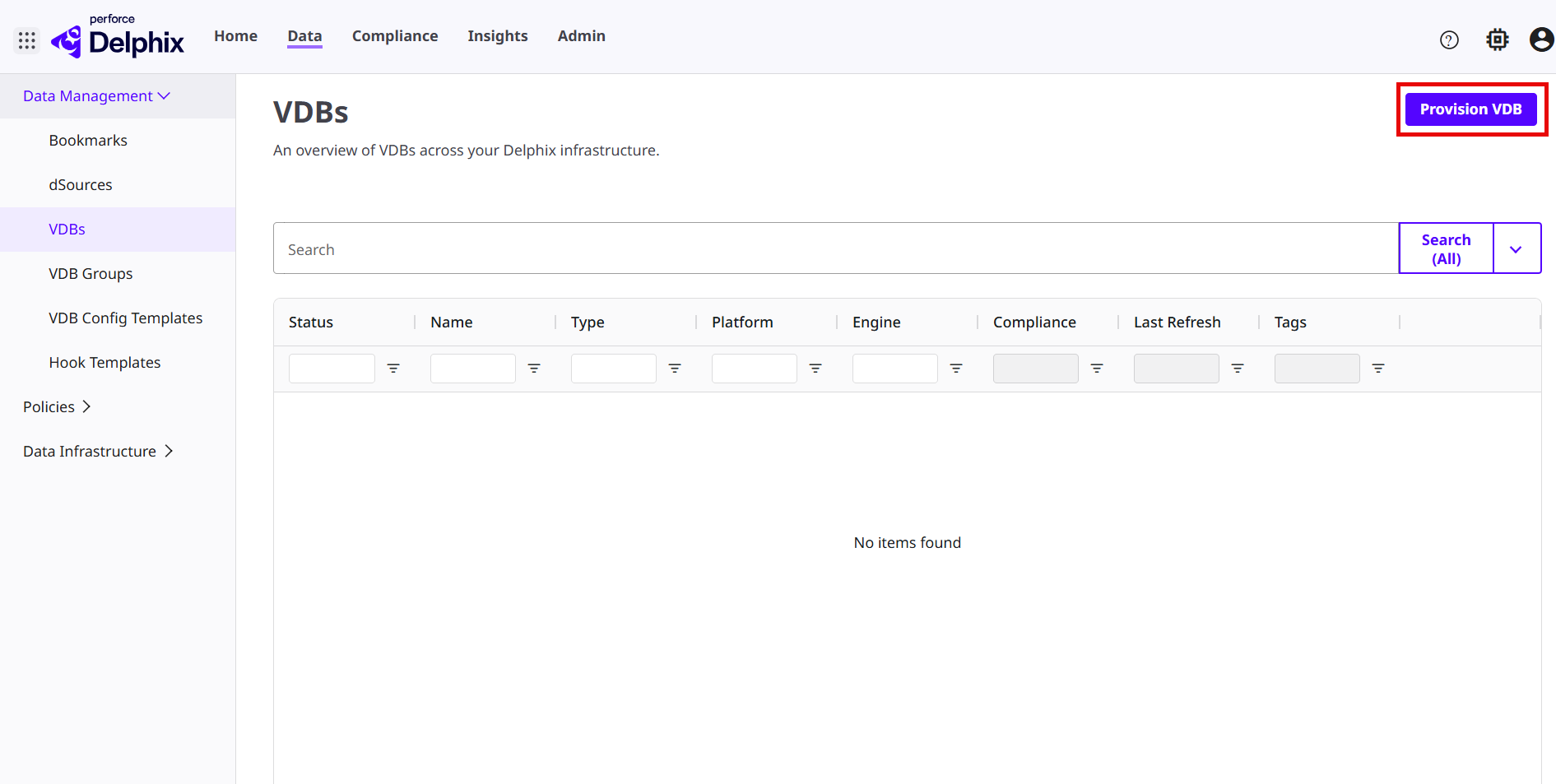
Navigate to Data > VDB and click Provision VDB. For more information, read the Provisioning a VDB page.
-
Select the Oracle dSource under the dSources tab to provision and click Next.
-
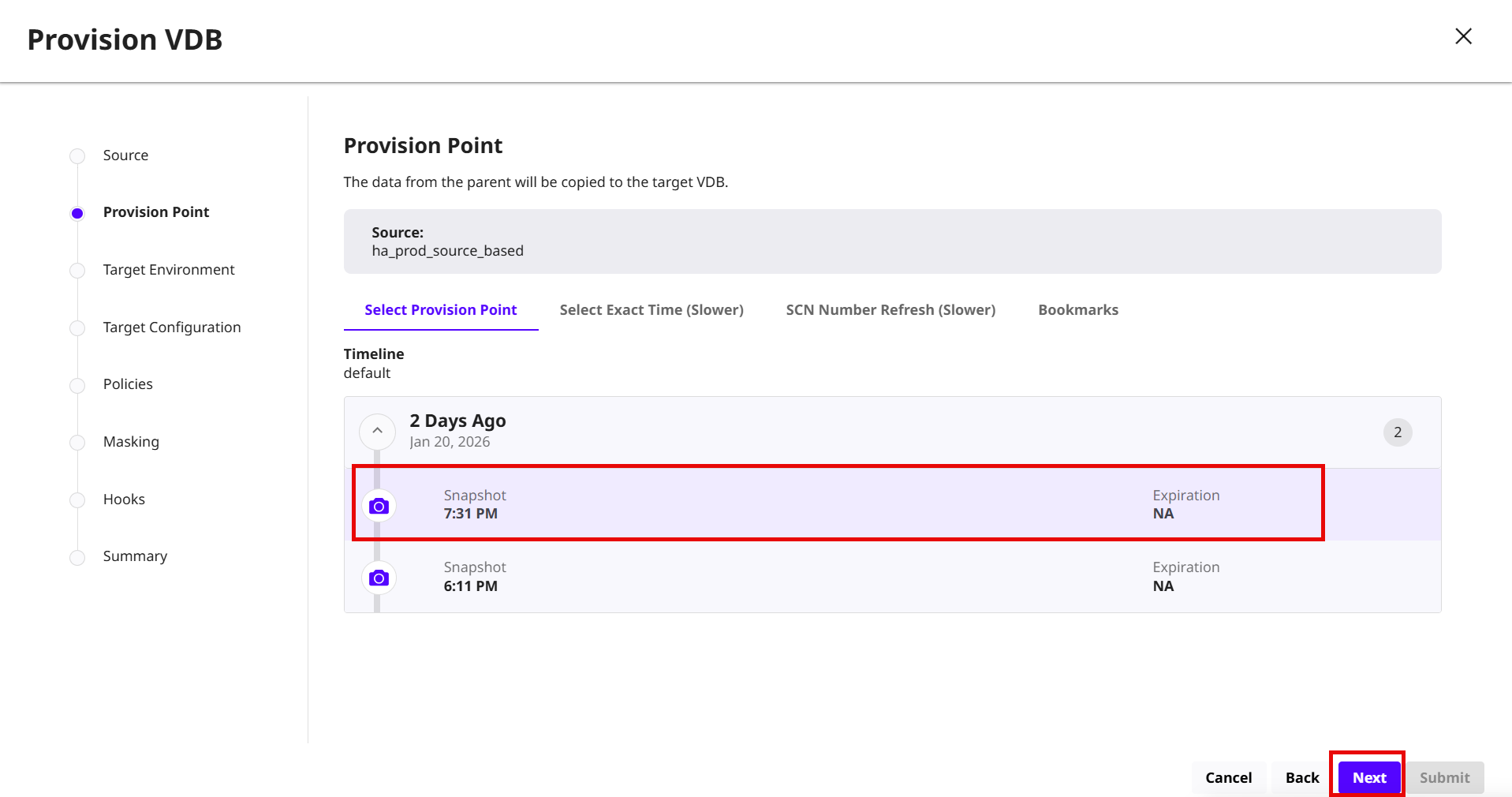
On the Provision Point page, choose any of the following options:
-
Select Provision Point: Select the provision point displayed on this page.
-
Select Exact Time (Slower): Choose the exact date and time using the calendar.
-
SCN Number Refresh (Slower): Enter the Oracle system change (SCN) number range.
-
Bookmarks: Choose the bookmark from the list.
-
Click Next.
-
-
Select a source or target environment and repository and click Next.
-
(Optional) On the Target Configuration page, modify Target environment configuration parameters and click Next.
-
On the Policies page, select the default DCT Snapshot and DCT Retention policies and click Next.
-
(Optional) On the Masking page, select the Mask this VDB and click Next.
-
(Optional) On the Hooks page, configure provisioning hooks and click Next. For more information, read the Hook operations list and Oracle Hook operations page.
-
Review the VDB summary details and click Submit.