
Provisioning CDC enabled virtual databases
Please see Provisioning a SQL Server VDB.
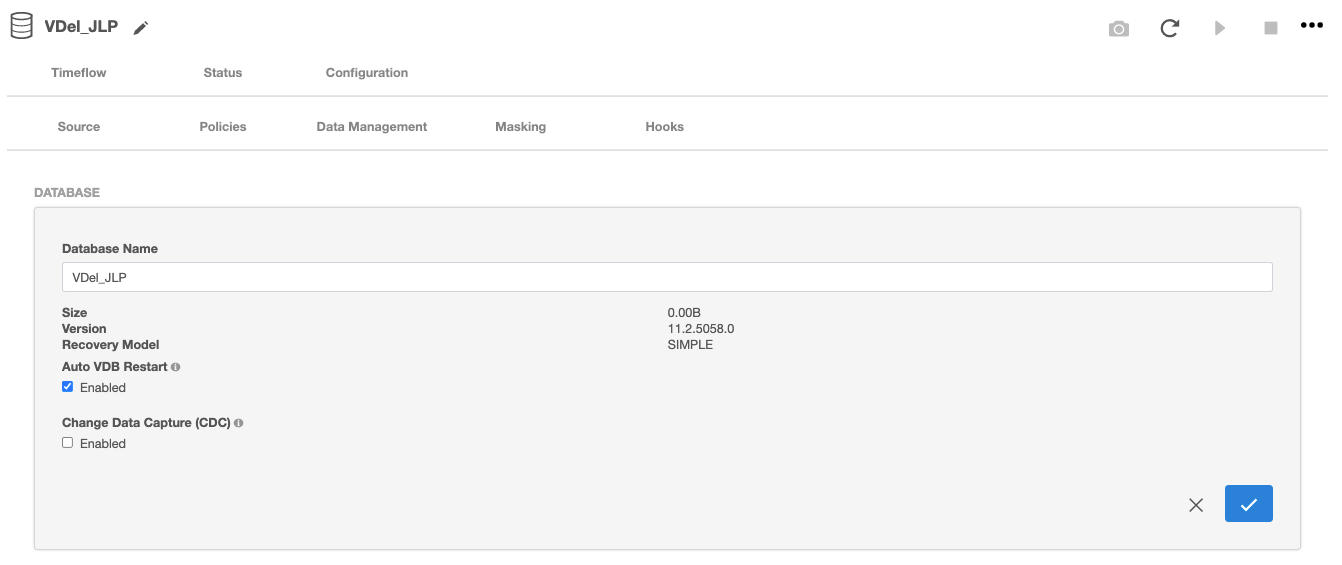
Viewing or updating CDC your configuration
CDC configuration used while provisioning would be saved and used for subsequent Refresh and Rewind operations on the VDB. This configuration can be viewed/updated after the VDB has provisioned, in the Source tab under the Configuration’section of the VDB.
Exporting CDC enabled physical databases
-
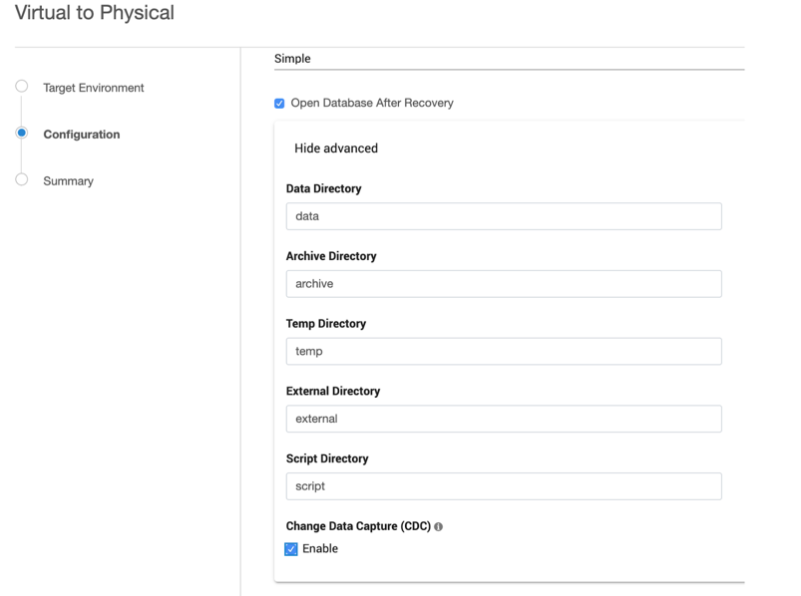
In the Configuration page of the wizard, open the Advanced section and Select the ‘Enable’ option under ‘Change Data Capture (CDC)
-
CDC capture and cleanup jobs have to be added and CDC metadata has to be upgraded (if exporting is done from a lower database version to SQL2016 and above), manually on exported databases.
General notes/troubleshooting
-
Make sure the SQL Server instance on which the VDB is being provisioned or exported, supports CDC.
-
Make sure ‘SQL Server Agent’ for the instance is running otherwise adding CDC capture and cleanup jobs will fail.
-
When to Enable or Disable CDC on a VDB
-
Retain CDC metadata: If the source database being ingested into Delphix is already CDC-enabled and you want the provisioned VDB to retain the corresponding CDC metadata, then CDC should be enabled on the VDB.
-
Start with a clean state: If you prefer the VDB to start without any inherited CDC metadata—for example, to begin with a clean state—you can disable CDC on the VDB after provisioning.
Version specific behavior:
-
-
Continuous Data Engine versions before 21.0.0.0: Disabling CDC did not delete the CDC metadata. Residual CDC artifacts could remain on the VDB and would require either hooks or manual cleanup after provisioning.
On Continuous Data Engines version before 21.0.0.0, if the preference is to not enable CDC on the VDB, this command is to be issued after Provisioning operation:
sys.sp_cdc_disable_db
This is best accomplished with a Configure Clone hook. Here is a sample hook:
# Use if you wish to trouble shoot and debug the code.
# Set-PSDebug -Trace 2;
$VDB_HOST = $env:VDB_INSTANCE_HOST
$VDB_PORT = $env:VDB_INSTANCE_PORT
$VDB_INSTANCE = $env:VDB_INSTANCE_NAME
$VDB_NAME = $env:VDB_DATABASE_NAME
$CONNECT_STRING = "$VDB_HOST\$VDB_INSTANCE,$VDB_PORT"
$script:ErrorActionPreference = "Continue"
function die {
    Write-Error "Error: $($args[0])"
    # run exit handler, if defined
    if (Get-Command -type Function -name atExit 2> $null) {
        atExit
    }
    exit 1
}
function verifySuccess {
    if (!$?) {
        die "$($args[0])"
    }
}
## sqlcmd
sqlcmd -l 30 -b -S "$VDB_HOST\$VDB_INSTANCE,$VDB_PORT" -d $VDB_NAME -W -E -s ";" -q "sys.sp_cdc_disable_db"  -o "C:\Users\delphix\DelphixPSLog_$((Get-Date).ToString('MM-dd-yyyy_hh-mm-ss')).log"
Alternatively, run the command manually after the provision job (Refresh, for example) and then perform a snapshot on the VDB to preserve the setting. (The Configure Clone hook runs the script after VDB is running, just prior to the snapshot sub-job that runs after the provision).
At this point the VDB will no longer have the " cdc " schema resources and CDC itself is disabled.
You can check CDC status from SQL Server Management Service(SSMS), SQLCMD or a suitable SQL management tool and run the following query:.
In this example the database name is "my_vdb"
select is_cdc_enabled from sys.databases where name like 'my_vdb';Sample output:
is_cdc_enabled
1
Continuous Data Engine version 21.0.0.0 and later: The provisioning scripts include a disable sequence, so disabling CDC will properly remove the metadata, requiring no user intervention.