
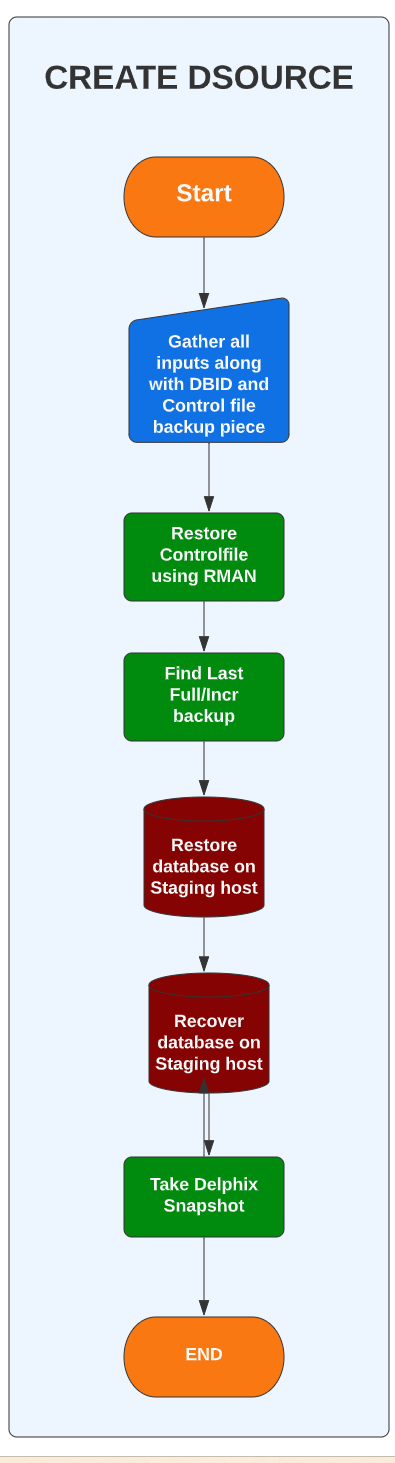
Linking / Create dSource : Linking a data source will create a dSource object on the engine and allow Delphix to ingest data from this source. The dSource is an object that the Delphix Virtualization Engine uses to create and update virtual copies of your database. Once a dSource has been linked, you can begin to perform dSource operations on it such as enable, disable, detach, delete, resync and more.
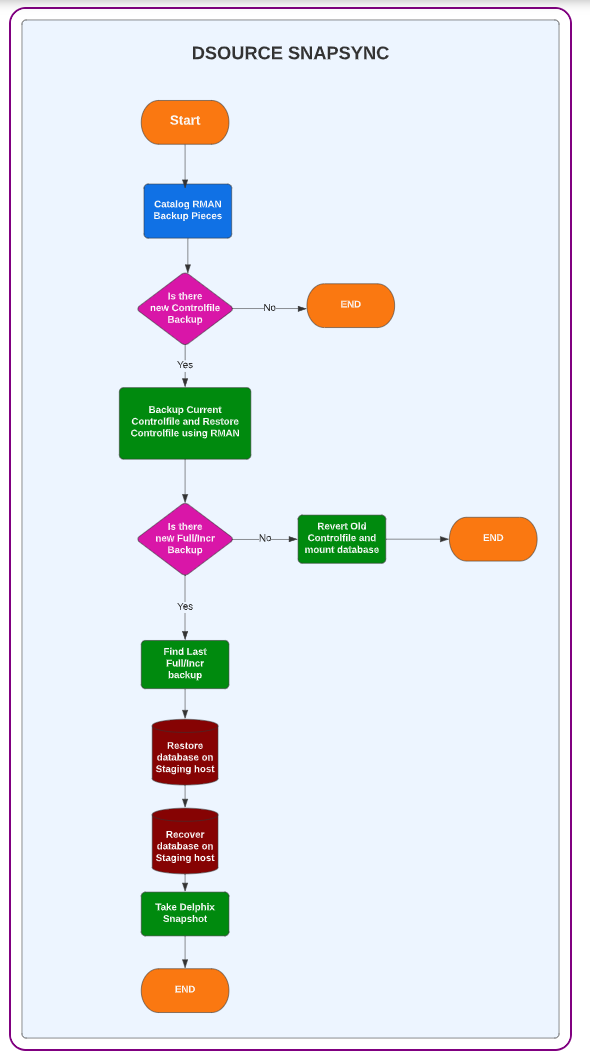
Snapsync ( dSource Snapshot ) : Snapsync is the process used by the Delphix Engine to create a Snapshot of dSource. An initial SnapSync is performed to create a copy of data on the Delphix Engine. Incremental SnapSyncs are performed to update the copy of data on the Delphix Engine.
Snapsync ( dSource Snapshot with Params ) : This method preserves the Source Timeflow with no impact to existing virtual databases (VDBs). Repair Source Timeflow after a corruption. This will use parameters defined for dSource creation and execute whole process as if its creating new dSource but maintains preserves previous timeflow so that VDBs are not impacted. Note: This will use parameters defined and resynchronize the dsource. Old controlfile if specified in parameters will be used and staging database will be restored as of last full backup found in controlfile. It is important to update controlfile backuppiece information if you wish to restore any latest backup.
-
Disable : This will disable dSource and filesystem related to dSource will be unmounted from Staging host. dSource will not be monitored till it is enabled.
-
Enable : This will enable dSource that is in disabled state. Database is started in mount mode and ready for further incremental captures.