
Once an environment is added with the Delphix Admin application, all database installation homes on it are automatically discovered. However, if a database installation home is not automatically discovered, add it manually to the environment.
To add a dataset home installation manually, follow these steps:
-
Log in to the DCT instance.
-
On the Infrastructure Connections page, select any instance and click View.
-
Select the Data tab and click +Add Installation.
-
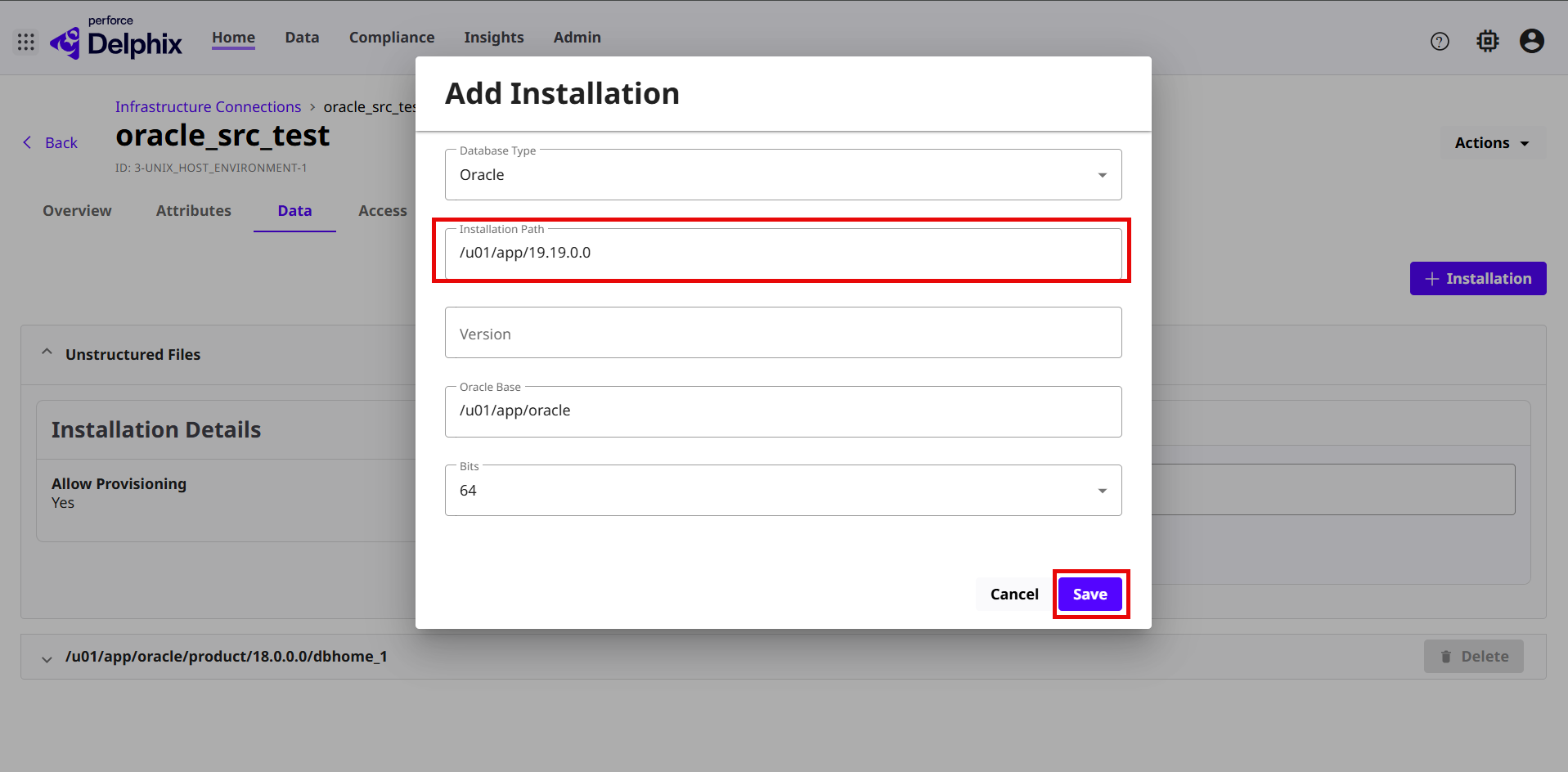
On the Add Installation page, enter the following details:
-
Database Type: Select Oracle from the drop-down menu.
-
Installation path: Enter the Oracle installation home path
-
Version: Enter the version of the Oracle installation home.
-
Oracle Base: Enter the Oracle Base path of the installation home.
-
Bits – Select the 64 bits encryption option of the Oracle Home.
-
Click Save.
 If an Oracle Home is not automatically discovered, we recommend troubleshooting the failure before restorting to manually added the home. A manually added home requires additional management steps. Once a home has been manually added, it cannot be converted to discovered.
-