
Delphix supports customers to run Datapatch against their virtual databases when the databases are created, refreshed, rewound, started, or enabled via DCT. For more information, read the Datapatch and Delphix Continuous Data Engine page.
To invoke Datapatch for a VDB in DCT, follow these steps:
-
Log in to the DCT instance.
-
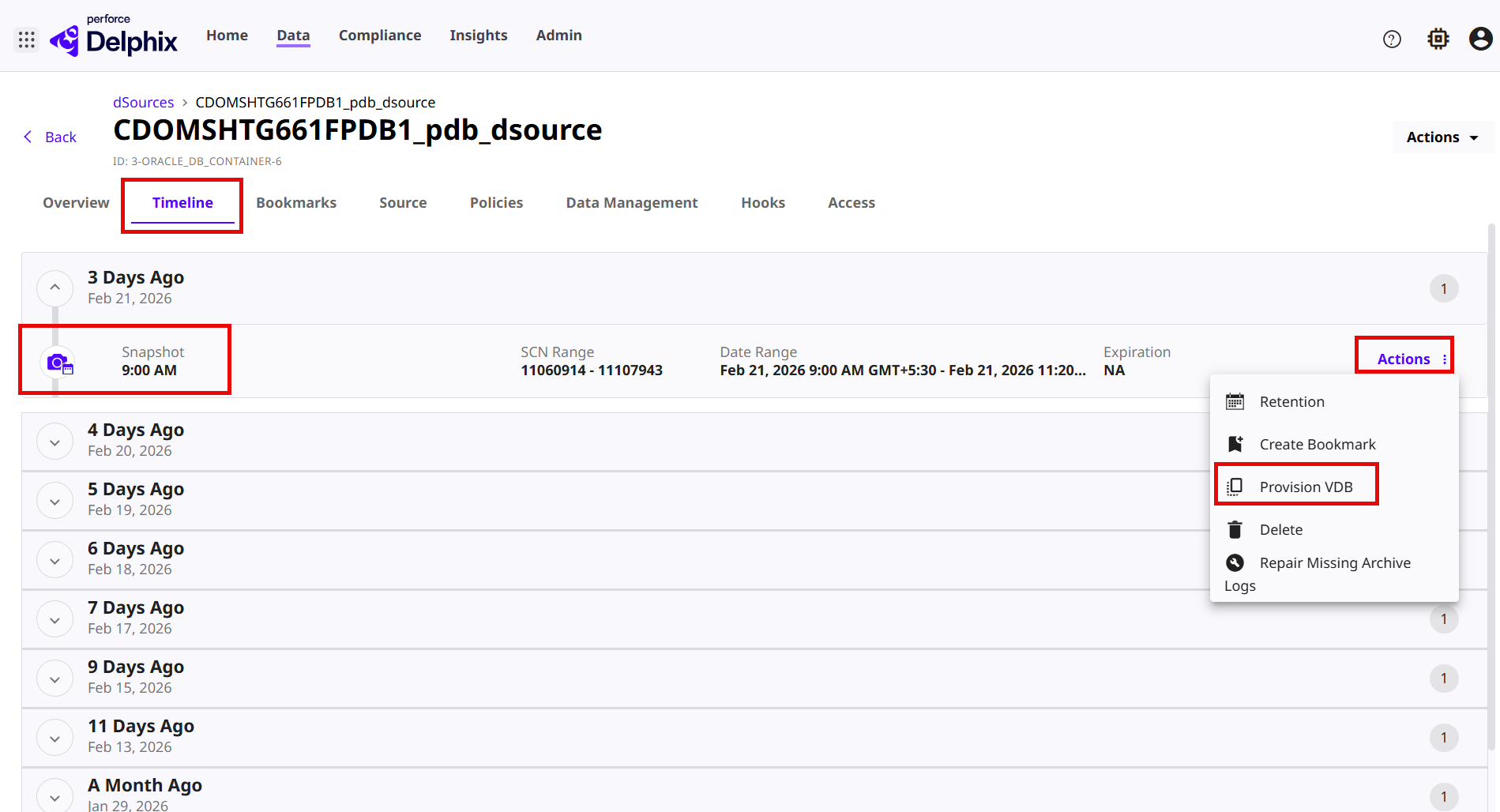
Navigate to Data > dSources, and click a vPDB dSource and select the Timeline tab.
-
Choose a snapshot and click Actions > Provision VDB. For more information, read the Provisioning a VDB page.
-
On the Provision VDB page, select the existing linked CDB and click Next.
-
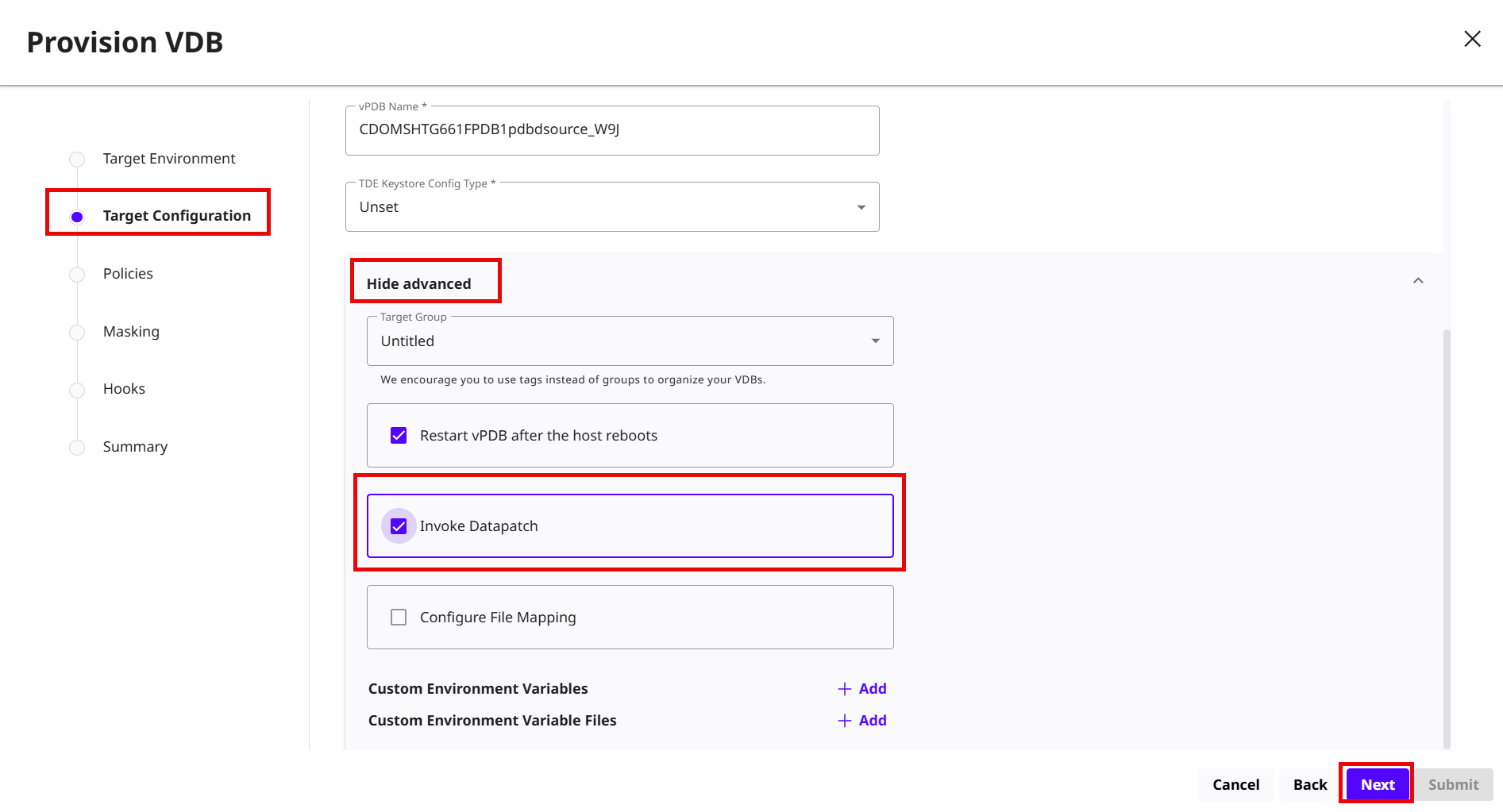
On the Target Configuration page, expand the Show Advanced drop menu to select the Invoke Datapatch check box and click Next.
-
Accept the default Policies options and click Next.
-
Accept the default Masking options and click Next.
-
Accept the default Hook operations and click Next.
-
Review the summary and click Submit.