
Change Oracle home installation path for the manually added environment.
To change a Oracle home installation path, follow these steps:
-
Log in to the DCT instance.
-
On the Infrastructure Connections page, select on an instance and click View for Delphix Engine hosting the Installation.
-
Select the Data tab.
-
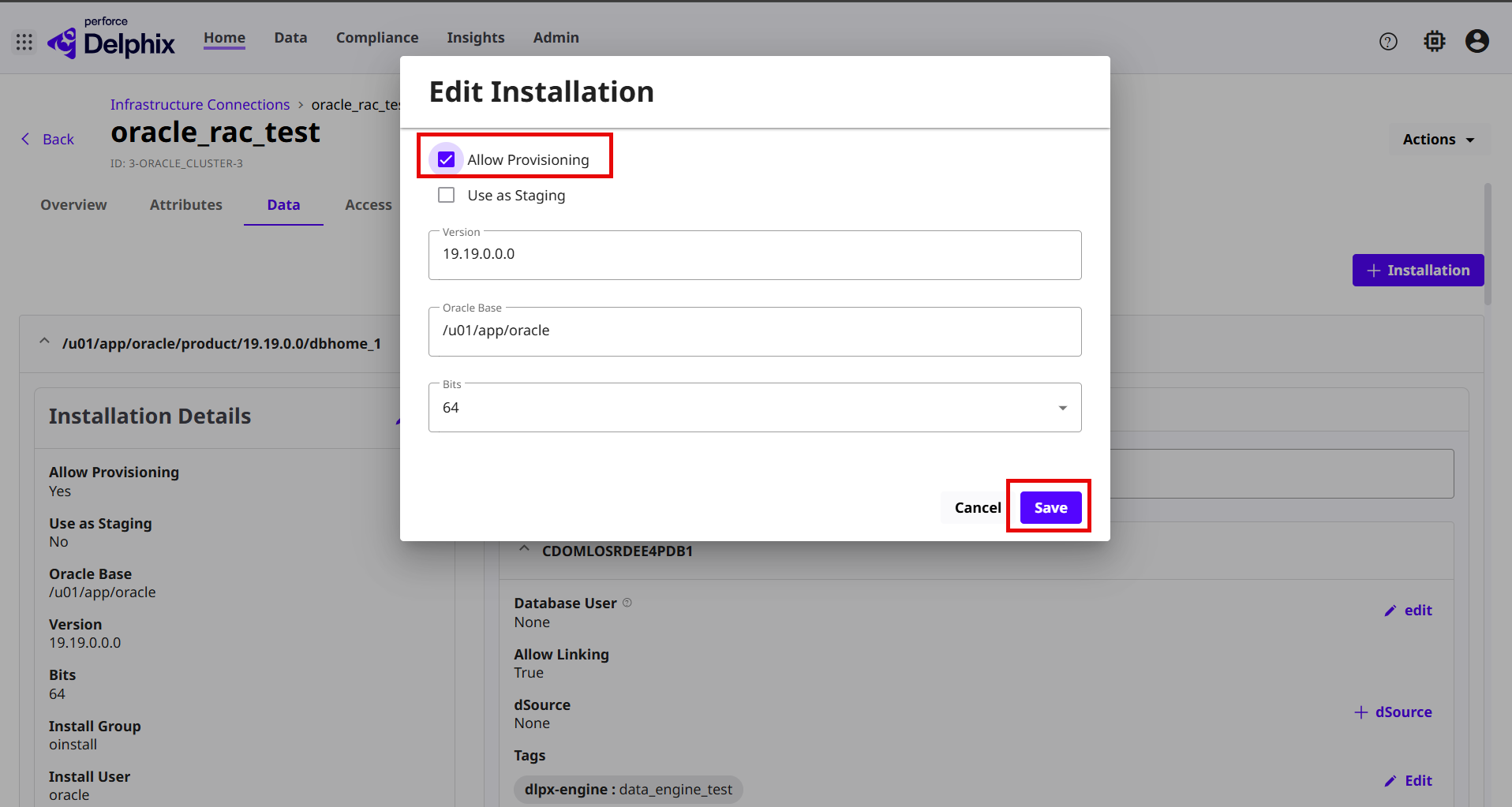
Under the Add Installation section, click the Edit link to edit the following installation details:
-
Allow provisioning: Select this check box to allow provision.
-
Use as Staging: if checked, this installation can be used by the Delphix Data Engine for internal processing.
-
Version: Enter the version of the Oracle home installation path.
-
Oracle Base: Enter the Oracle Base path of the installation home.
-
Bits: Select the 64 bits encryption option of the Oracle Home.
-
Click Save.
-