
Downloading the connector
The connector is provided as a downloadable .json file from the Delphix download site. Use the steps below to download it:
-
Navigate to the Delphix Download portal by clicking the following link or entering https://download.delphix.com/ into the address bar.
-
Login to the download portal using the same email and password credentials used for Delphix Support.
-
Navigate to Delphix Product Releases > Continuous Data Connectors > CockroachDB > v1.x.x.x -> sc_crdb_v1.x.x.x.json and the download should automatically begin.
Installing the connector
-
Login to the Delphix Management application.
-
Navigate to Manage → Plugins.
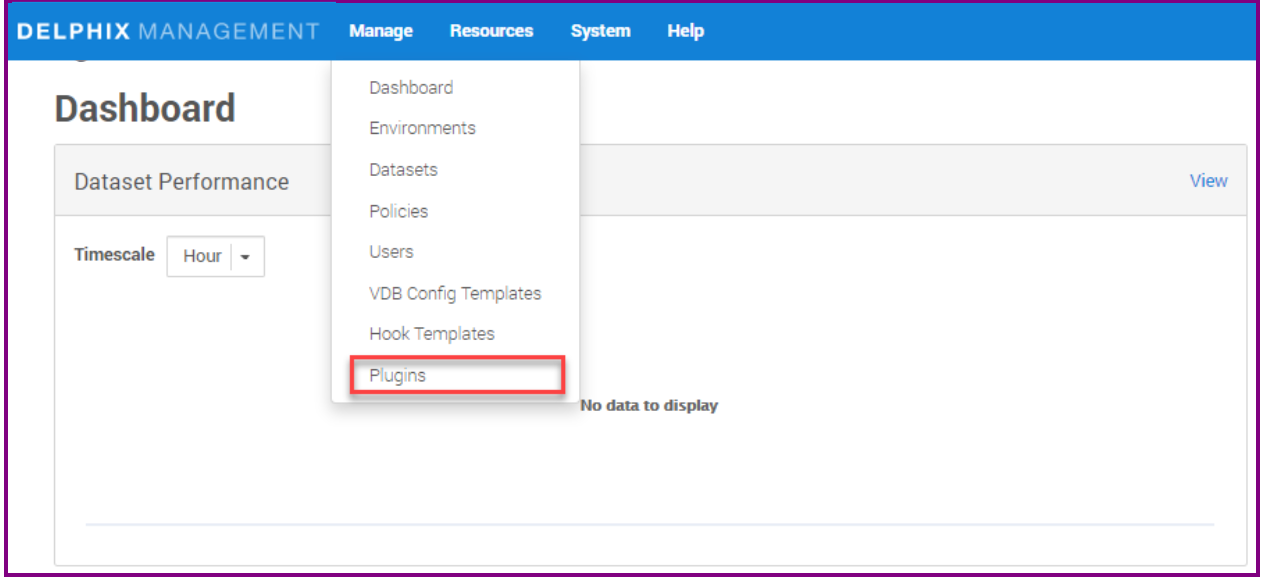
-
Click the + icon to upload the connector file.
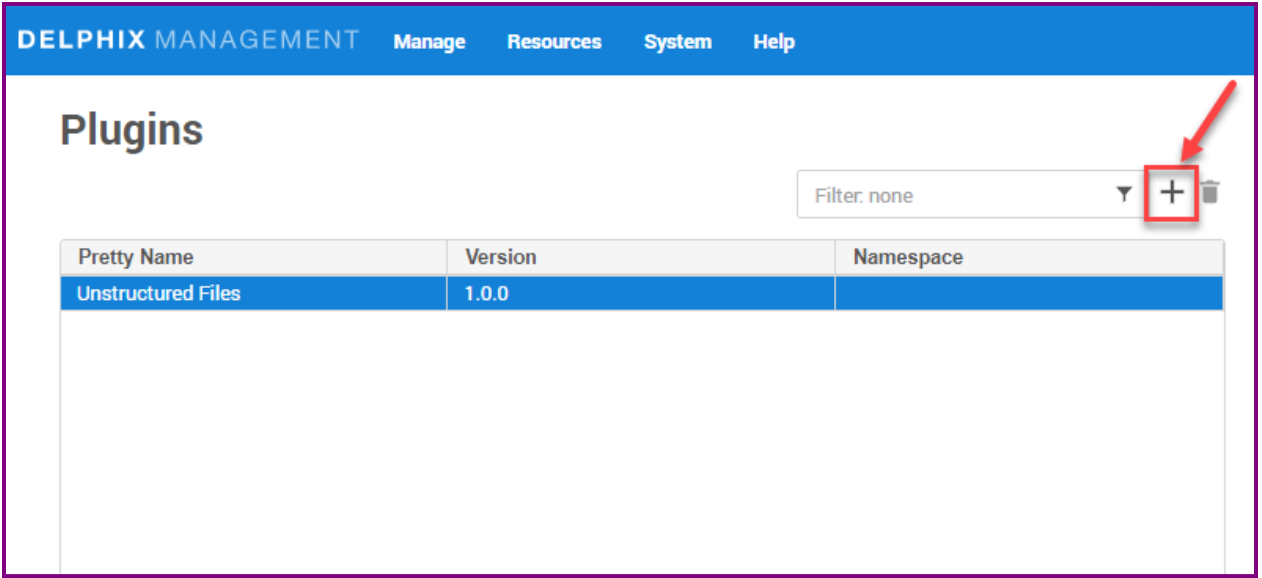
-
This step shows the Upload or upgrade a plugin dialog. Upload the sc_crdb_v1.x.x.x.json file downloaded previously.
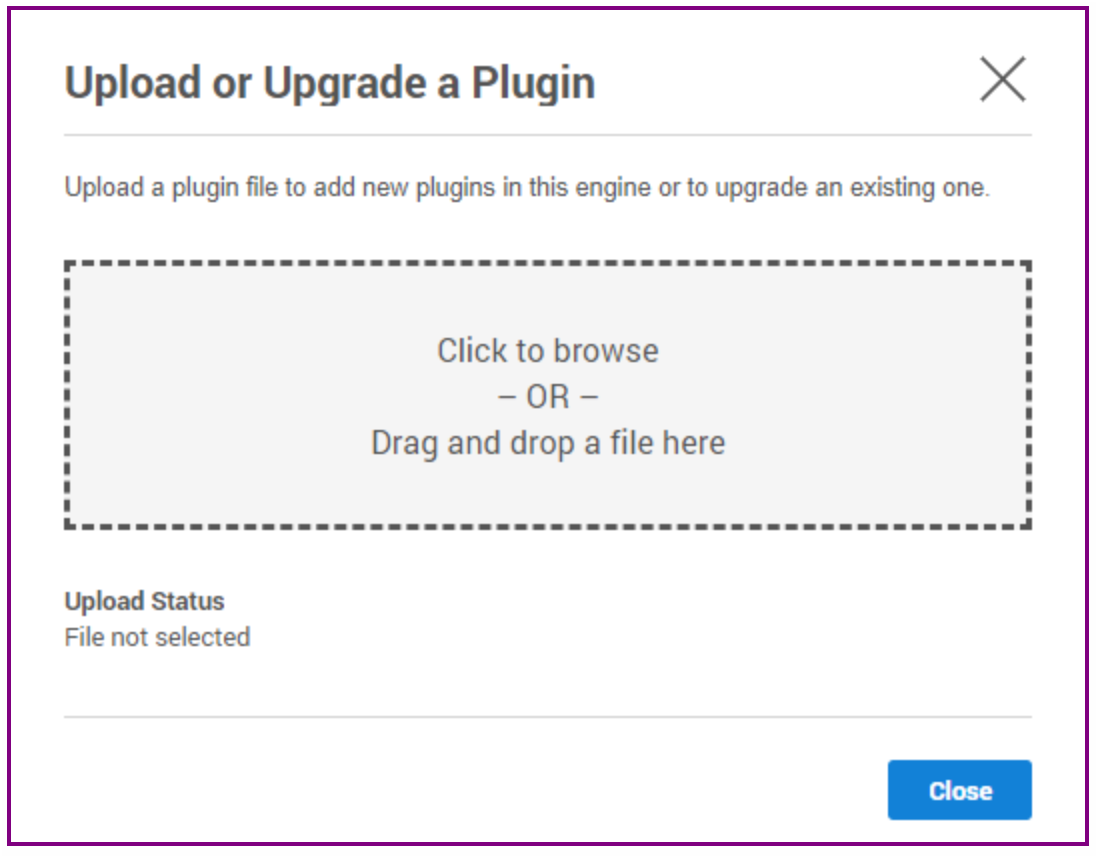
For more information, refer to the Continuous Data Engine connector management section.
Upgrading the connector
The procedure for upgrading to a higher connector version is the same as installing a new CockroachDB connector. Repeat the previous steps using the .json file corresponding with the version being upgrade to.
After uploading the new connector version file
-
Refresh all (corresponding) environments.
-
Ensure a connector discovery is completed successfully.
-
Take a new snapshot of the dSource and VDB.
While updating a plugin, disable & enable of datasets is not required. Only refresh of environments is required.
The VDBs started on public IP must have 127.0.0.1 added to the certificates present on the primary target host. That is, while running cockroach
cert list --certs-dir=<path-to-certs>, the IP 127.0.0.1 should show up.In case of a multi-host VDB, make sure that the ports following the CRDB port and console port provided for primary host are available on the primary host. That is, for a 3-node multihost VDB with CRDB port 26257 and console port 8080
The ports 26257, 26258, 26259 should be available on the primary host.
The ports 8080, 8081, 8082 should be available on primary host.
To upgrade to newer versions of the CockroachDB connector, the upgrade path as given below must be followed.
Upgrade Path
|
Released Versions |
Recommended Upgrade Path |
|
1.3.0, 2025.1.0, 2025.2.0, 2025.3.0 |
Supports Direct Upgrade to the 2026.1.0. version. |