Perform the following steps to safely take snapshots of the dSource.
-
Recover the physical backup (pg_basebackup or pgBackRest) in the data directory. When restoring backups created with pg_dump, start by initializing the PostgreSQL cluster in the target data directory, and then proceed to recover the backup using pg_restore.
-
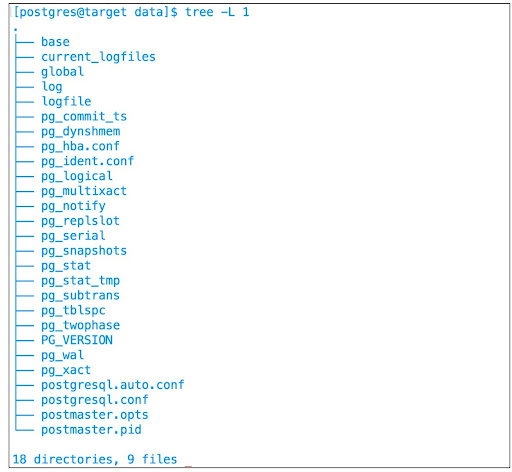
During the recovery of a physical backup, it's important to ensure that all tablespace locations, if any, are contained within the specified mount point. The following screenshot illustrates the expected file system structure after the recovery process is completed.
-
Stop the cluster.
Failure to stop the cluster will result in a snapshot operation failure.
-
Take a snapshot.
-
Start the cluster.
-
Provision, refresh, or rewind VDBs using the new snapshot.
The following snippet illustrates this scenario: 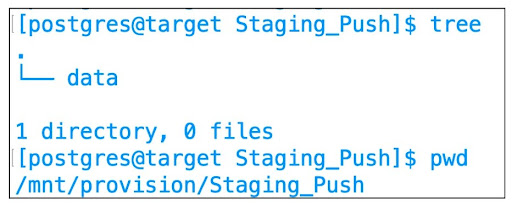
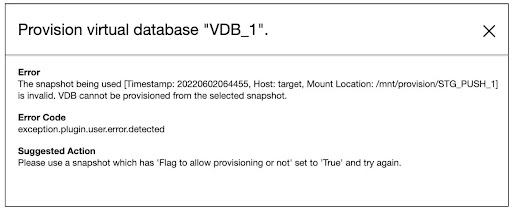
Attempting to create a Virtual Database (VDB) from this empty snapshot will result in a failure, and you will receive the following error message.