This topic describes the procedure to perform the Virtual to Physical (V2P) operation on an Oracle dSource to a standard physical filesystem-based storage.
Performance considerations before running the V2P operation
-
When deciding the number of RMAN channels to use, there are tradeoffs between speed and resource consumption on the host.
-
The number of RMAN channels must not be more than the number of data files.
-
Similar to selecting the number of RMAN channels to perform a backup, if impact to other databases is not a concern, then the number of channels can be increased to the point of diminishing returns. Otherwise, it is a compromise between what the system can handle and how fast we want the V2P operation to finish.
-
By default, it is set to 8, but this value might be too large for some environments and should be adjusted down appropriately.
To perform V2P operation on Oracle dSource with standard file system in DCT, follow these steps:
-
Log in to the DCT instance.
-
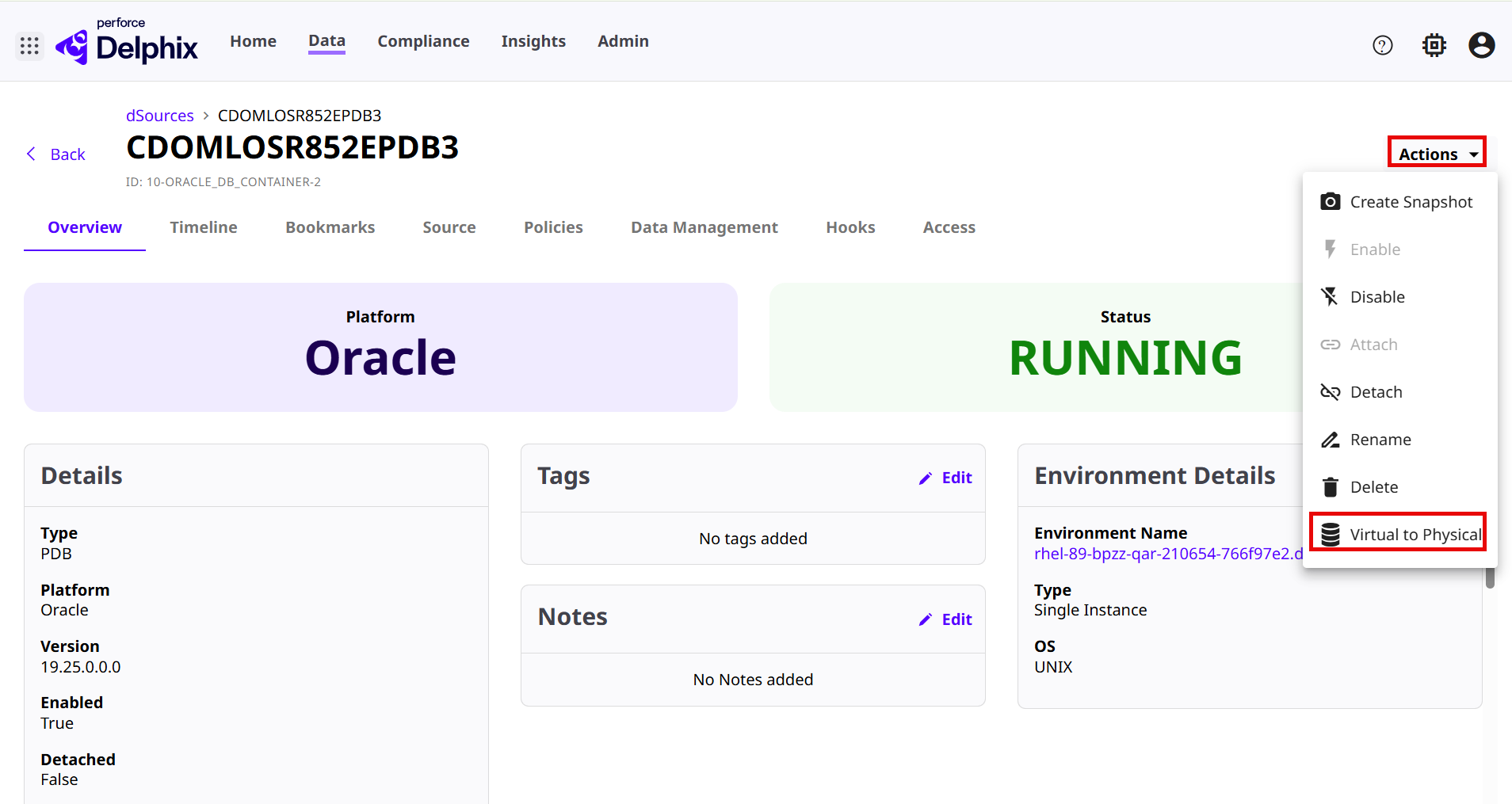
Navigate to Data>dSources and select any Oracle dSource and click View.
-
Click on the Actions menu and select the Virtual to Physical option.
-
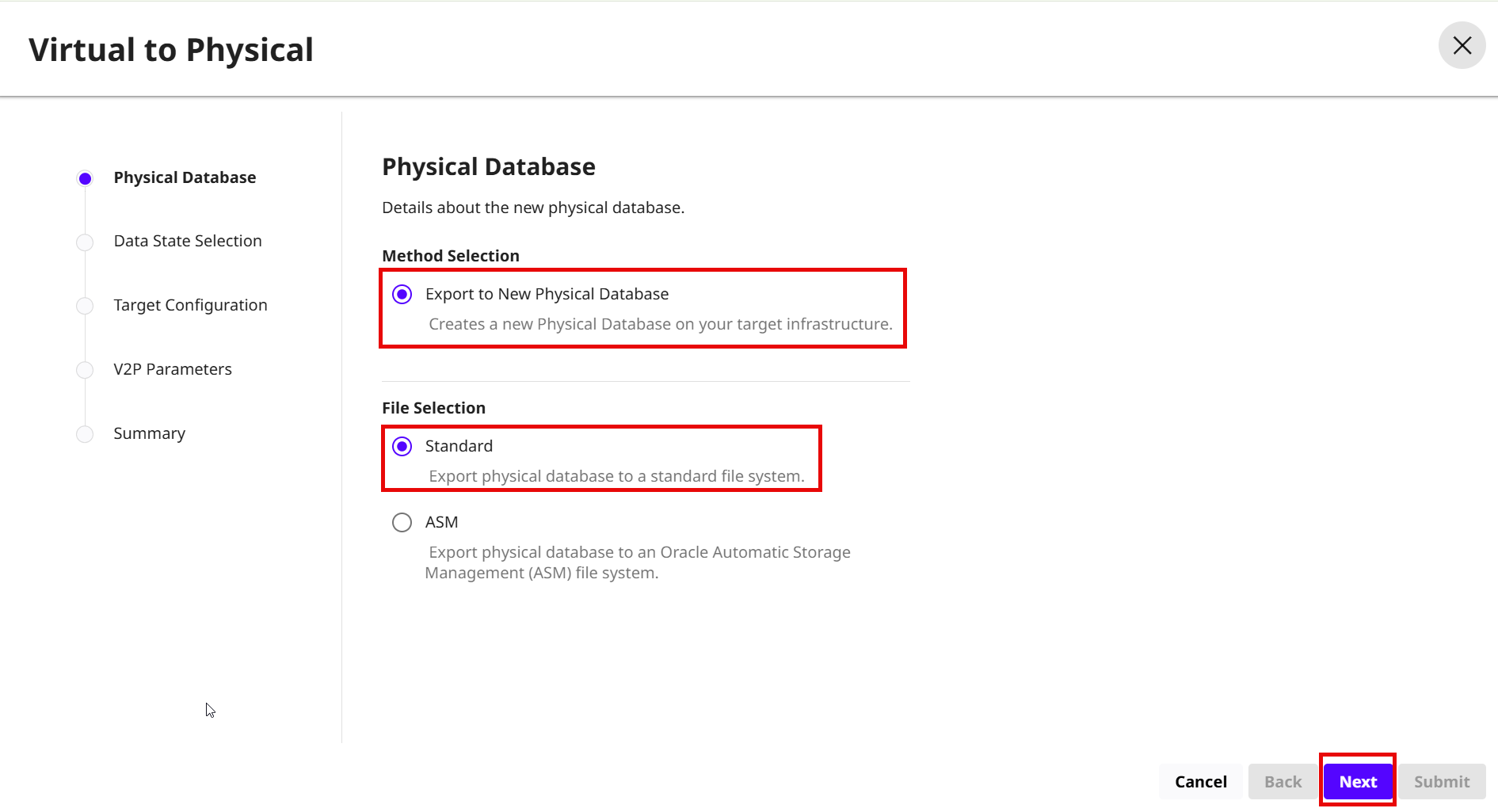
On the Virtual to Physical > Physical Database page, select the following options:
-
Method Selection: Select the Export to New Physical Database option to create new target database on the Target dSource.
-
File Selection: Select the Standard option to export physical database to a standard file system.
-
Click Next.
-
-
On the Data State Selection page, select a Provision Point option and click Next.
-
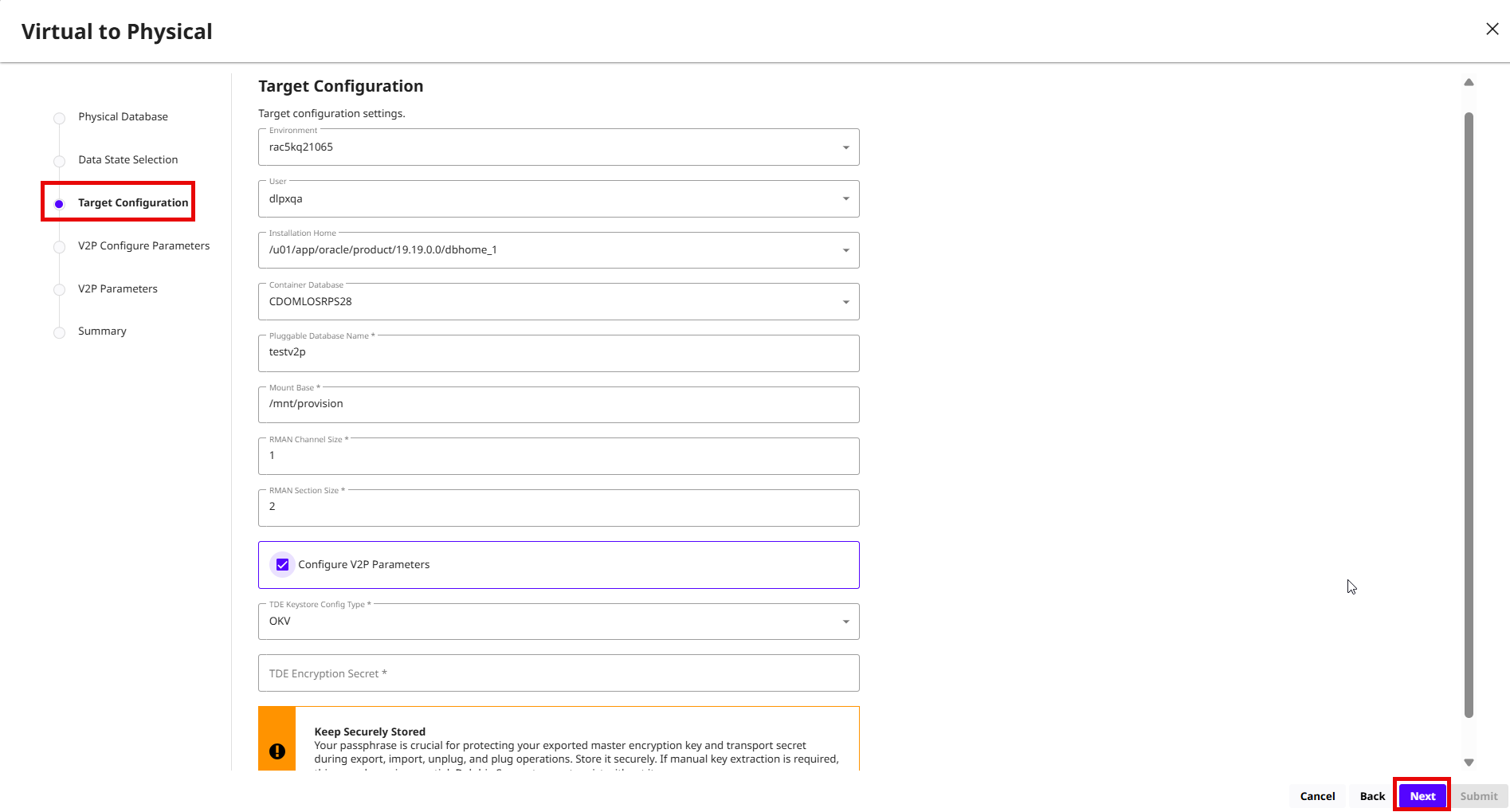
On the Target Configuration page, enter the following configuration details:
-
Environment: Name of the environment.
-
User: User name for the environment.
-
Installation Home: The Oracle Installation path for your database.
-
Container Database: The existing CDB for your environment.
-
Pluggable Database Name: Enter the name of the PDB.
-
Mount Base: Enter the mount base path.
-
RMAN Channel Size: Enter the number of RMAN channel size. For example, enter 1.
-
RMAN Section Size: Enter the RMAN Section Size. For example, enter 2.
-
Configure V2P Parameters: Select this check box to enter the V2P parameters.
-
Select the TDE Keystore Config Type to choose the following options:
-
Unset
-
File
-
HSM
-
OKV
-
OCI Vault
Additional parameters are visible based on the selection of the TDE Keystore config Type. For more information, read the Provision Oracle VDBs in DCT page.
-
-
Click Next.
-
-
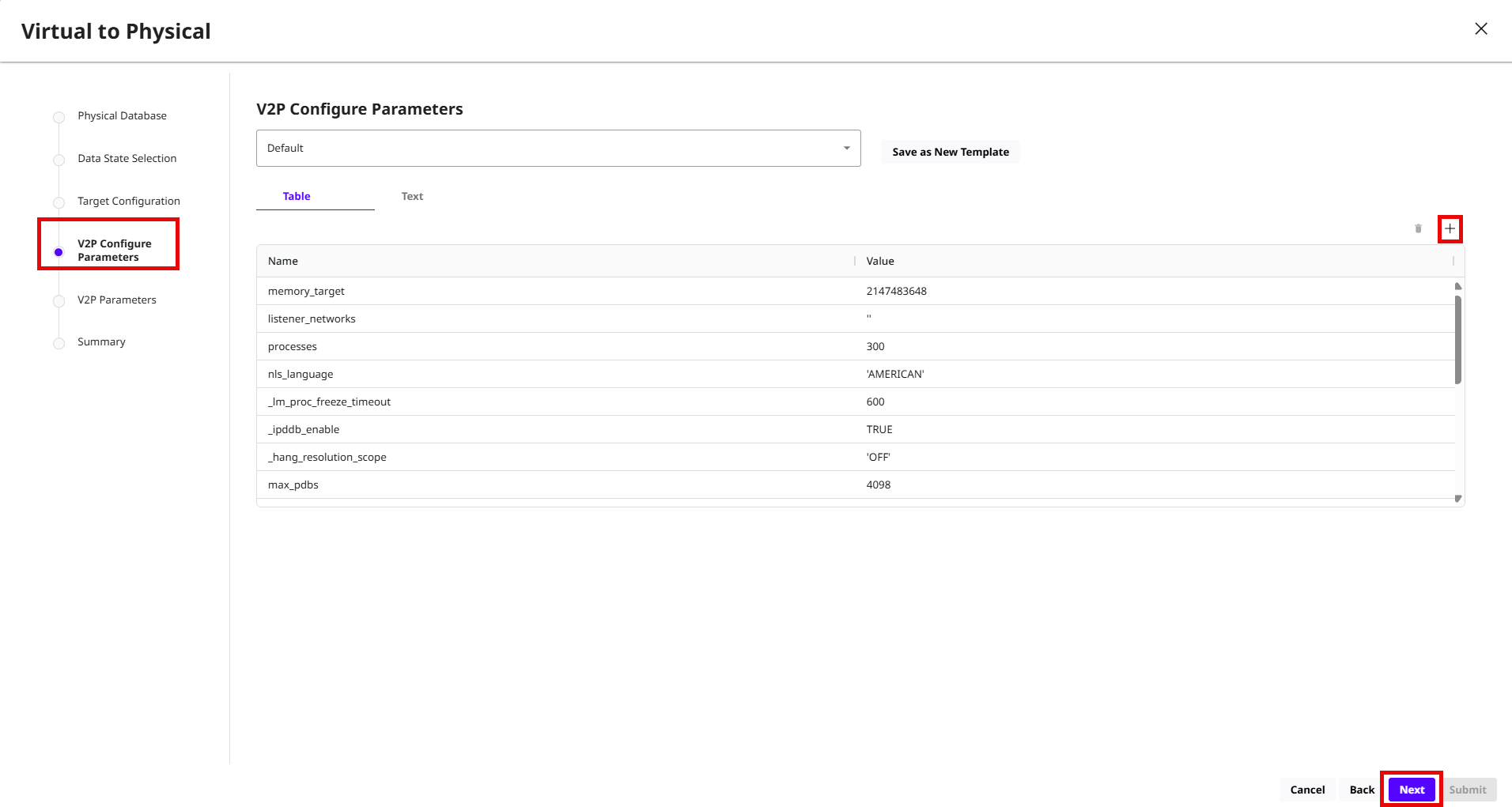
On the V2P Configure Parameters page, click the + icon to add the Parameter Name and Value and click Next.
-
On the V2P Parameters page, enter the Target Data Directory path and click Next.
-
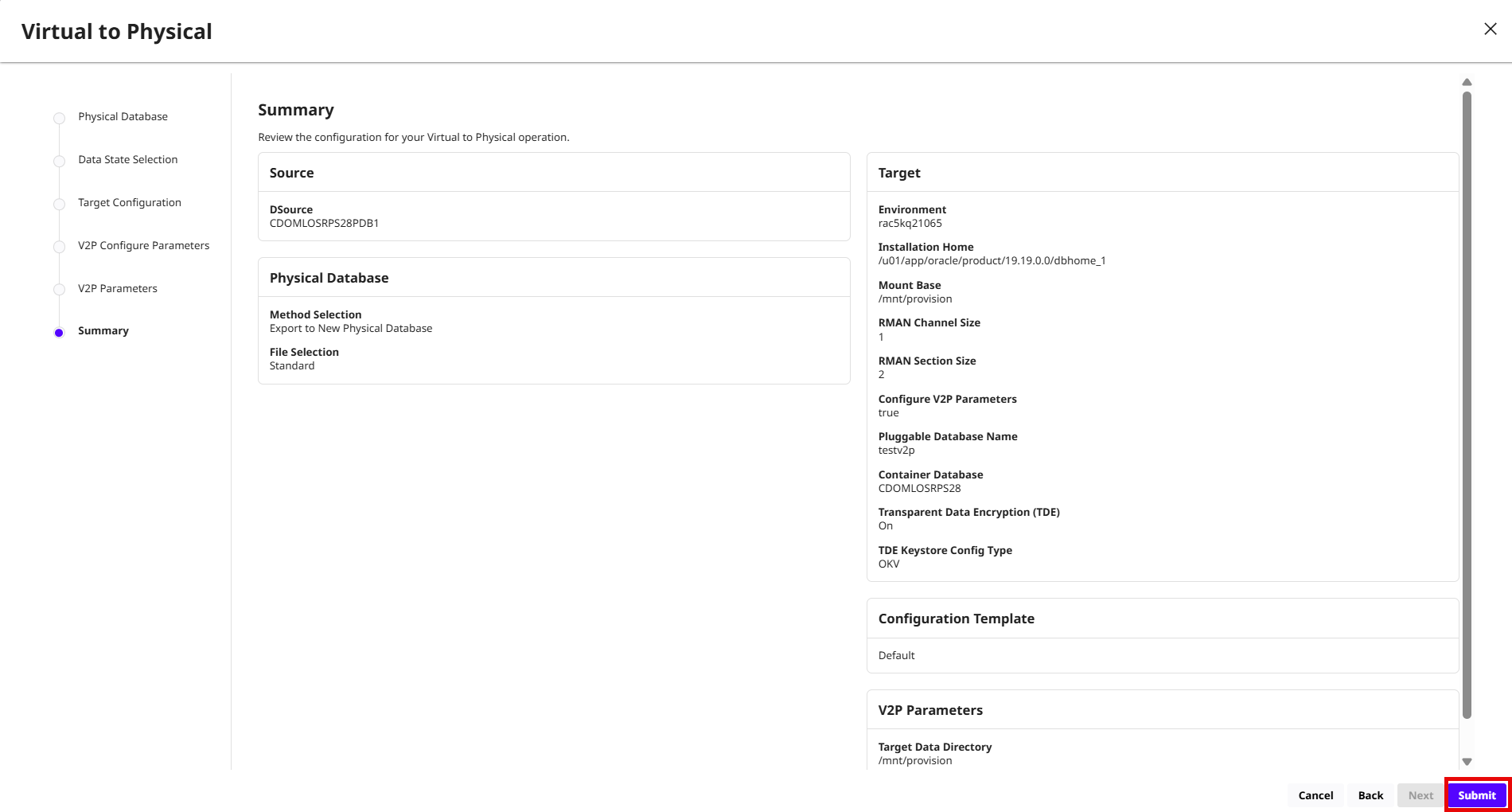
Review the V2P operation summary details and click Submit.