
Delphix supports provisioning a vPDB from a non-Multitenant dSource snapshot in to linked CDB with Open Database After Provision parameters.
To provision vPDB from a non-MT dSource snapshot into a linked CDB in DCT, follow these steps:
-
Log in to the DCT instance.
-
Navigate to Data > dSources, and click a non-MT dSource and select the Timeline tab.
-
Choose a snapshot and click Actions > Provision VDB. For more information, read the Provisioning a VDB page.
-
On the Provision VDB page, select the target environment and click Next.
-
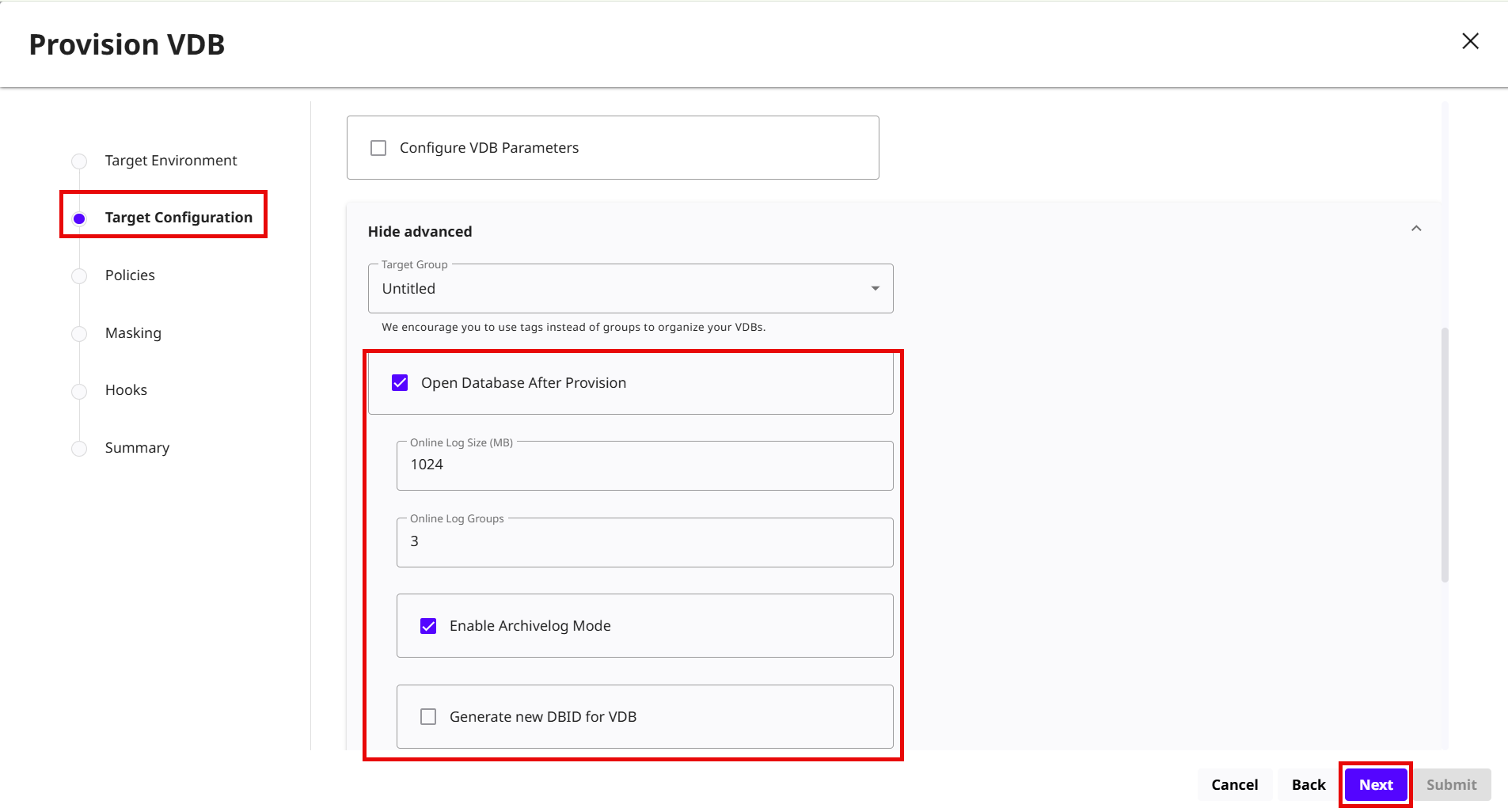
Enter the Target Configuration details, expand the Show Advanced option and select the Open Database After Provision check box and enter the following details:
-
Online Log Size (MB): Enter the log file size in MB.
-
Online Log Groups: Enter the number of log groups.
-
Enable Archivelog Mode: Select this check box to enable the Archivelog mode.
-
Generate new DBID for VDB: Select this check box to generate a new database ID for the VDB.
-
Click Next.
-
-
Accept the default Policies options and click Next.
-
Accept the default Masking options and click Next.
-
Accept the default Hook operations and click Next.
-
Review the summary and click Submit.