
Take a snapshot of a SQL Server dSource
Taking a snapshot creates a new snapshot entry in the SQL Server dSource timeline.
To take a snapshot of a SQL Server dSource:
-
Log in to the DCT instance.
-
Navigate to Data > dSources, select the dSource, and click View.
-
Click the Actions menu and select Create Snapshot.
-
A dialog box opens with options based on the dSource type.
-
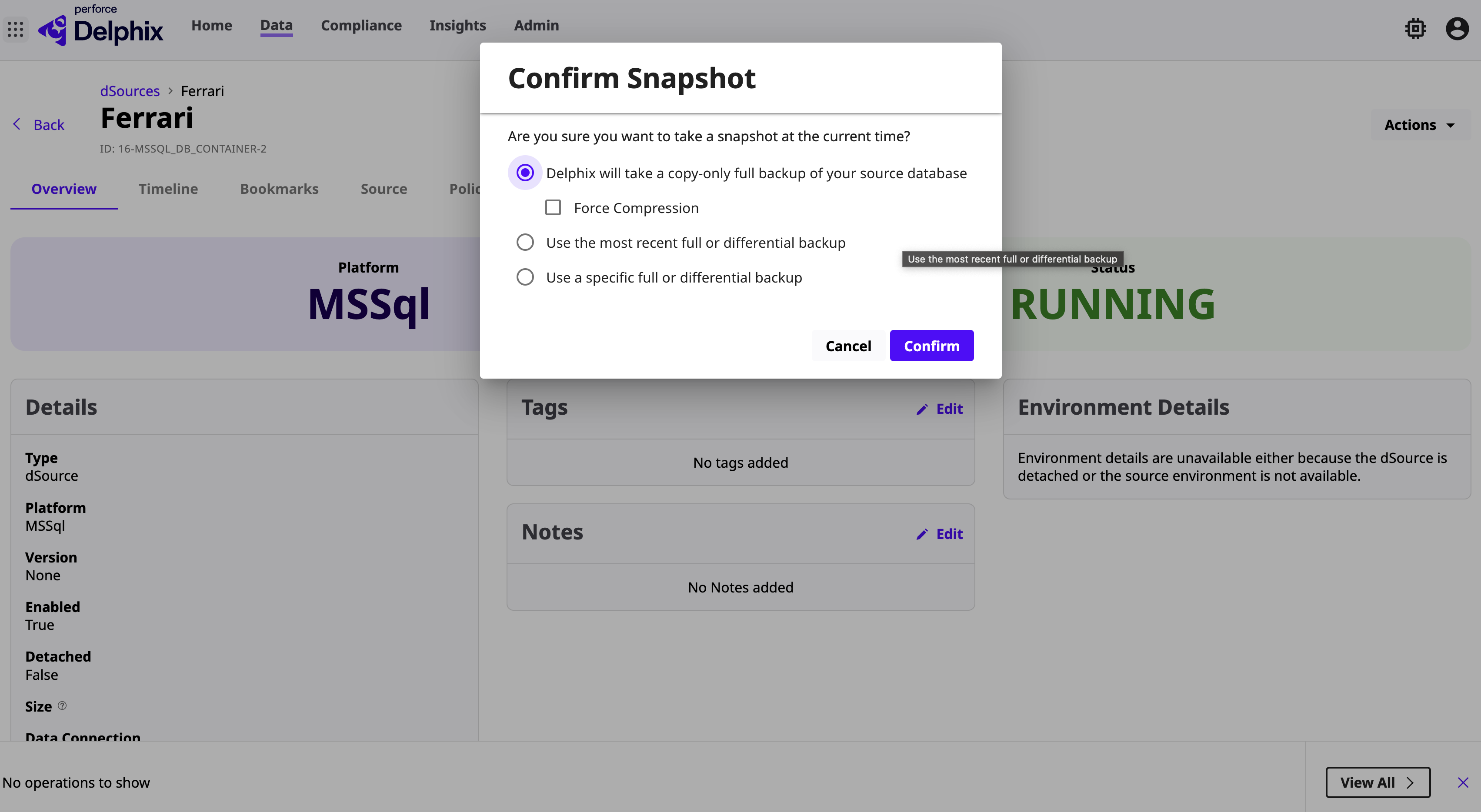
Source‑Based dSource: Select one of the following options:
-
Take a copy‑only full backup
The Delphix Engine takes a copy‑only full backup of the source database and uses it for the sync operation. -
Use the most recent full or differential backup
-
Delphix automatically detects the most recent full or differential backup and uses it for the sync operation.
-
Ensure that backup paths are configured correctly. These paths determine where Delphix looks for backups to ingest.
-
-
Use a specific full or differential backup
-
The SQL Server database can be loaded from a specific full backup identified by the Backup Set UUID.
-
-
-
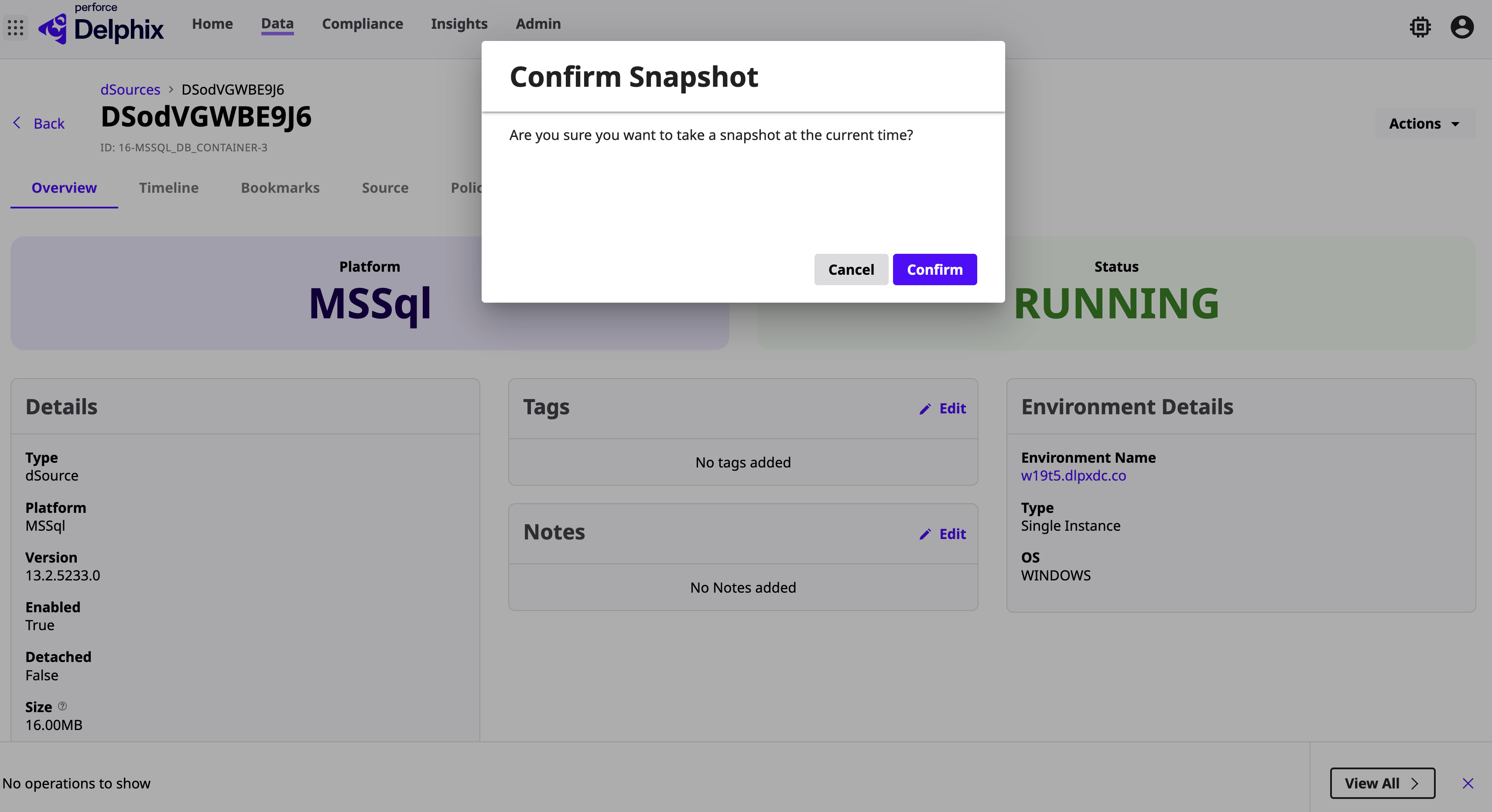
Staging Push dSource: Confirm the snapshot operation.
Attach or Detach an MSSQL dSource in DCT
Source‑Based dSources
A dSource contains metadata associated with the source database, along with snapshots ingested up to the current point in time.
You can detach (unlink) a dSource from its source database. Detaching breaks the association without affecting data stored in the Delphix Engine.
Staging Push dSources
Staging push dSources are not attached to a source database. Detaching removes the association with the staging database only, without affecting data stored in the Delphix Engine.
Detached dSources have the following properties:
-
A detached dSource can still be used to provision a virtual database (VDB).
-
You can re‑link the dSource with a new configuration.
-
You can convert a linked dSource to a staging push dSource (and vice versa) during re‑linking. For more information, see Staging Push Implementation for SQL Server.
To attach or detach an MSSQL dSource in the DCT instance:
-
Log in to the DCT instance.
-
Navigate to Data > dSources and select the dSource.
-
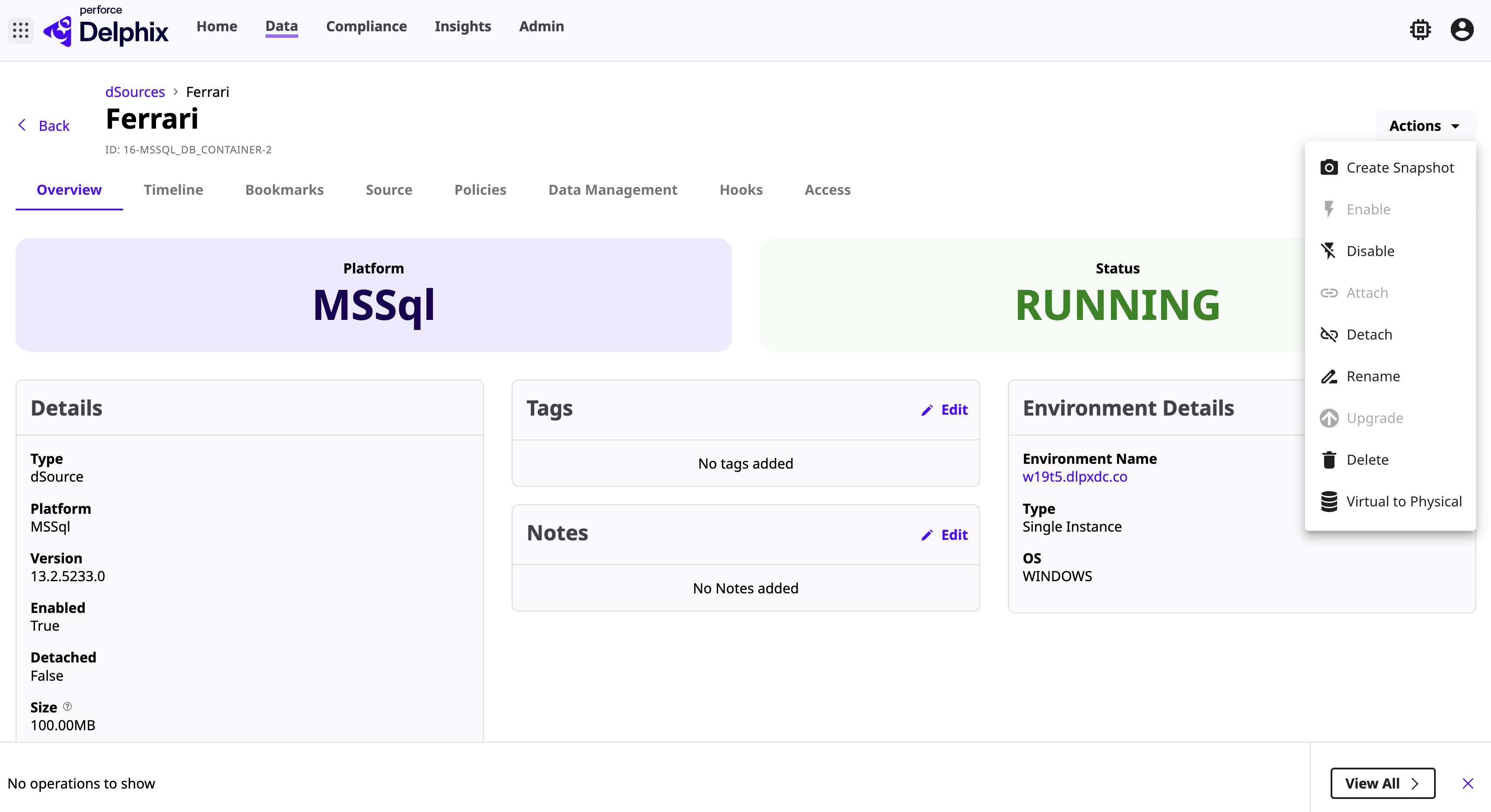
Click the Actions menu and select Detach.
-
After detaching, you can re‑attach the dSource by repeating the same steps.
Upgrade or Downgrade a Source‑Based dSource in DCT
When the source database connected to a dSource is upgraded, the dSource metadata must be updated to match the new version.
Upgrading a dSource ensures that the Delphix Continuous Data Engine correctly recognizes and associates with the updated source database.
This process updates only the dSource metadata; it does not upgrade the database itself.
Prerequisites
-
Confirm that the source database instance has been upgraded.
-
Ensure that the dSource is disabled before performing the upgrade.
To upgrade a source‑based dSource in the DCT instance:
-
Log in to the DCT instance.
-
Navigate to Data > dSources and select the source‑based dSource.
-
Click the Actions menu and select Upgrade.
-
Select the appropriate upgrade option from the drop‑down list and click Save.