
This section describes process to search a snapshot with different options in a timeflow.
While provisioning or refreshing a VDB, search option can be used to locate the corresponding parent snapshot based on a point in time or an System Change Number (SCN).
Procedure
-
Log in to the Delphix Management application.
-
Click Manage and select Datasets from the dropdown list.
-
Select the dSource for which you want to search the snapshot.
-
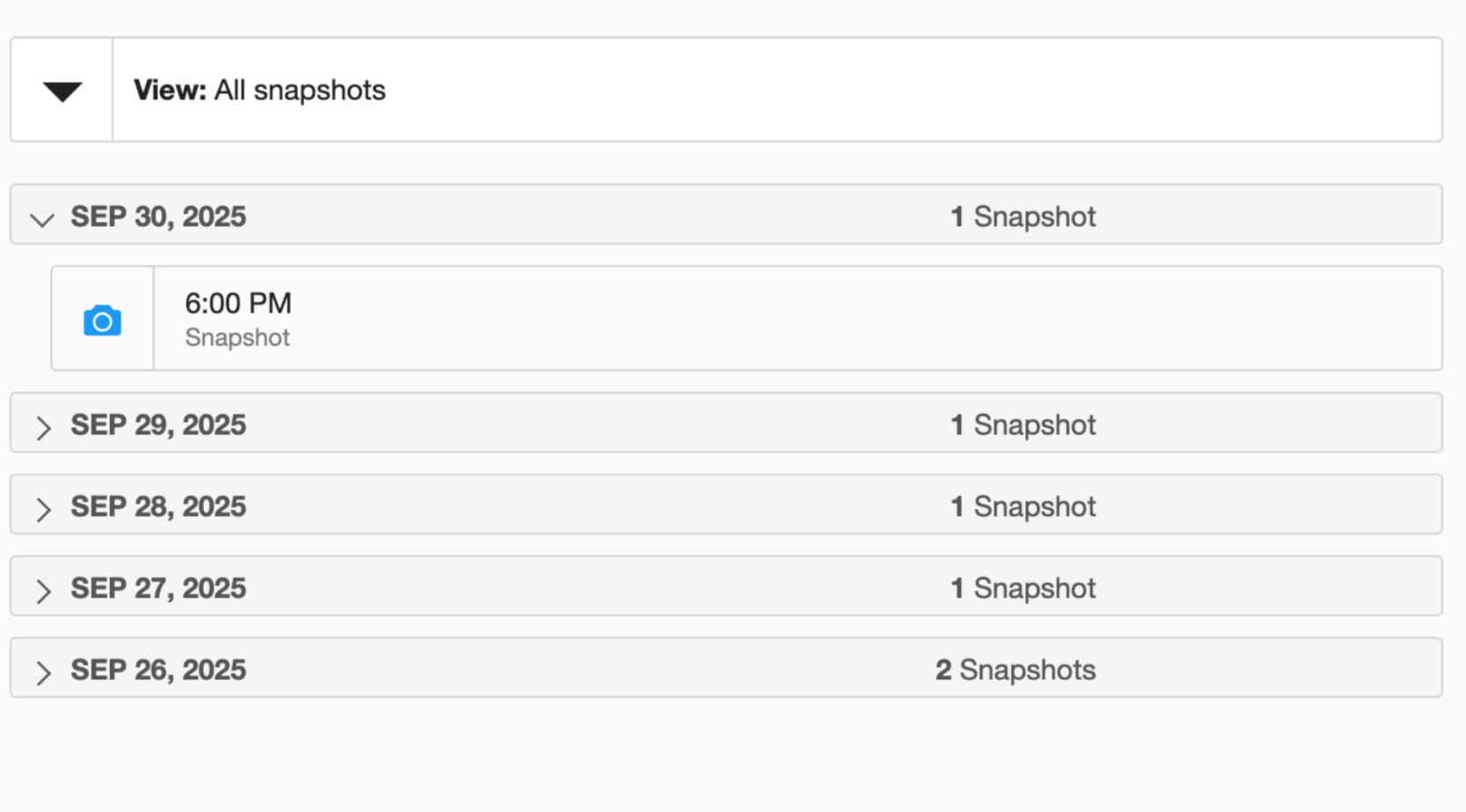
Navigate to the Timeflow tab and click View: All snapshots to view all snapshots.
-
Click the
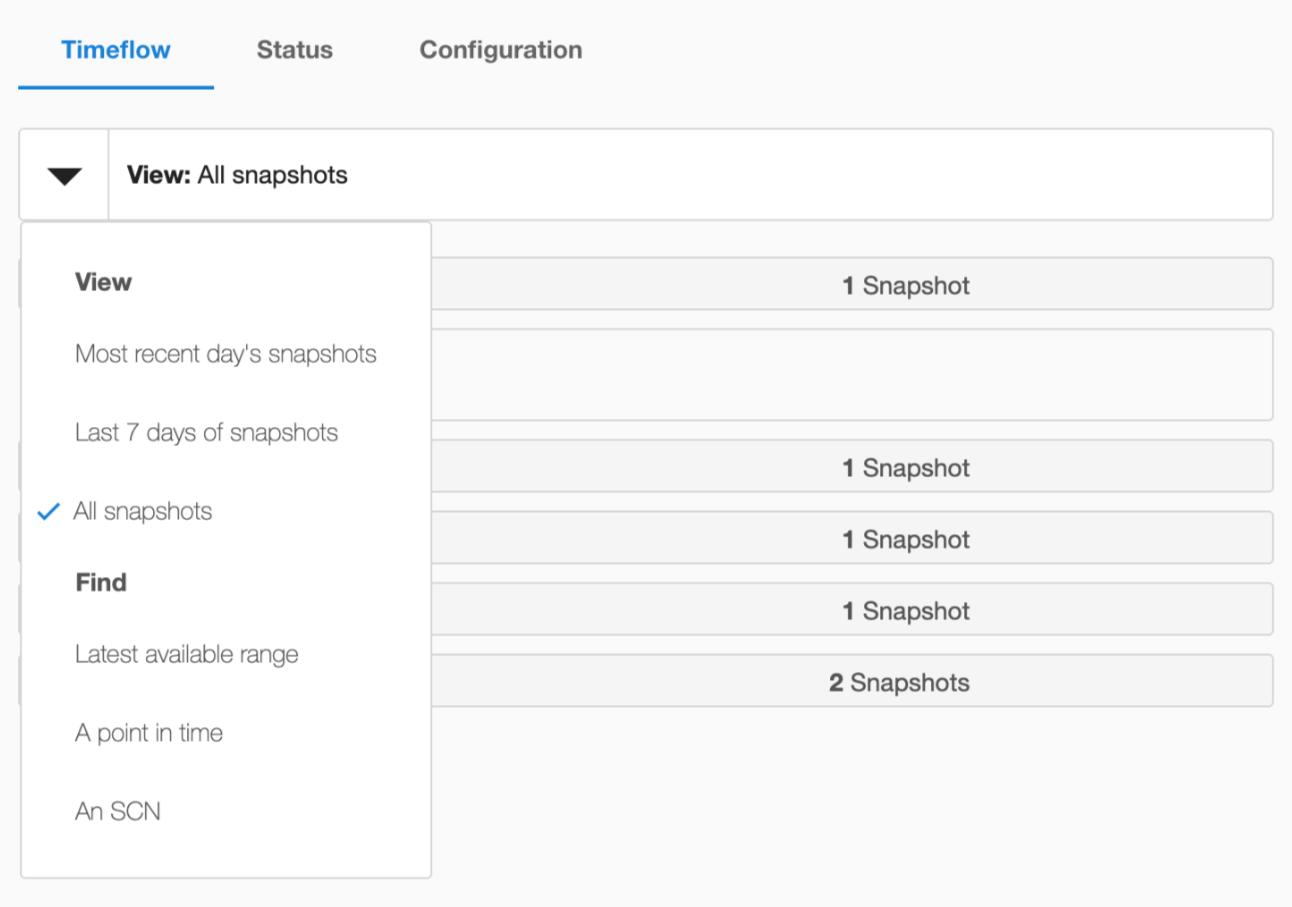
 icon to view the following search options:
-
Most recent day's snapshots
-
Last 7 days of snapshots
-
All snapshots
-
Find
-
Latest available range
-
A point in time
-
An System Change Number (SCN)
-
-
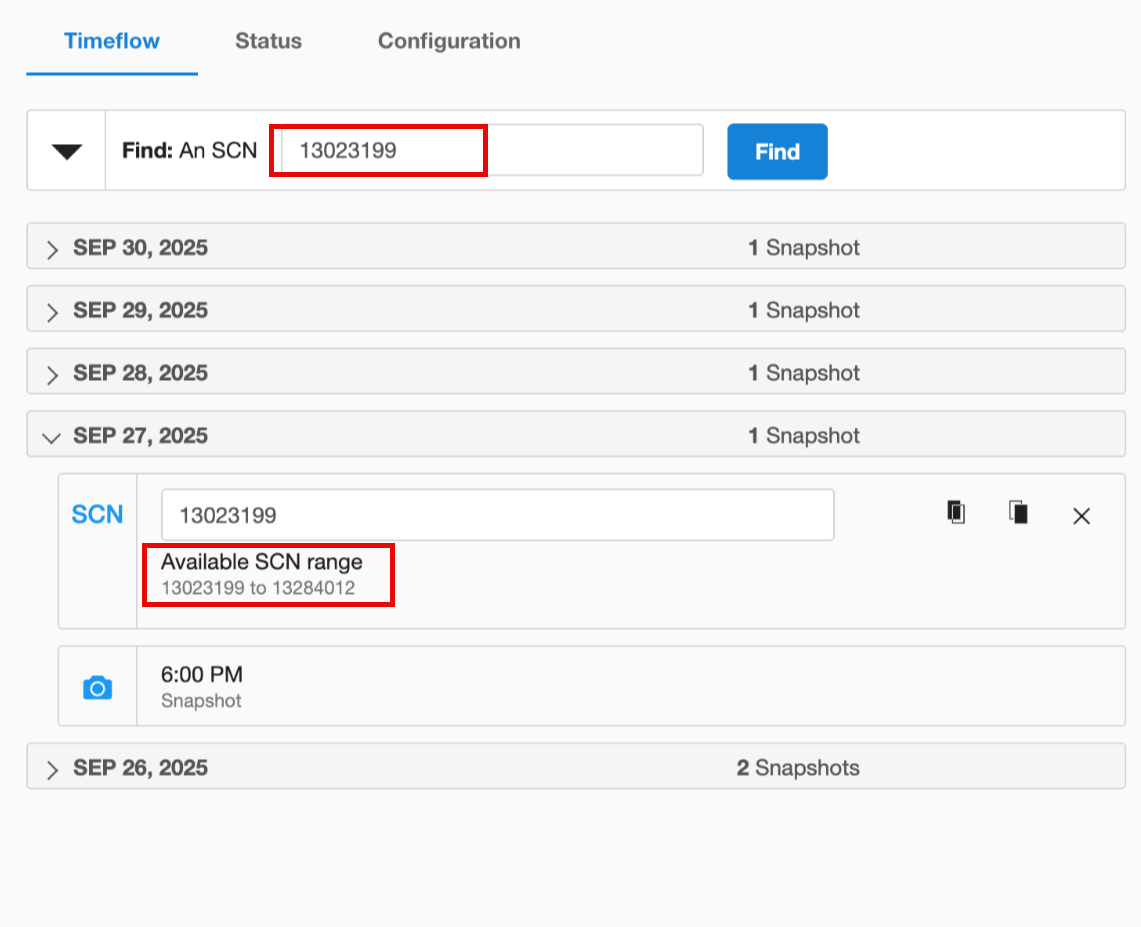
Select the An SCN option to search for the SCN range of snapshots as shown below:
 .