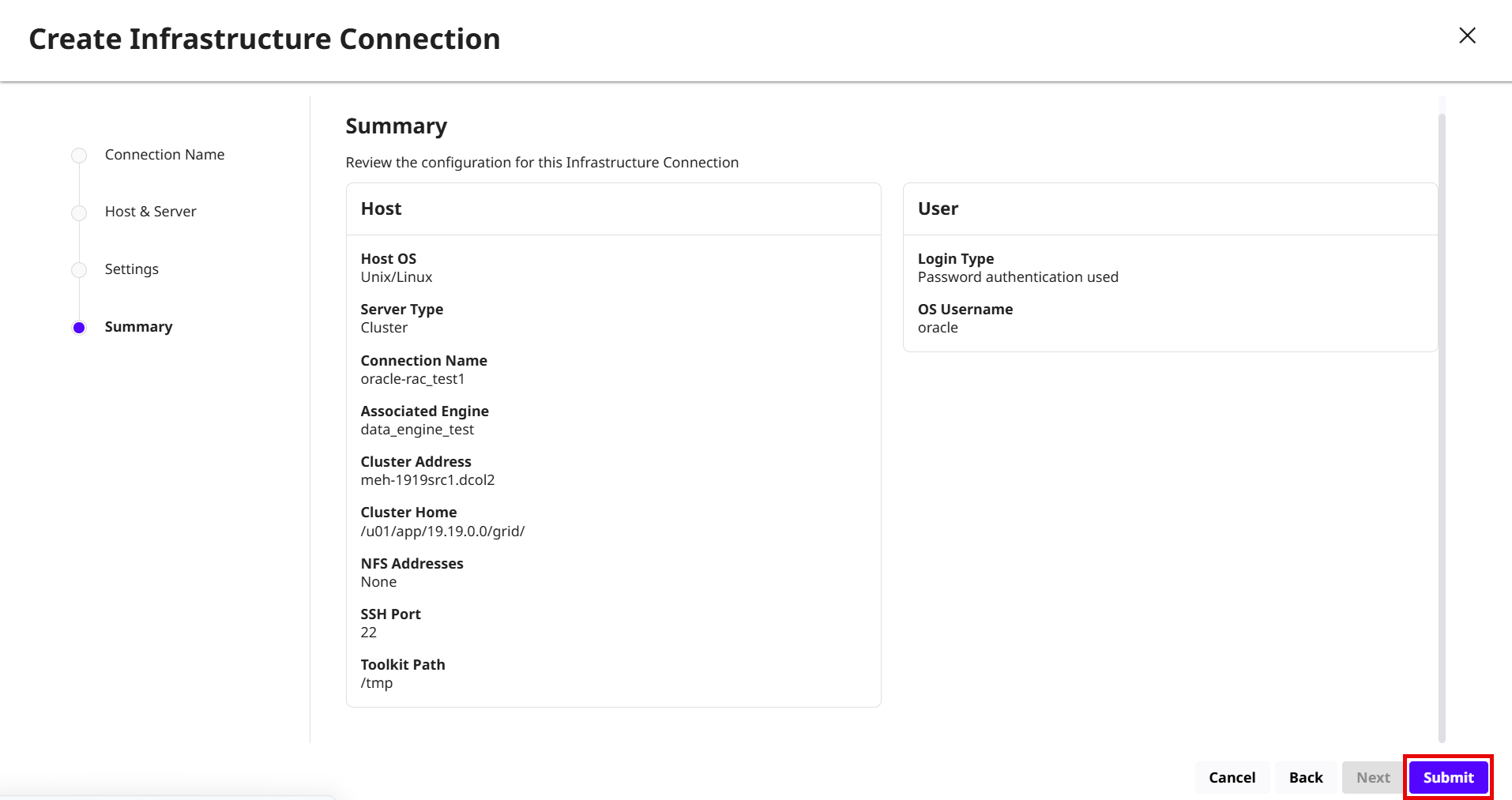
To add an Oracle RAC environment in the DCT, follow these steps:
-
Log in to the DCT instance.
-
On the Home page, click +Infrastructure Connections to add a source and target Oracle environment.
-
On the Create Infrastructure Connection page, enter a name for the connection and select the Continuous Data Engine.
-
Click Next.
-
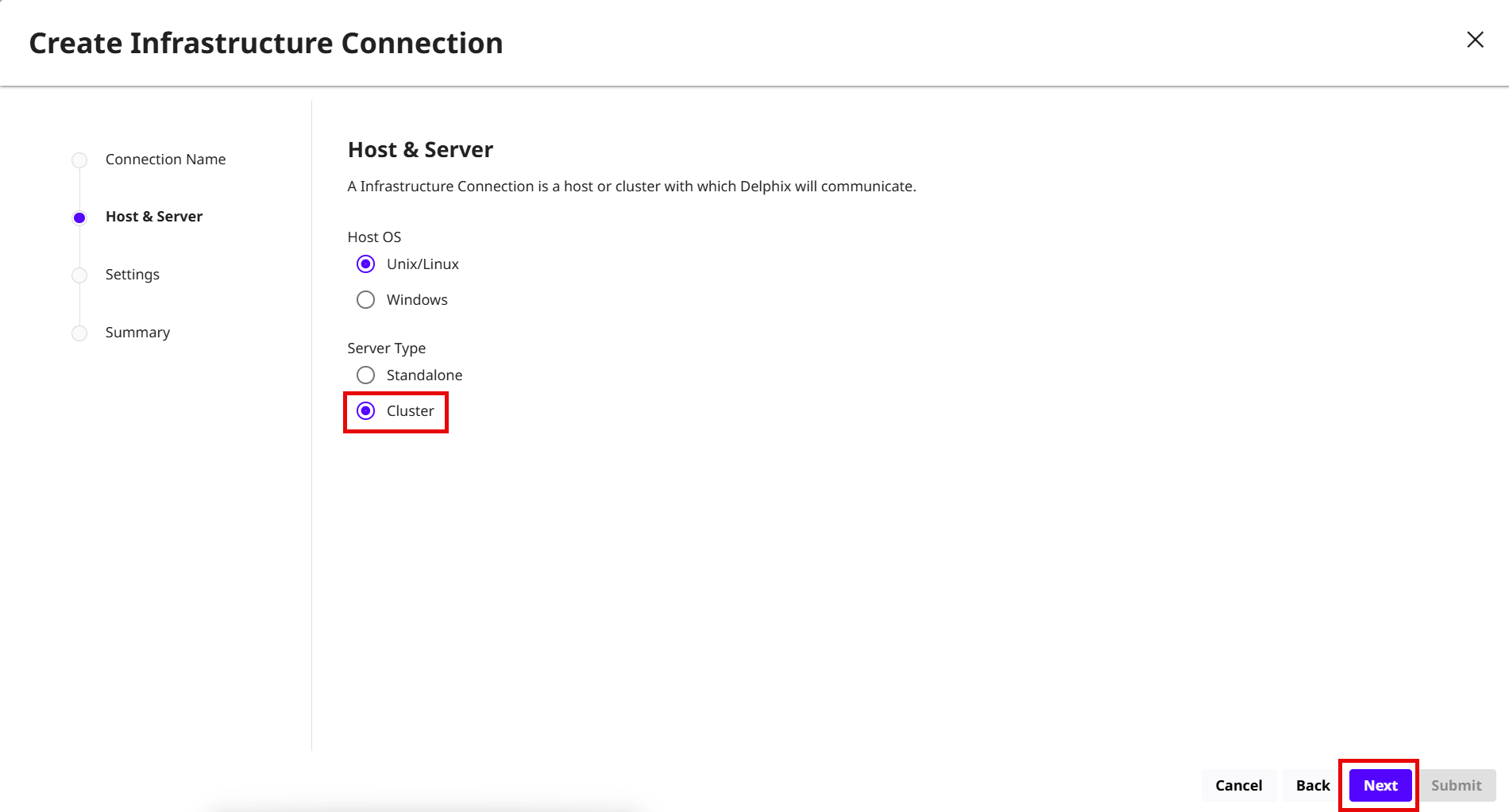
On the Host & Server page, choose Unix as the Host OS and Cluster as the Server Type, then click Next.
-
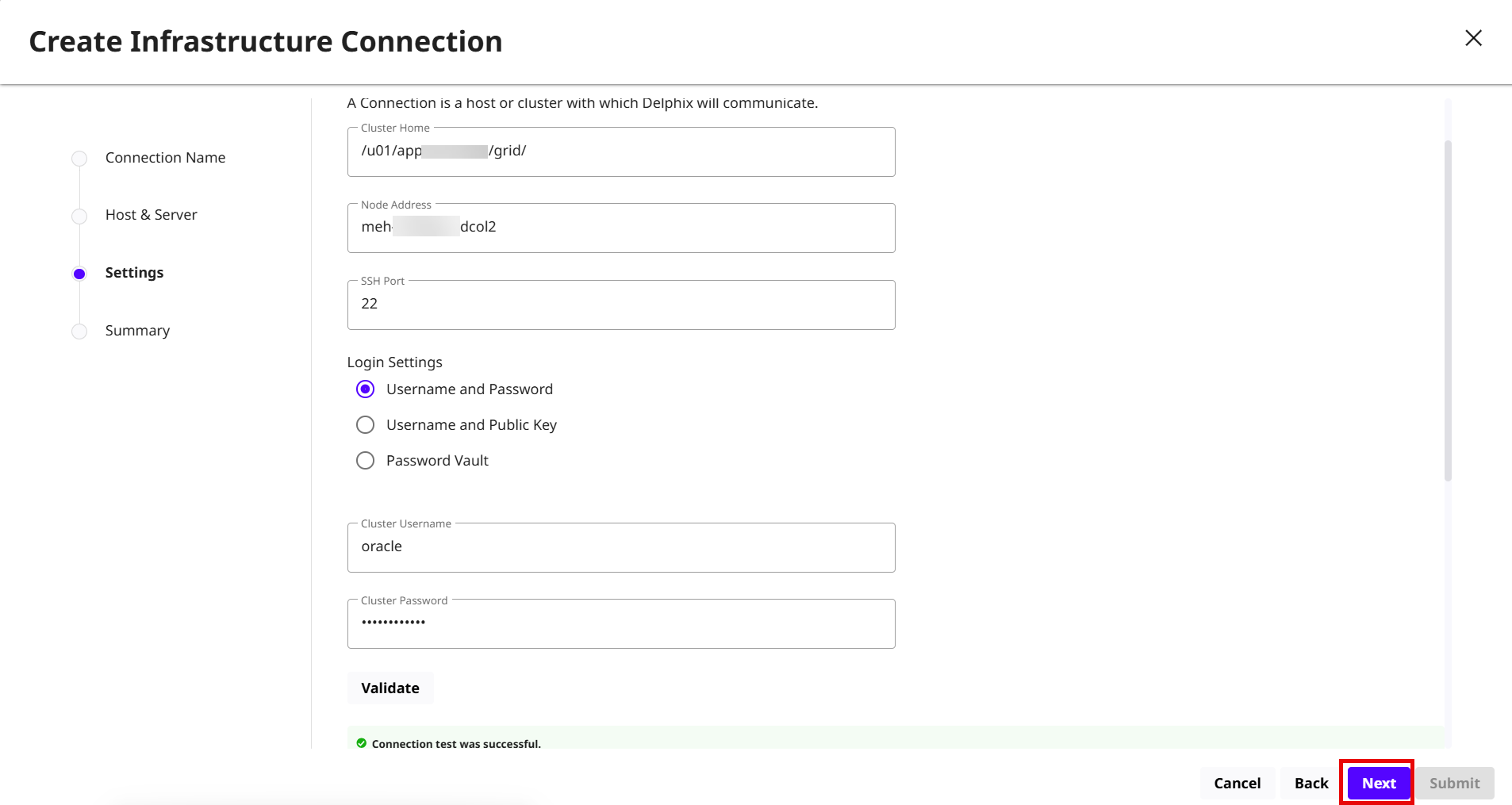
On the Settings page, enter the following Oracle RAC database details:
-
Cluster Home: Enter the cluster home path.
-
Node Address: Enter the Node address for the Oracle RAC database.
-
SSH Port: Enter the SSH port value. The default value is 22.
-
Login Settings: Enter the username and password. Select the Username and Public Key or Password Vault option if the required details are available.
-
Toolkit path: Enter the toolkit path. The toolkit directory stores scripts used for Delphix Engine operations and should have a persistent working directory rather than a temporary one.
-
Advanced Options: Select the Set Network File System Addressed (NFS) check box to enter one or more comma-separated IP Address/Hostname, or select the Set Delphix Session Protocol (DSP) Options check box to create a JKS or PKCS#12 keystore on the remote host with the full CA chain of the DSP key in the keystore. For more information, read the Configuring Network Security Settings page.
 In the case of the Oracle RAC environment, ensure that the NFS Address list includes IP Addresses from all the cluster nodes. NFS address given at the time of environment creation is applied to all the discovered RAC nodes. If some nodes in the cluster need a different IP Address list, users can edit the specific host and update the NFS Address after the environment has been created.If specified, Delphix Engine only allows NFS requests (mount, etc) originated from IP Addresses specified for the host.
-
-
Click Next to review the Summary of RAC cluster environment and click Submit.