
DCT version 2025.2.0.0 introduces a new UI that allows you to upgrade MSSQL VDBs by changing the VDB’s repository to a newer version of SQL Server. You must be running a DCT Engine containing the VDBs that are being upgraded, and they need to be disabled.
UI changes
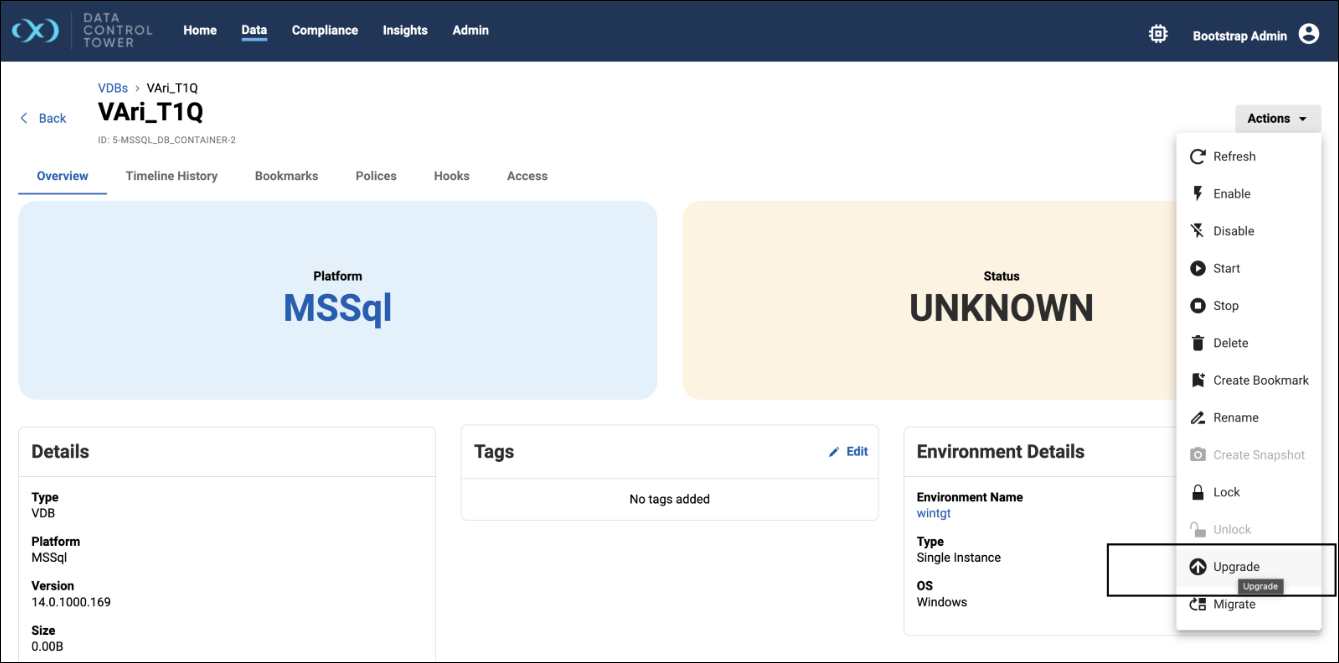
The Upgrade action has been added to the Actions menu in a VDB’s detail view.
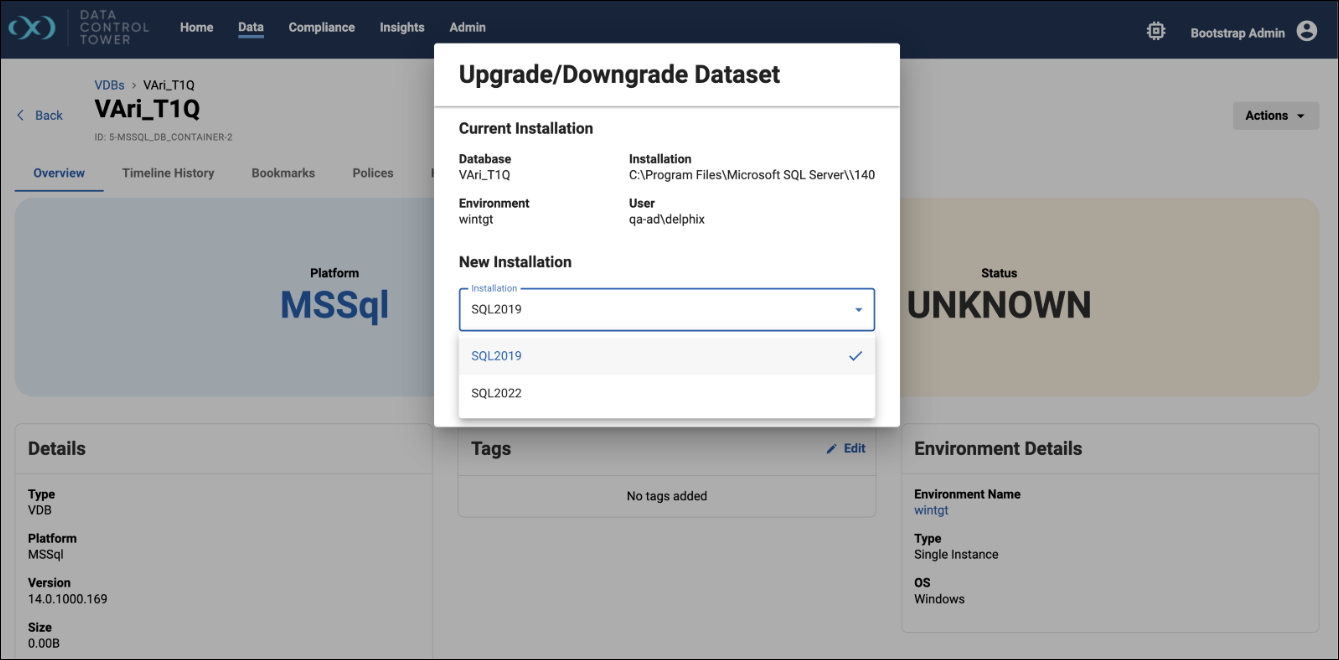
When the Upgrade/Downgrade Dataset window opens, select the target SQL Server installation (e.g., upgrading from SQL 2019 to SQL 2022), and simply click Save to start the upgrade job.
Last updated
Oct 14, 2026