
Overview
DCT now supports on-demand PDF report generation for Compliance jobs with a database Source Type. Report data is collected post-execution and stored in the system via a Telemetry task. When requested, a PDF is generated using the collected report data.
Pre-requisites
-
Both the Continuous Compliance Engine and DCT must be on version 2025.6.0 or later to enable reporting support.
-
Since report data is stored in the system, it will consume storage space. Enough space should be available to accommodate these reports during DCT deployments.
UI process
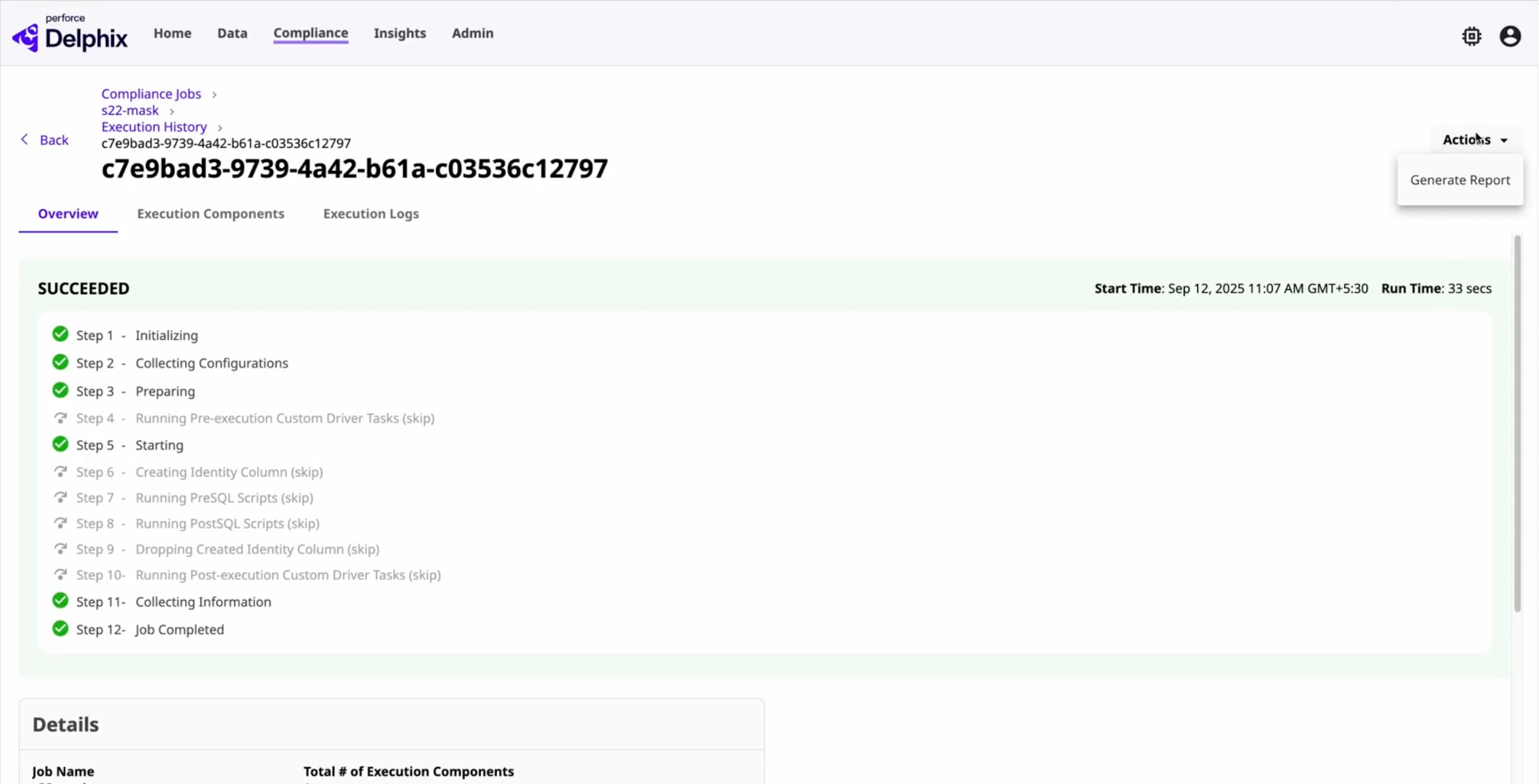
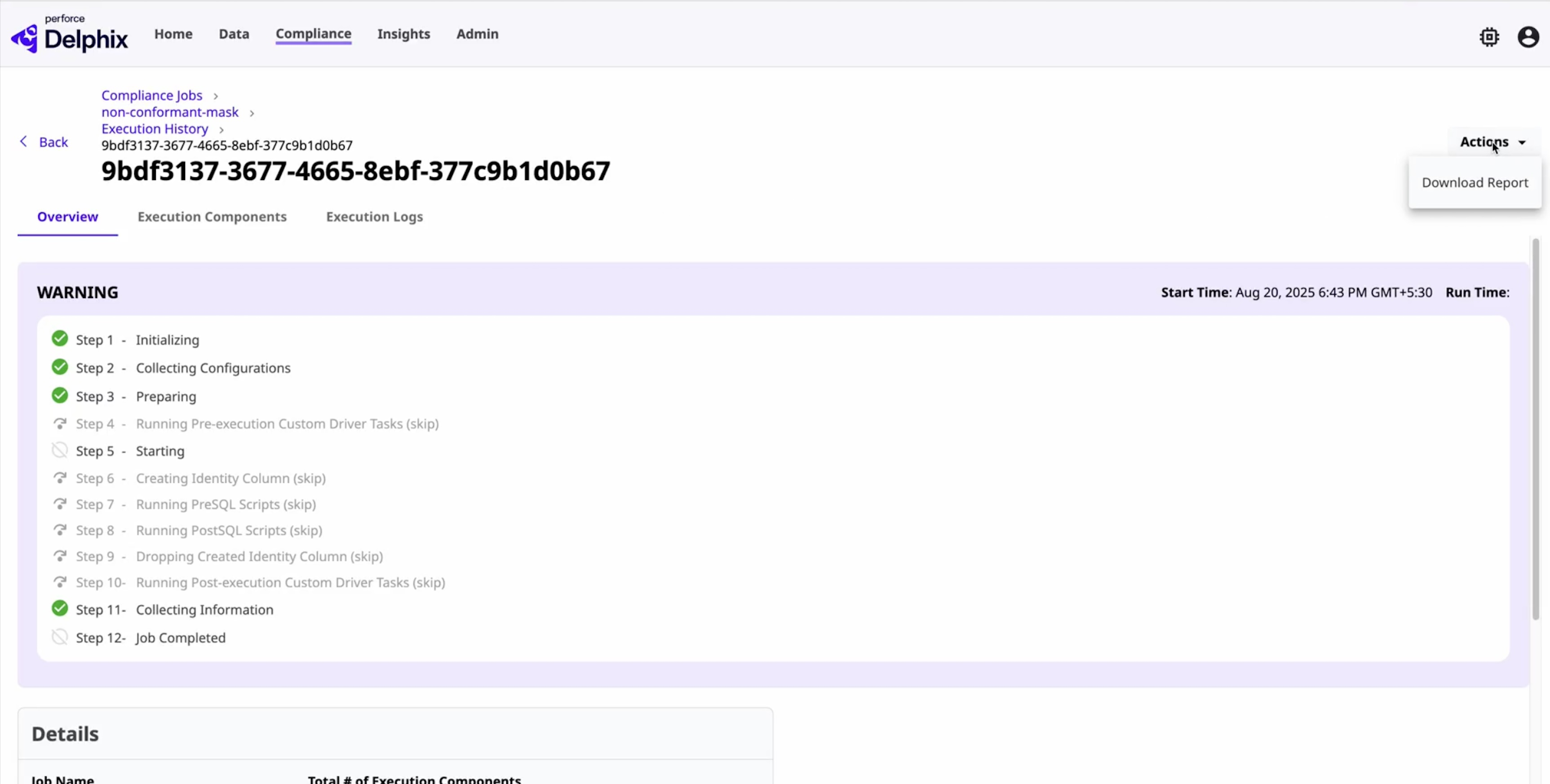
The Compliance Job Execution detail page has an Action menu with the option to generate the PDF report. The actions available will depend on the report status.
-
From the menu, first Generate Report when report data is available.
-
Then, Download Report when the generation process is complete. If an action is disabled, a tooltip message provides details as to why.
API process
-
To generate a PDF report via the DCT API, the request must include the execution ID for which the report needs to be generated. The response will provide the DCT Job ID, allowing you to track the status of the PDF report generation. Below is an example of API usage for generating a PDF report:
curl -X 'POST' \ 'https://<APPLIANCE_ADDRESS>/v3/reporting/<EXECUTION_ID>/generate-pdf-report' \ -H 'accept: application/json' \ -H 'Authorization: <API_KEY>' \ -H 'Content-Type: application/json' \ -d '' -
To download the generated PDF report, use the below API with the execution ID. The response will be a PDF report file. Below is an example of API usage for downloading a PDF report:
curl -X 'GET' \
  'https://<APPLIANCE_ADDRESS>/v3/reporting/<EXECUTION_ID>/download-pdf-report' \
  -H 'accept: application/json' \
  -H 'Authorization: <API_KEY>'
Report data cleanup policy
To manage storage efficiently, a cleanup job runs every 12 hours. It enforces a retention policy by deleting report files older than the configured number of days and monitors disk usage, removing the oldest files when usage exceeds a set threshold.
The cleanup behavior is fully configurable through the Global Properties API, with default values set to:
-
PDF report retention: 7 days
-
Generated on-demand for any compliance job within the report data retention period defined below. Set retention periods for these reports exist but keeping the PDF report retention to a minimum can save on storage, since they can be re-generated on demand.
-
-
Report data retention: 365 days
-
Used to hold all of your run data for auditing purposes.
-
-
Maximum disk usage: Determines how much of the configured storage quota the report data files can consume. Use the table below to estimate the annual storage footprint for different numbers of engines, assuming the same execution volume, retention settings, and file sizes across all. These estimates are based on calculations shown in the next sections.
Number of engines Approximate annual storage (GB) 5 110 GB 10 220 GB 20 440 GB 50 1,100 GB 100 2,200 GB
Special values allow flexibility.
-> -1: Disable cleanup.
-> 0: Remove all files during each run.
Below is an example of API usage to update the cleanup policy:
curl -X 'PATCH' \
  'https://<APPLIANCE_ADDRESS>/v3/management/properties' \
  -H 'accept: application/json' \
  -H 'Authorization: <API_KEY>' \
  -H 'Content-Type: application/json' \
  -d '{
  "execution_pdf_report_retention_interval": 7,
  "execution_report_data_retention_interval": 30,
  "execution_report_data_max_disk_usage_percent": 20
}'
Size per execution estimate
You can estimate the size generated by each job execution with the following formula:
(Total masked columns × Average report data file size) +
(Total masked columns × Average PDF file size)
Where the average sizes are based on sample data:
-
Average report data file size = 0.13 KB
-
Average PDF file size = 0.33 KB
Assume an example with 15,000 masked columns:
-
Report data files ≈ 15,000 × 0.13 KB ≈ 2 MB
-
PDF files ≈ 15,000 × 0.33 KB ≈ 5 MB
-
Total per execution ≈ 7 MB
Annual storage estimate
You can estimate the annual storage usage with the following formula:
(E × S_pdf × R_pdf) +
(E × S_data × R_data) +
(E × S_csv × (R_csv − 1) × C) +
Buffer
Where these values are used:
-
Executions per day (E)
-
Report data size per execution (S_data)
-
PDF size per execution (S_pdf)
-
Report data retention (R_data) = 365 days
-
PDF retention (R_pdf) = 7 days
-
CSV export size per execution (S_csv), if applicable
-
CSV retention (R_csv), if applicable
-
Compression factor (C) = 25% of the original size after 1 day
-
Additional safety buffer (Buffer) for operational overhead
Assume an example with default retention and the example values used above:
-
Report data size per execution ≈ 2 MB
-
PDF size per execution ≈ 5 MB
-
Executions per day (E) = 100
-
Annual storage ≈ approximately 22 GB per engine