
DCT compliance nodes support Kerberos authentication for Oracle, MSSQL Server, and Sybase connections. Using it requires a Kerberos Key Distribution Center (KDC) server, plus configuration on both the compliance node and the target database.
This topic covers enabling and using Kerberos on the compliance node. Reference configurations for the database side link out to the Continuous Compliance documentation, since those procedures are database-specific and unchanged by DCT.
Kerberos is not supported on containerized compliance nodes in DCT.
Configure Kerberos across a JobOrchestrator
Kerberos configuration is per node. It must be applied to every registered node in a JobOrchestrator that has a Connector using Kerberos authentication—not just one.
If any compliance node in that JobOrchestrator is not configured correctly, operations that rely on Kerberos may fail on that node with an error indicating a Kerberos authentication or configuration problem.
Because the configuration has to be consistent across every node in the JobOrchestrator, dedicating specific JobOrchestrators to Kerberos-authenticated connectors is a practical way to keep the setup contained and predictable. It limits how many nodes you have to configure and keeps non-Kerberos work off nodes you would otherwise have to maintain for it.
Terminology
The examples on this page use the following placeholder values. Replace them with real values for your network environment:
| Value | Meaning |
|---|---|
| .bar.com | The DNS domain of the network |
| BAR.COM | The Kerberos domain |
| me-host | The hostname of the compliance node |
| foo-kcd | The hostname of the KDC server |
| krbuser | The Kerberos principal granted access to the database for masking |
Configure Kerberos on the Compliance Node
Launch the Delphix Server Setup UI for the compliance node and do the following:
-
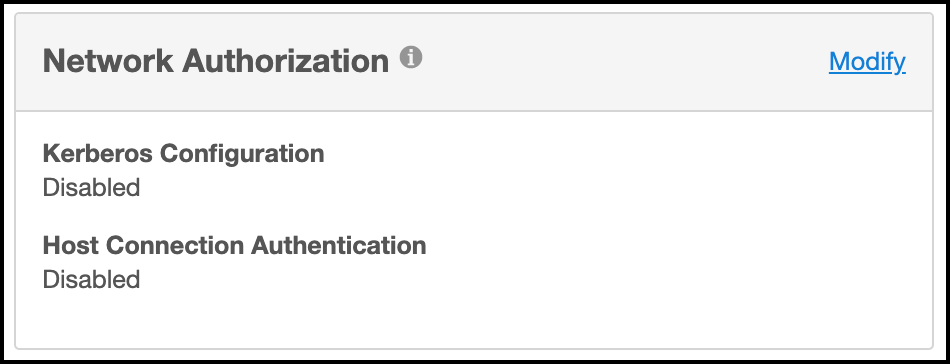
In the Network Authorization widget, click Modify.
-
Select the checkbox for Use Kerberos authentication to communicate with remote hosts.
-
Click the plus symbol to add records for your KDCs, and populate the remaining fields for your network environment. When you click Save, the configuration is tested; if the node can authenticate to the KDC with the supplied configuration, it is applied immediately.
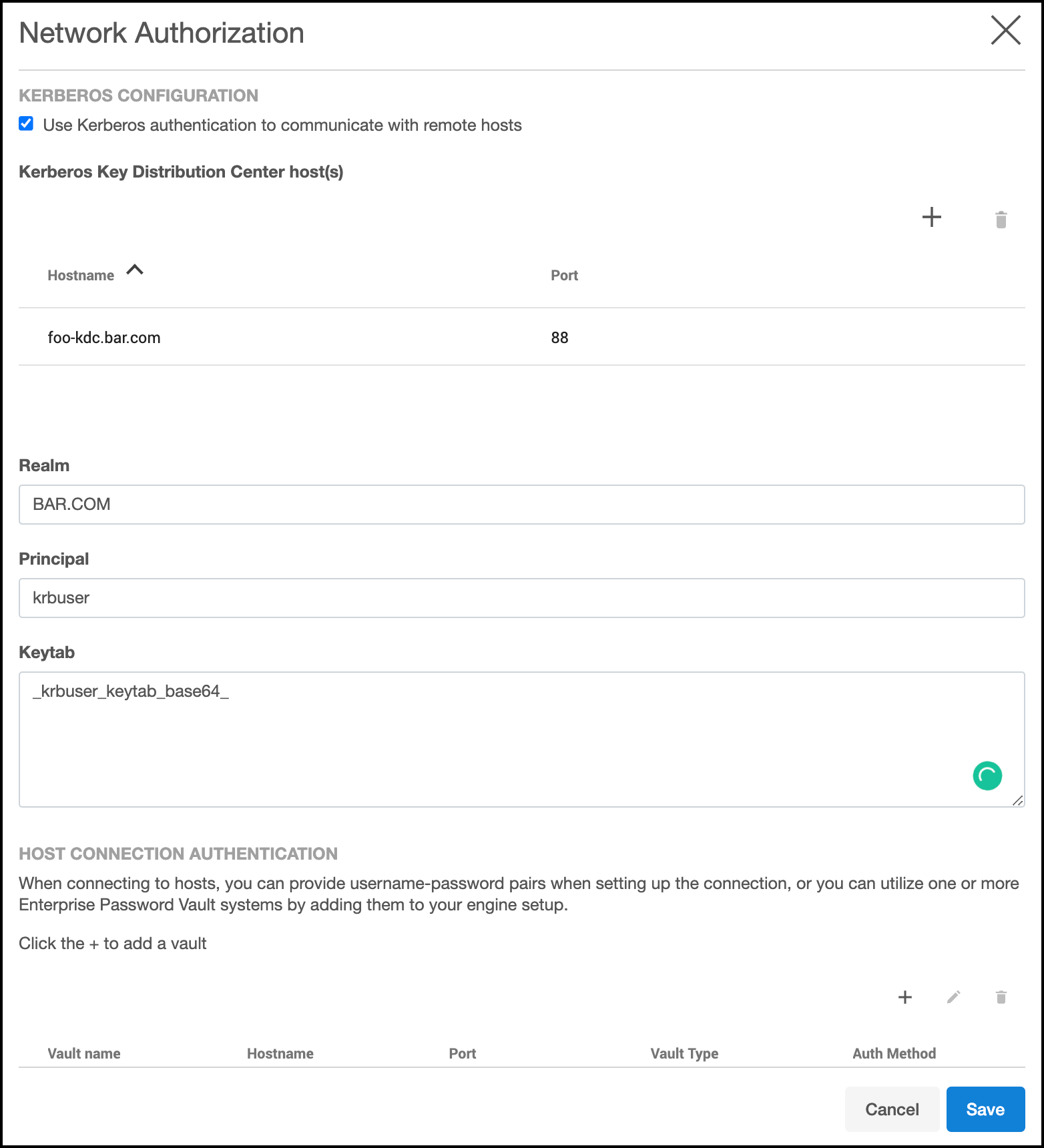
Repeat these steps on every registered node in the JobOrchestrator, as noted above.
Create masking connectors using Kerberos
Once a compliance node is configured for Kerberos, creating connectors that use Kerberos authentication is straightforward:
-
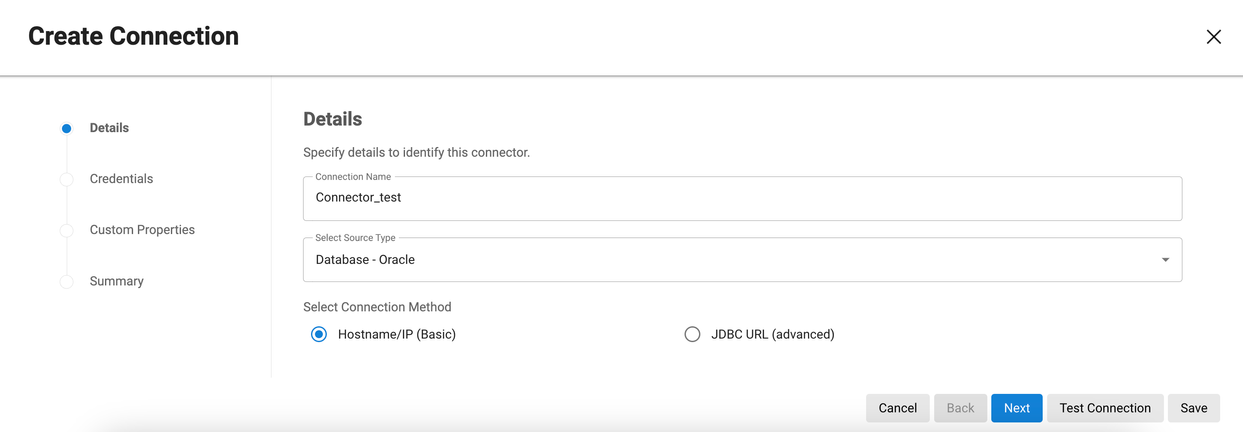
Select a source type that supports Kerberos.
-
In the Credentials step, under Select Authentication Type, choose Kerberos Authentication.
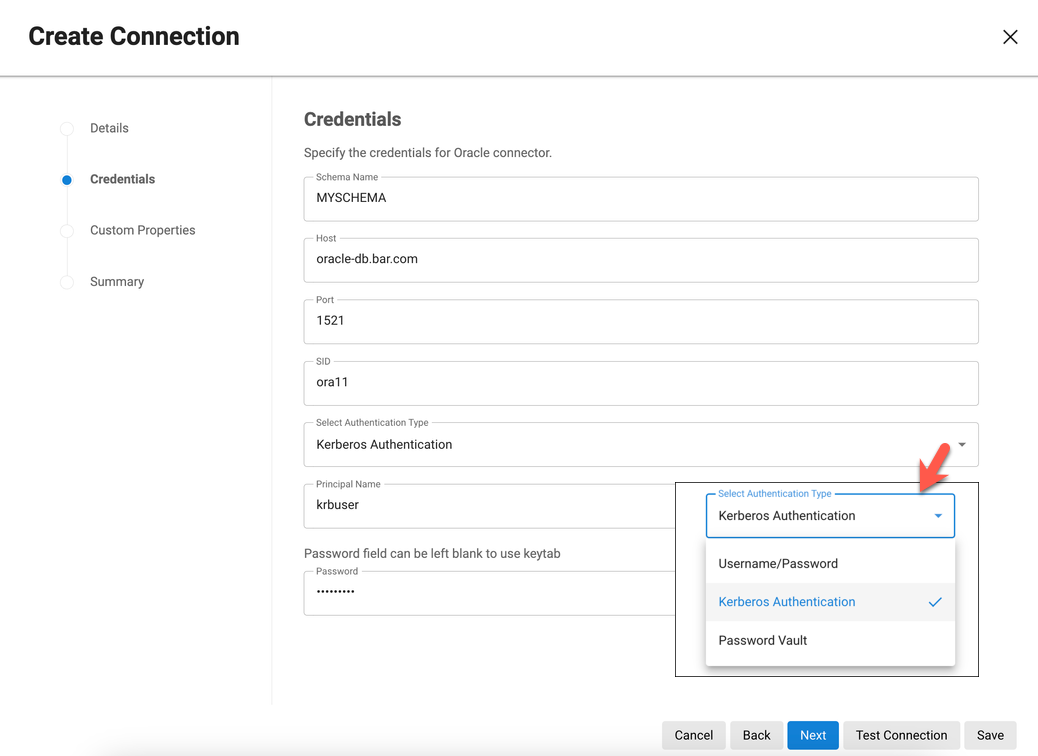
The key tab is used when the connector reuses the same user principal configured in Server Setup, so you do not need to enter a password in the connector definition.
For Sybase connectors, supply the service principal name as an additional configuration item. For Oracle, this value is determined automatically. For MSSQL Server, it is derived from the reverse DNS mapping of the Server Name (see the MSSQL Server reference configuration).
Changes to the underlying krb5.conf file are not recognized until the next database connection attempt. After editing krb5.conf, expect to click Test Connection twice—the first attempt's success or failure does not matter.
Reference database configurations
The following pages provide reference Kerberos configuration procedures and troubleshooting notes for the supported databases. They are examples to be adapted to your network environment and security requirements.