
Action required: The Continuous Data UI, API, and CLI are scheduled for end of life. Review the latest migration guidance and start planning your transition to Data Control Tower.
On new engine installations of 2026.5.0.0 and later, the Admin UI opens directly to the Performance Dashboard, and the Manage, Resources, and System menus are unavailable. Engines upgraded from an earlier version keep full Admin UI access. This restriction cannot be changed by customers; contact Delphix Support if you need it lifted temporarily.
Learn more about the Continuous Data end-of-life announcement.
Log in to the Delphix management application using admin credentials. From the System menu, select Jobs.
The Jobs panel retains records of the most recent 10,000 jobs that have been initiated by the Data Engine. Delphix administrators may use the job/retention CLI to retain a larger number of jobs.
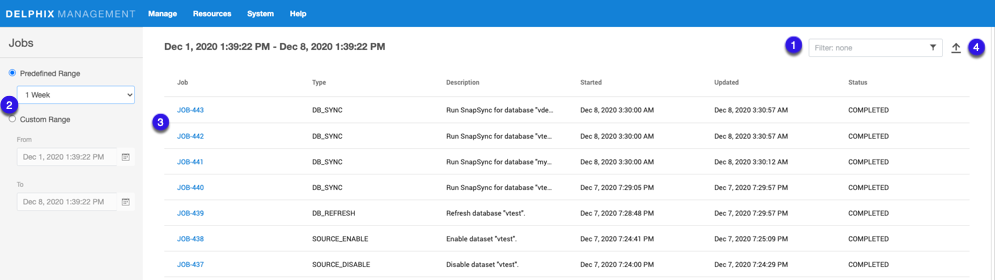
The Jobs panel displays all jobs that have been initiated by the Data Engine, in addition to their status.
-
Enter filter text to reduce the results to only those rows matching the text entered.
-
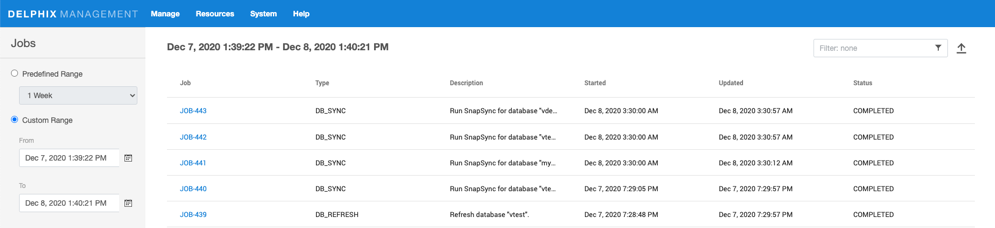
Customize results by selecting from a Predefined Range or from a Custom Range.
-
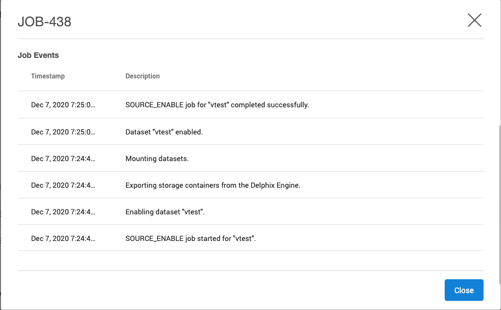
Select a job to view more details.
-
Click the Export button to download the current page of results to a file of comma-separated values (CSV).