Action required: The Continuous Data UI, API, and CLI are scheduled for end of life. Review the latest migration guidance and start planning your transition to Data Control Tower.
On new engine installations of 2026.5.0.0 and later, the Admin UI opens directly to the Performance Dashboard, and the Manage, Resources, and System menus are unavailable. Engines upgraded from an earlier version keep full Admin UI access. This restriction cannot be changed by customers; contact Delphix Support if you need it lifted temporarily.
Learn more about the Continuous Data end-of-life announcement.
Delphix uses the DSP protocol to communicate between primary and replication engines.
-
Log in to Delphix Management application using an Engine administrator account.
-
Click the Resource menu and select Network Performance Tool.
-
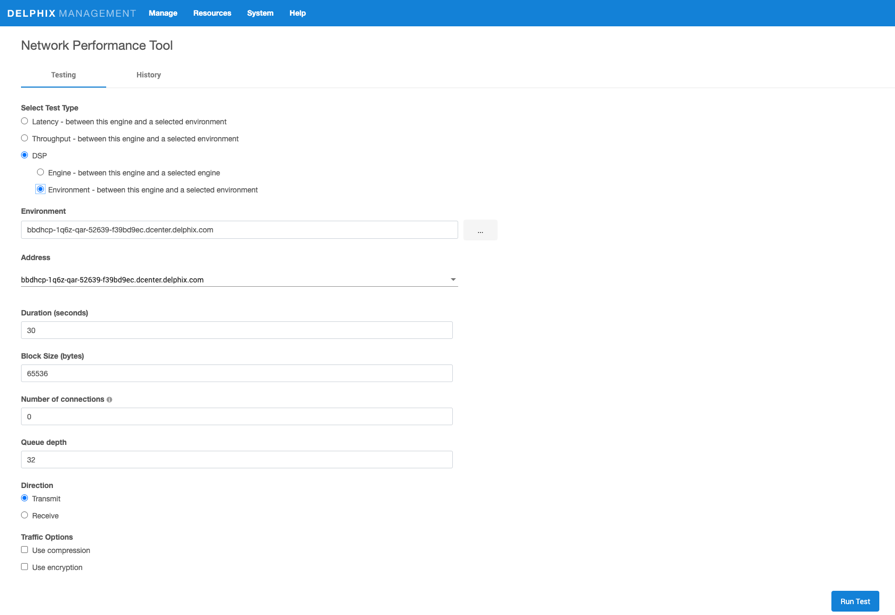
Select the Delphix Session Protocoloption.
-
Select Engine option to run the DSP test between a primary engine and a replication engine.
-
Provide hostname or IP address of the replication engine.
-
Provide admin user credentials for the replication engine. The user name must not include @DOMAIN or other qualifiers.
-
Enter a Duration in seconds (30 default).
-
Enter Block Size in bytes.
-
Enter the Number of Connections (optional).
-
Provide Queue Depth.
-
Select Direction - Transmit or Receive.
-
Enter Traffic Options by selecting either Use compression or Use encryption.
-
Click the Run Test button.
-
-
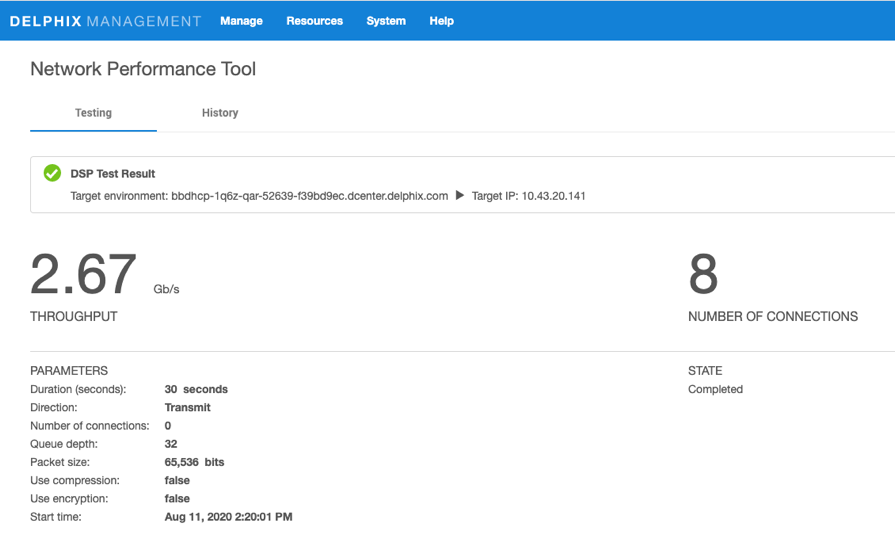
View the test results.