
Action required: The Continuous Data UI, API, and CLI are scheduled for end of life. Review the latest migration guidance and start planning your transition to Data Control Tower.
On new engine installations of 2026.5.0.0 and later, the Admin UI opens directly to the Performance Dashboard, and the Manage, Resources, and System menus are unavailable. Engines upgraded from an earlier version keep full Admin UI access. This restriction cannot be changed by customers; contact Delphix Support if you need it lifted temporarily.
Learn more about the Continuous Data end-of-life announcement.
Replication recreates objects on the target system in a replica that preserves object relationships and naming on the target server without interfering with active objects on the system. Objects within a replica are read-only and disabled until a replica is failed over, at which point they can be activated. VDBs and dSources within a replica can be used as the source for provisioning new VDBs.
Replicas
A replica contains a set of replicated objects. These objects are read-only and disabled while replication is ongoing. To view replicated objects, look under namespace in the CLI. Or in the GUI:
-
Click System.
-
Select Replication.
-
Under Received replicas, select the replica.
On this screen, you can browse the contents of replicas, as well as failover or delete individual replicas. As described in the Replication overview topic, databases (dSouces and VDBs) and environments are included within the replica.
Deleting a replica or permanently failing it over breaks the replication relationship. Subsequent incremental updates fail, requiring the source to re-establish replication. For recovery after replica deletion, see Re-establish replication after replica deletion.
A test-failover with enableFailback enabled can be undone through failback. Preserve the original source replication profile so that updates can resume after failback. Failback does not restore replicated snapshots deleted during a test-failover or while failover remains uncommitted; see Failback for restoration requirements.
Multiple replicas can exist on the system at the same time. Active objects can exist in the system alongside replicas without interfering with replication updates. You can also use VDBs and dSources within a replica as a source when provisioning. For more information, see Provisioning from replicated data sources or VDBs
Failover and conflict resolution
To activate the objects in a replica, you must first fail over the replica. This moves the objects to the live system, where they can be manipulated in the same fashion as other objects on the system. Permanent failover breaks the replication relationship; a test-failover can be undone through failback as described in Test-failover and failback.
Objects that are failing over can conflict with objects in the live system. One reason for conflicts is identical names. For example, Groups will conflict if the failing over Group has the same name as a Group in the live system, as will most other objects including Environments, dSources, and VDBs.
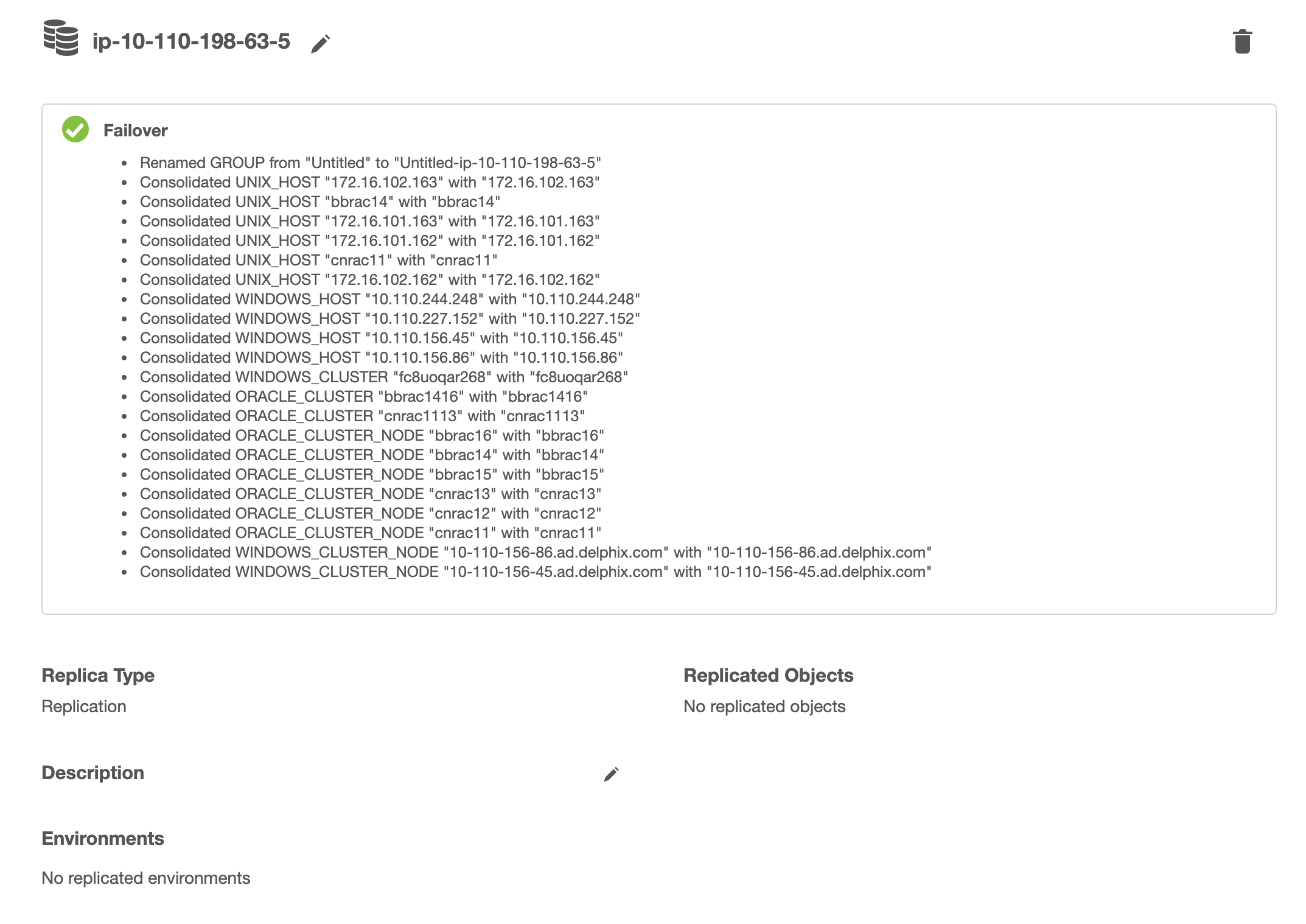
Most of the object conflicts can be resolved automatically. Objects like Groups will be renamed to avoid conflict and objects like Environments will be merged and consolidated. After conflict resolution and successful failover, a report is presented with a list of objects that needed conflict resolution.
Conflicting plugins
Due to the potential for plugin version incompatibilities, if any of your replicated objects are plugin-based, we highly recommend that you leave the target system completely passive with no active objects until the time that failover is required. For more information, see the Delphix engine plugin management page.
When environments are consolidated, the Delphix engine maintains the existing environment configuration and privilege elevation profile; and merges replicated objects with them. Therefore, you must check and update the configured privilege elevation profiles when Environments are consolidated.
Once a replica is failed over, the objects are active but will be automatically disabled.
Manual conflict resolution
To resolve conflicts in Groups, you may either rename the conflicting group on the target replication engine or if the source replication engine is still available, rename on the source replication engine and send a replication update, before failover. For all other object types, because the replica objects are read-only, you must rename the active objects on the replication source engine and send a replication update before the failover operation can complete successfully.
Automatic conflict resolution
Starting with 6.0.2.0, most of the object conflicts can be resolved automatically. When you select "Automatically resolve object conflicts", replica objects like Groups will be renamed whereas objects like Environments will be merged and consolidated.
As of 6.0.5.0, the Automatic Conflict Resolution option will be chosen by default.
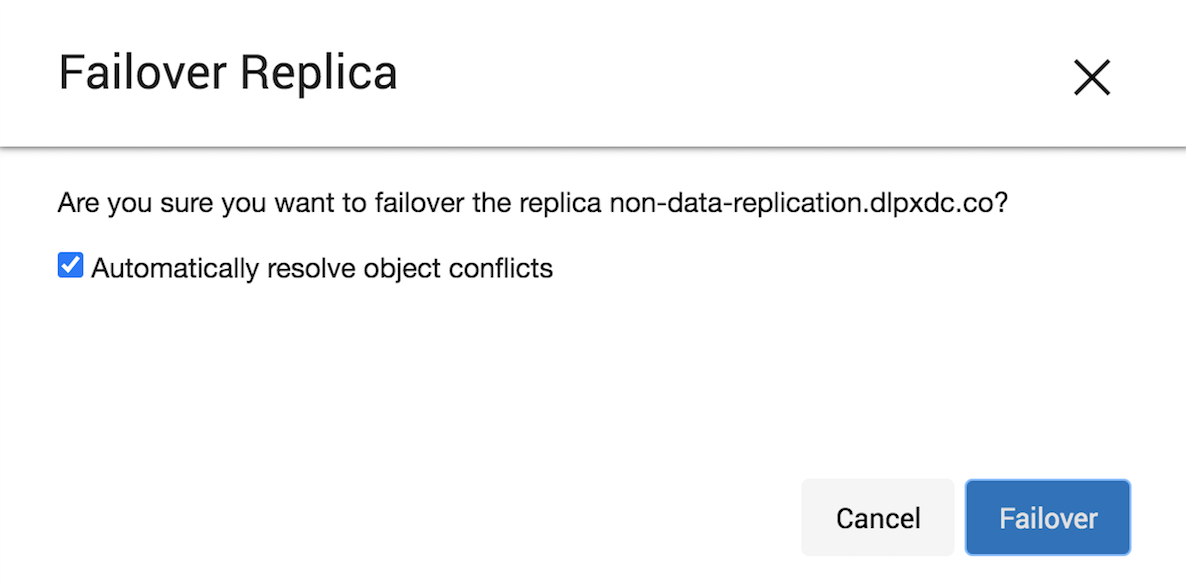
After automatic conflict resolution and successful failover, a report is presented with a list of objects that needed conflict resolution.
Automatic conflict resolution is not supported for objects like dSources and VDBs.
Considerations for virtual pluggable databases
When Oracle virtual pluggable databases (vPDBs) are included in a replica, it is particularly important to follow the documented controlled failover procedure: disable the vPDB on the source, send a replication update, and confirm that the update completes before failing over and enabling the vPDB on the target.
If the vPDB was still enabled on the source at the time of the last replication update captured before failover, it may be impossible to cleanly enable on the target afterward. vPDB Enable expects the datafiles to be in the same state they were in when the vPDB was last disabled; if the datafiles were instead captured while the vPDB was enabled, the Enable can fail with an Oracle error indicating that a datafile requires media recovery, such as ORA-01113. Whether this specific failure occurs depends on how active the vPDB was at the time it was last captured by replication. If this occurs, see Refresh or rewind broken or unusable virtual PDBs for recovery implications and Force refresh or rewind virtual PDBs for the CLI procedure.
Enable databases and environments
Objects may refer to states (IP addresses, mount paths, etc) that differ between the source and target system. Because of this, all databases and objects within a replica automatically start in the disabled state after a failover. This allows the administrator to alter configuration prior to enabling databases and environments, without the system inadvertently connecting to invalid systems.
After failover is complete, you must explicitly enable all dSources, VDBs, and environments. If you need to change any configuration for the target environment, you can do so prior to enabling the objects. In the event that a failing-over environment is consolidated with a live system environment, it must be refreshed before all of it's databases can be used.