
As an owner, you can assign ownership to someone else. This action ensures the correct person is listed as the owner and can manage your responsibilities going forward.
You cannot assign an SSO user the Owner role from the DCS portal; this can only be done by your organization’s SSO administrator. If your organization uses SSO, avoiding managing users in the DCS portal using this flow.
Steps
-
Log in to Delphix Compliance Services as an owner and select the Accounts tab.
-
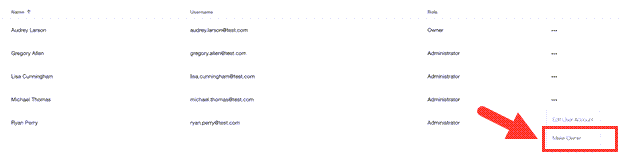
Next to the user you want to make the new owner, click the Ellipsis (...) icon and select Make Owner.
-
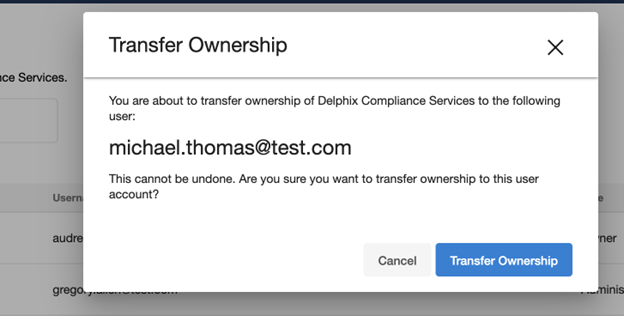
To complete the transfer, in the Transfer Ownership confirmation dialog box, click Transfer Ownership.
Result
After transferring ownership, your administrative privileges are reduced to those of a standard administrator.