
Learn how to create, configure, deploy, and validate an Azure Function running on an App Service Plan.
Prerequisites
- An active Azure subscription
- Contributor or higher permissions on the subscription or resource group
- Azure CLI installed (optional but recommended)
Steps
- Open the Azure Portal.
-
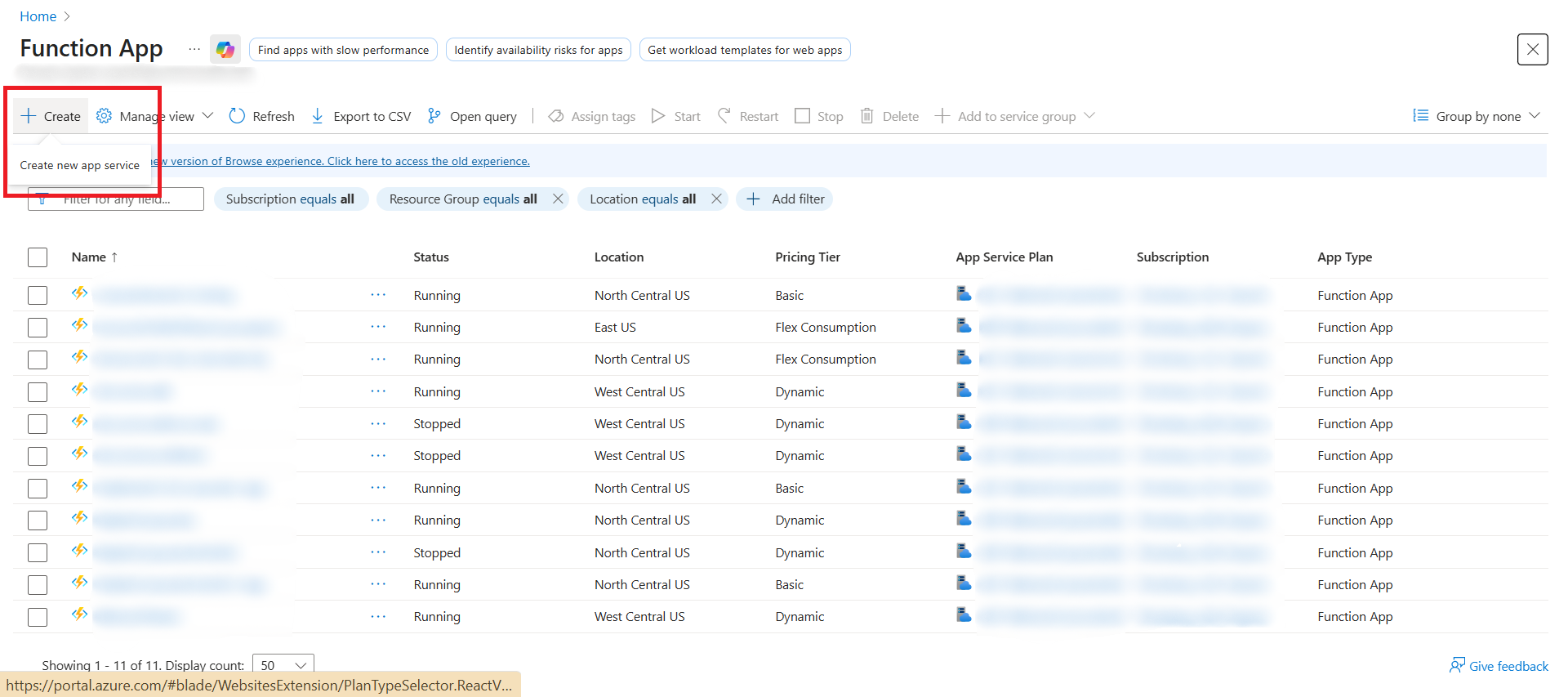
Navigate to Function App and select Create.
-
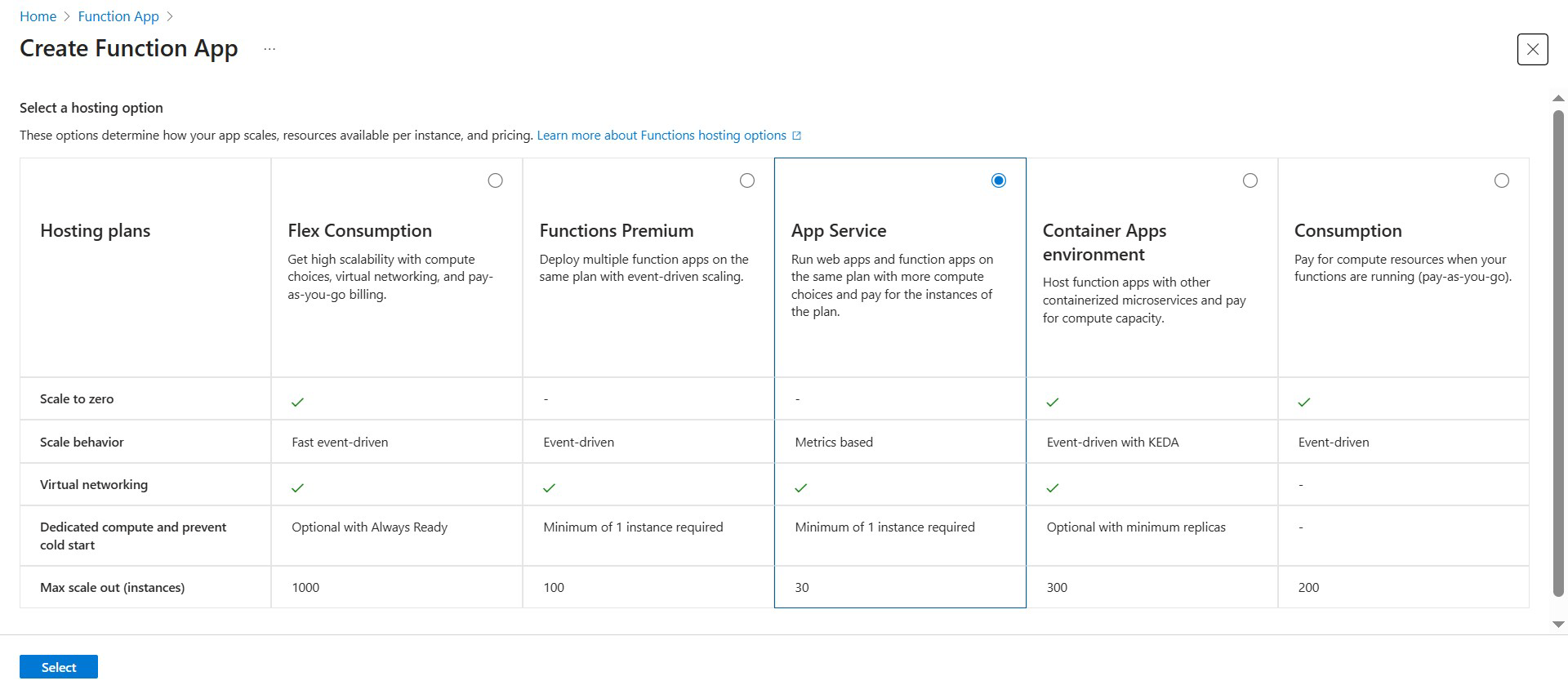
Select a hosting option:
- Plan type: App Service Plan (recommended)
-
Fill in the Basics section:
- Subscription: Select your subscription
- Resource Group: Select an existing resource group
- Function App name: Must be globally unique
- Publish: Code
- Runtime stack: Python
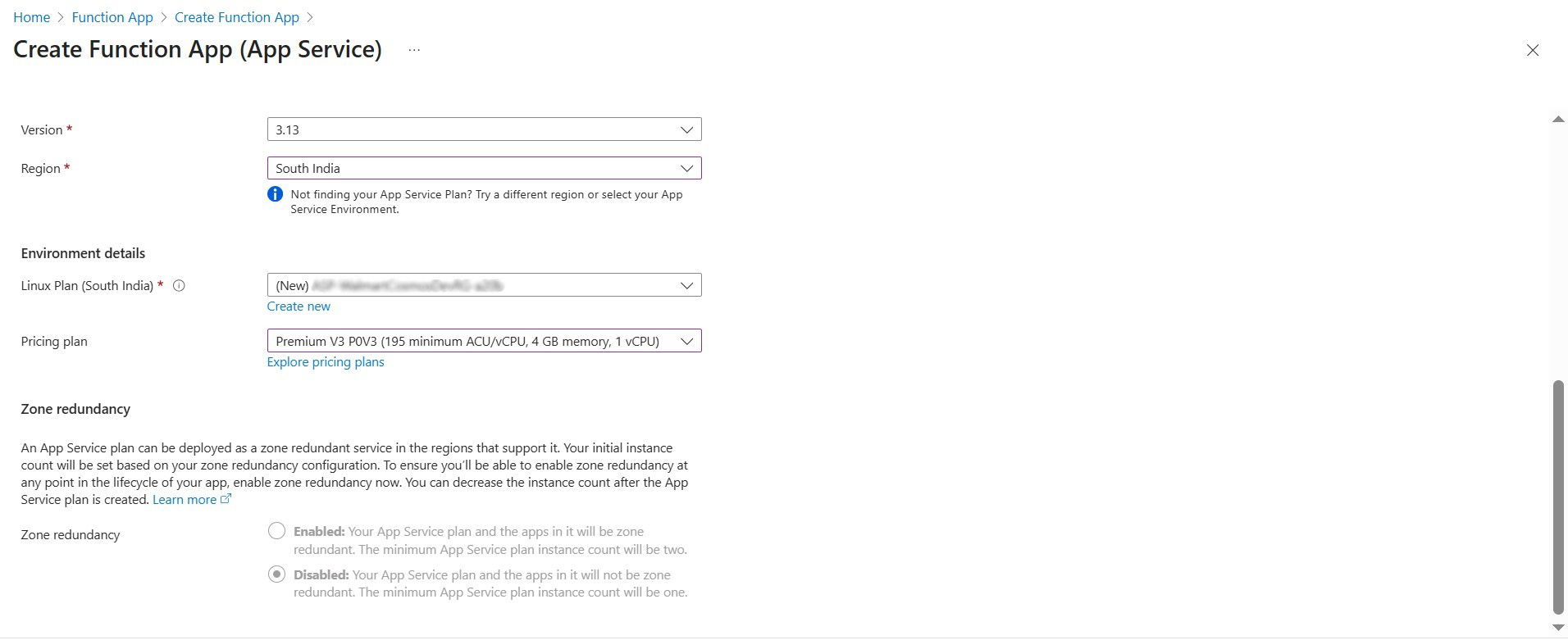
- Version: Latest LTS
- Region: Select a region
When Python is selected, Azure automatically selects Linux as the operating system. This is the expected behavior.
-
Under Environment details:
- Linux Plan: Select Create New and provide a name
- Pricing plan: Choose B1, S1, or P1v3 based on workload (at least 4 GB memory recommended)
- Select Next
-
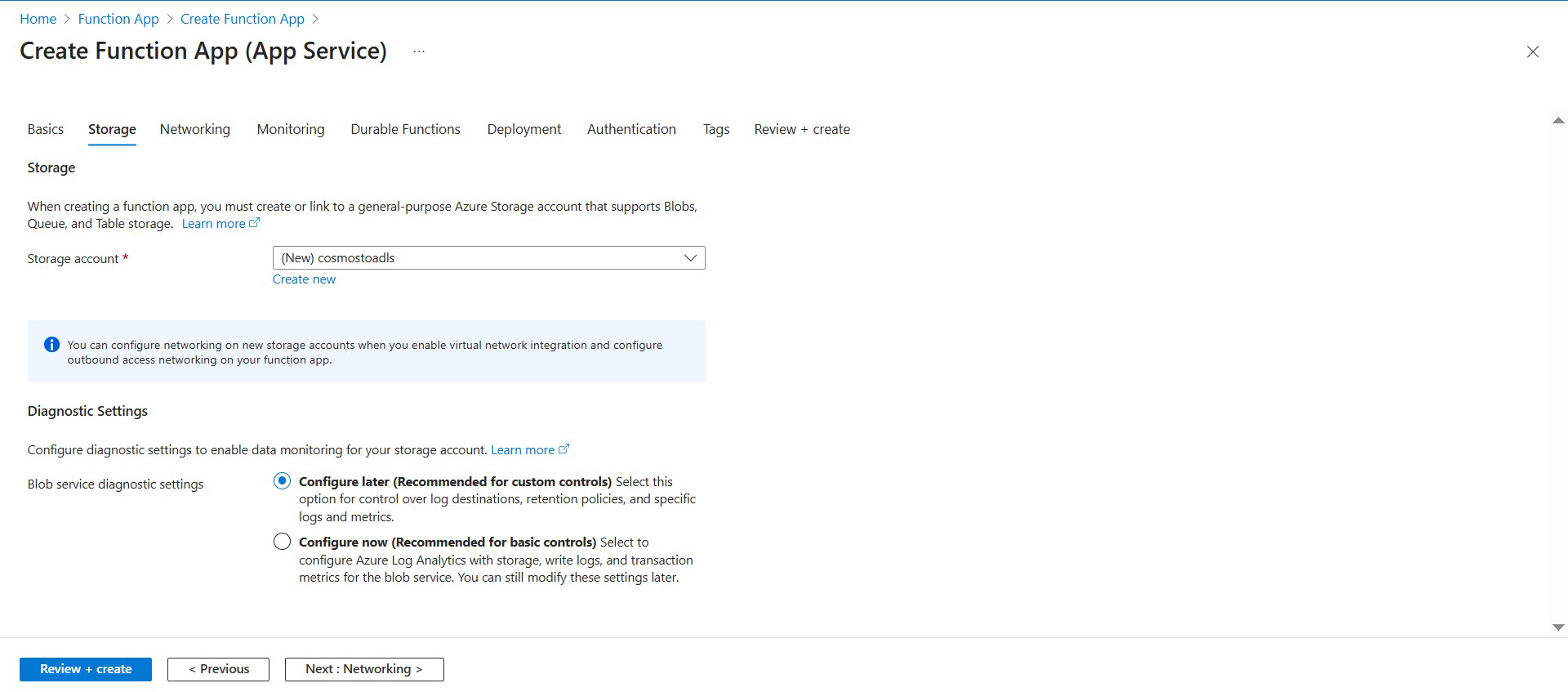
Configure the Storage Account:
- Create a new account or select an existing one.
- Select Next
- Create a new account or select an existing one.
-
Review and create:
- Review all settings
- Select Create
Last updated
Oct 9, 2026