
Private links between Azure Data Factory (ADF) and Delphix Compliance Services (DCS) are intended to provide a more secure, private connection between your data pipelines and DCS. You can configure your managed VNet and access DCS resources through the private endpoint. These steps describe the general approach and considerations for using a private link.
This example assumes you are starting with a working pipeline configured for one of Delphix’s public DCS endpoints and provides the steps to convert it to use the Delphix private link endpoint.
- Enable Managed VNet in ADF
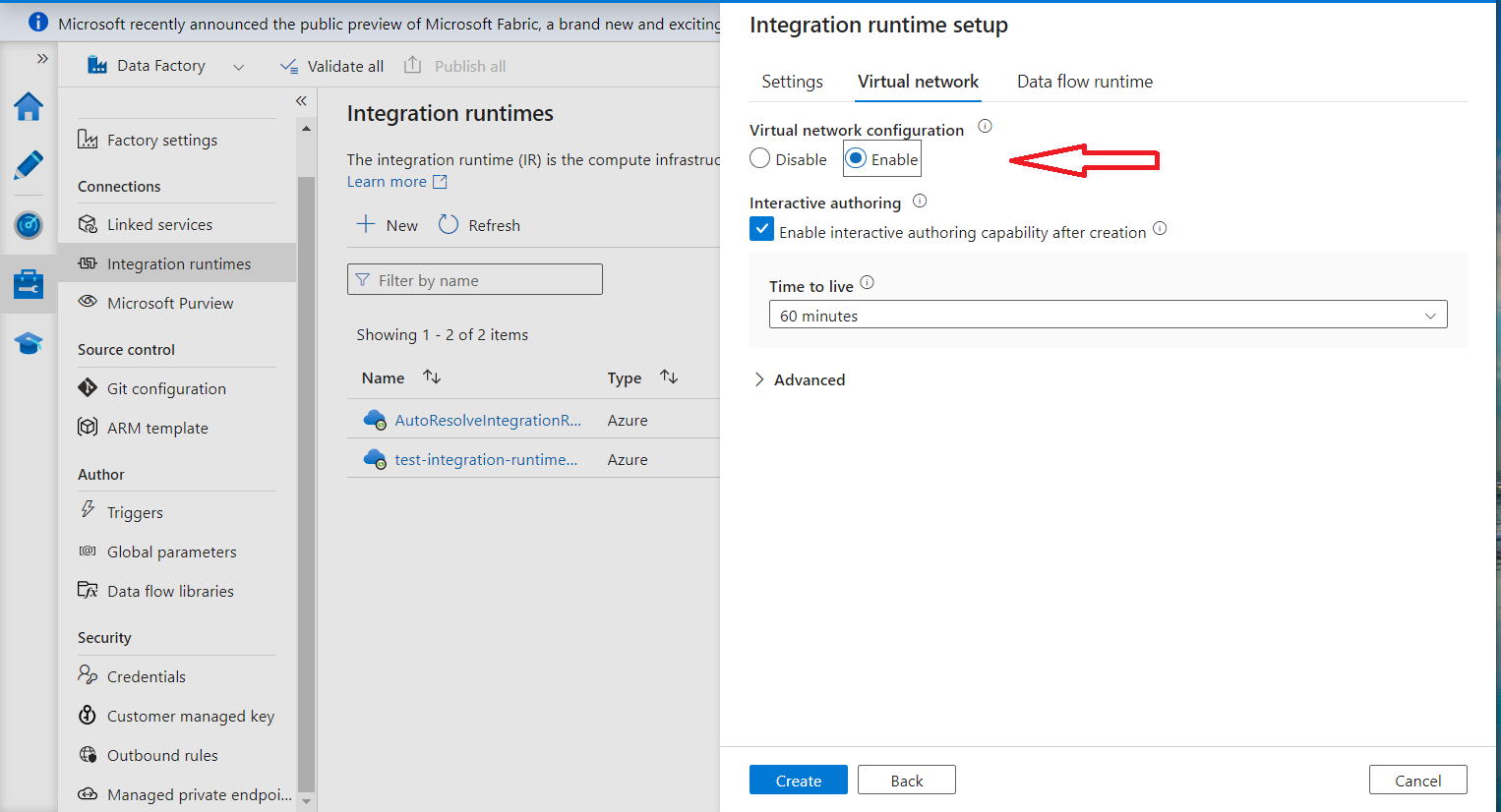
Enable a managed VNet for your data factory either when creating the factory or when adding an additional integration runtime. It is not possible to determine if an existing integration runtime is managed VNet-enabled, so creating a new one is recommended.
Create a new integration runtime and check the box in the wizard to enable the new integration runtime to use the managed VNet:
- Create a Private Link Endpoint
-
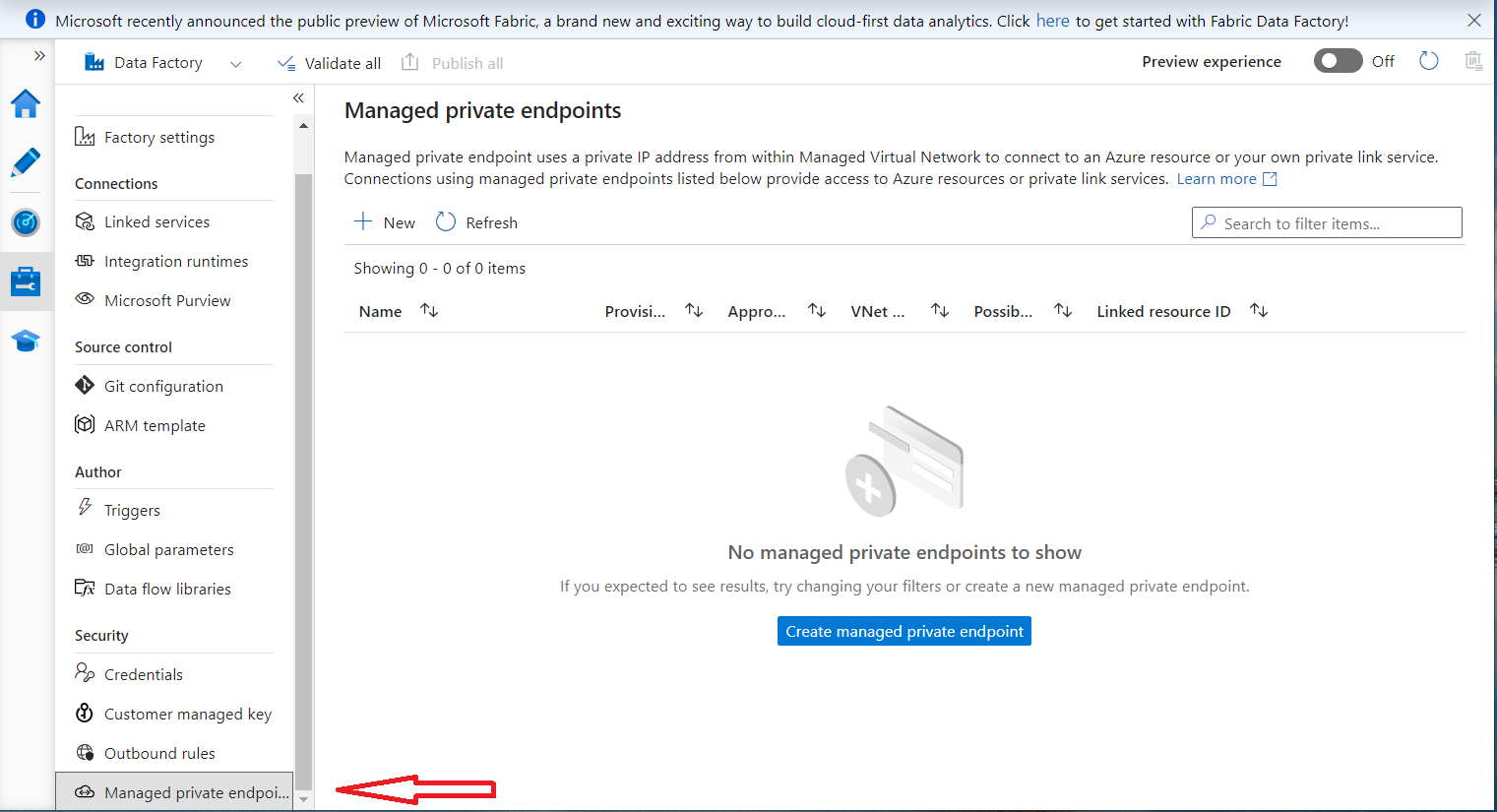
Navigate to Studio → Managed Private Endpoints. This option will be grayed out unless at least one integration runtime is enabled for the ADF managed VNet.
-
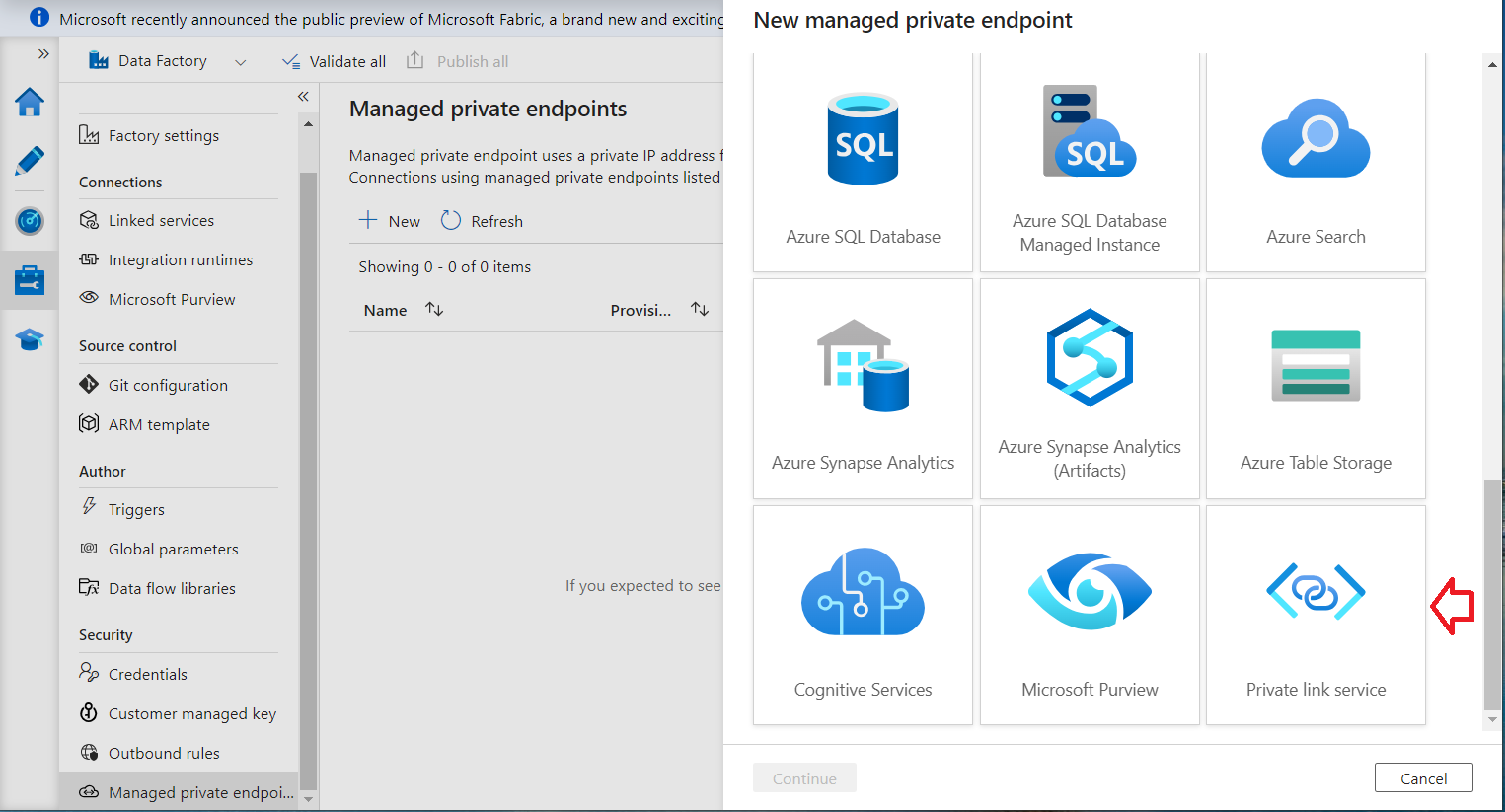
Select Private Link Service (scroll to the bottom):
-
Fill in the values as shown, select Enter manually, and use the appropriate resource IDs:
Masking Resource ID:
/subscriptions/2224259f-077f-476a-86cf-d9f0ef6d9a53/resourceGroups/prod01-southcentralus-rg-node/providers/Microsoft.Network/privateLinkServices/prod01-masking-plsDiscovery Resource ID:
/subscriptions/2224259f-077f-476a-86cf-d9f0ef6d9a53/resourceGroups/prod01-southcentralus-rg-node/providers/Microsoft.Network/privateLinkServices/prod01-discovery-plsAn FQDN is required (but not used in this example) and must have at least three parts (http://placeholder.xyz.com), or an obscure error ('Invalid Payload') will occur.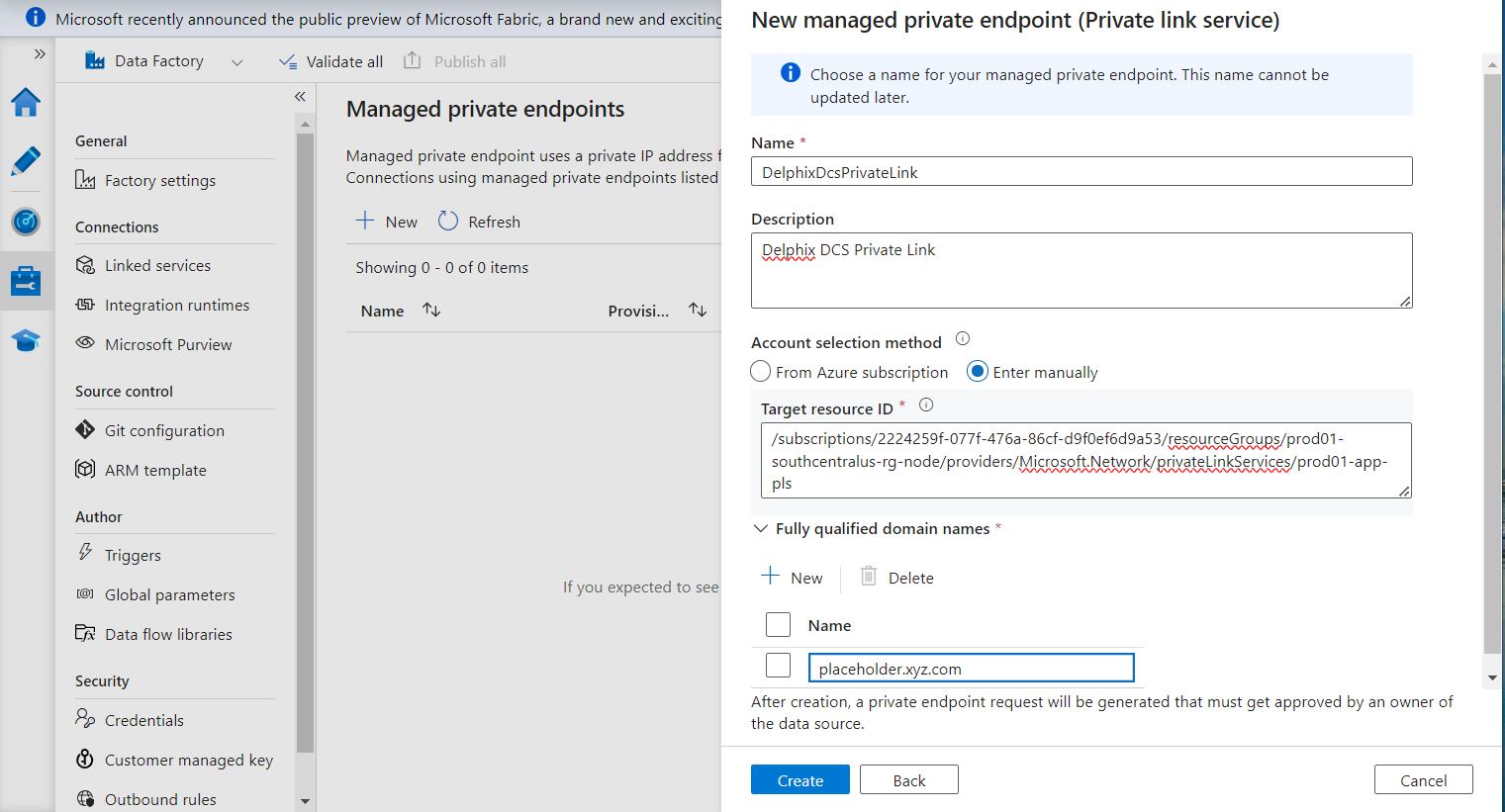
-
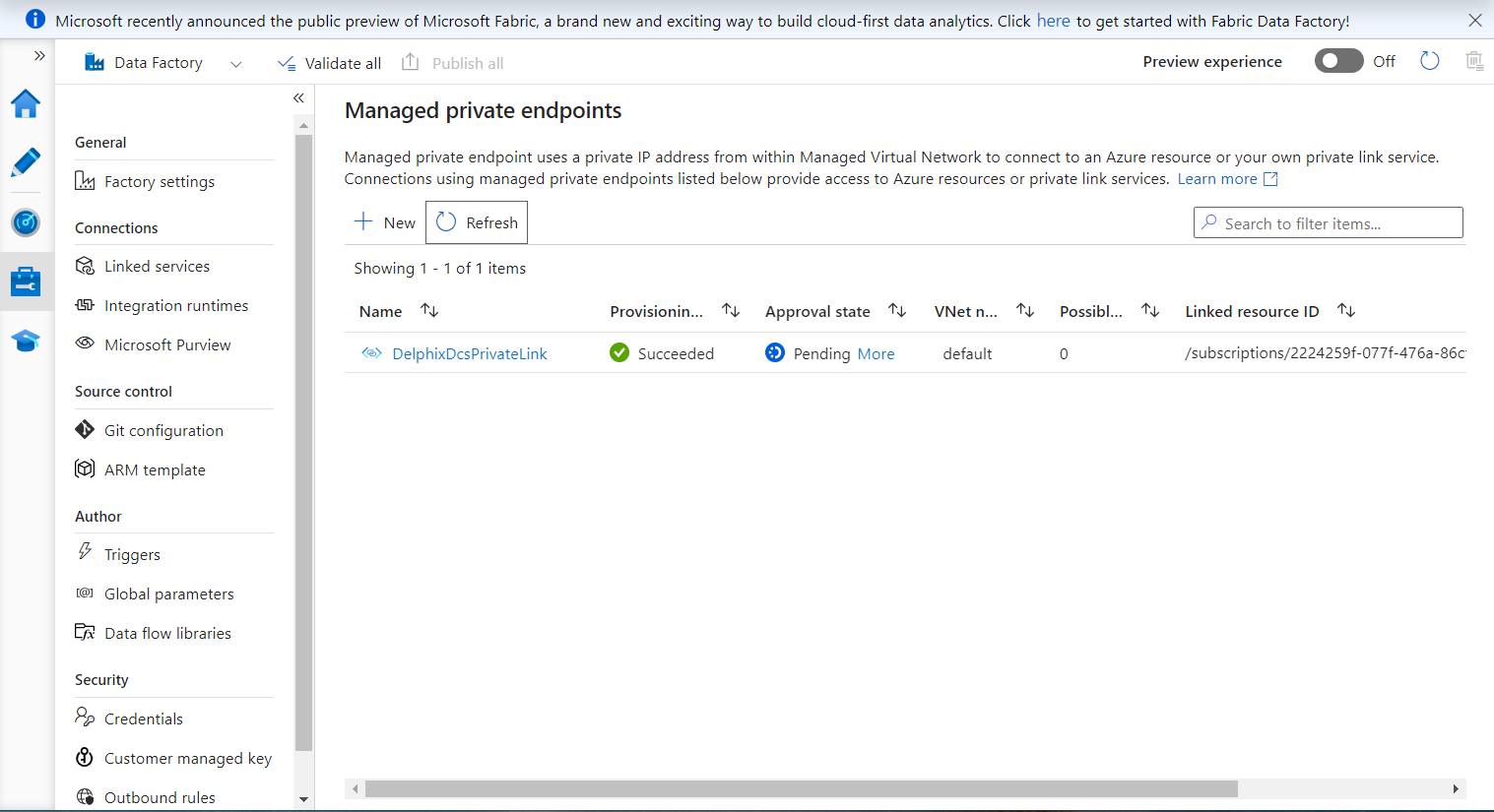
After that, it will remain in the Provisioning state until the process completes, then change to the Pending state, as shown below.
-
- Obtain the Private Link IP Address
-
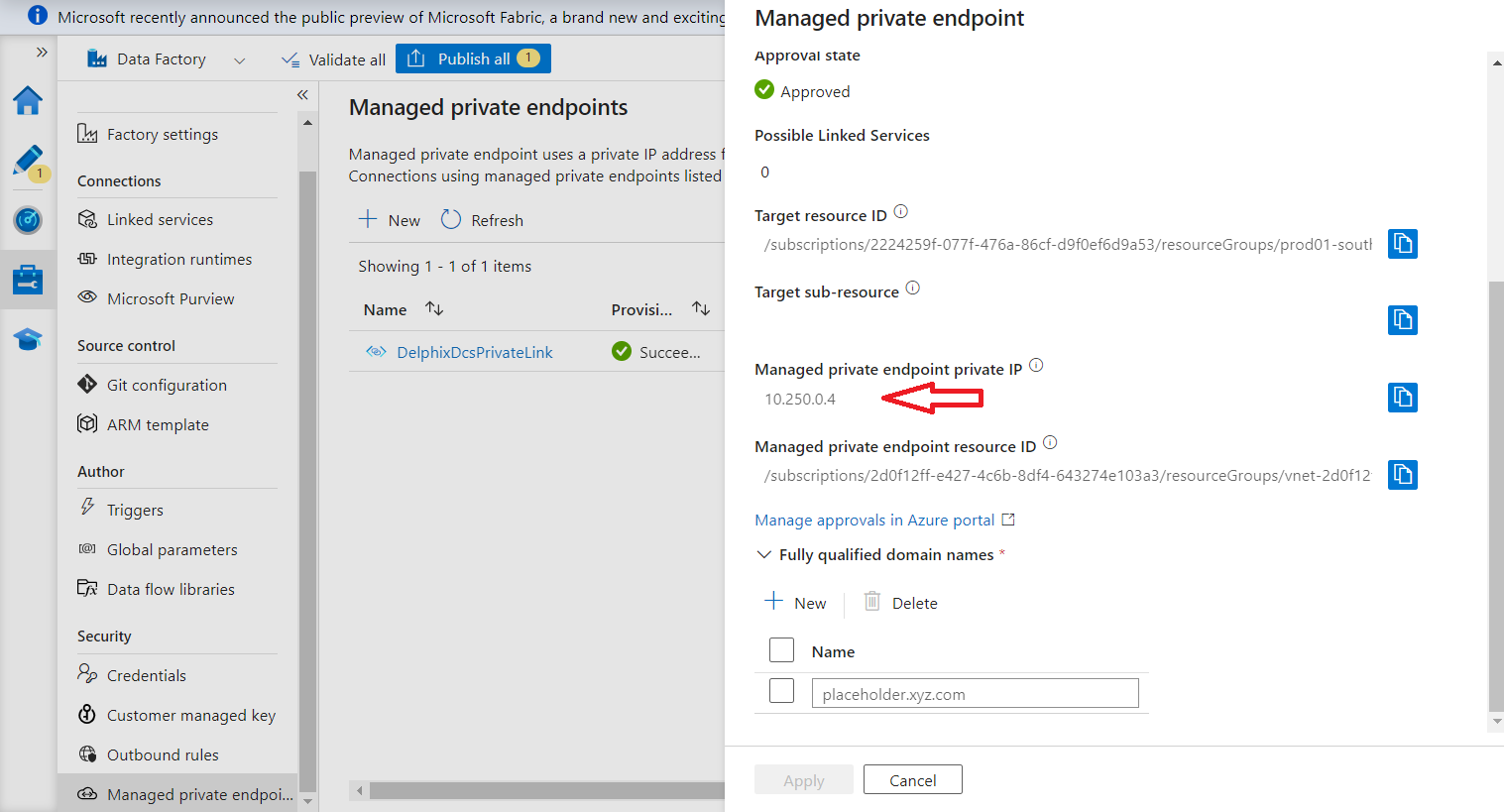
After enabling your private link endpoint(s), obtain the newly created resource’s IP address and type (masking or discovery).
-
Locate your Azure subscription ID. You need to include both the IP information and the subscription ID when contacting Delphix.
-
Send all the information above to Delphix via email: dlpx-dcs4azure@perforce.com.
Delphix will review and approve your private link request(s) and reply with the DNS name(s) corresponding to your private IP(s). The DNS entry is publicly visible but resolves only to your private IP address, so it cannot be used by others.
You can find the IP address by selecting the new private link endpoint in the Azure portal:
-
- Verify the Approved State
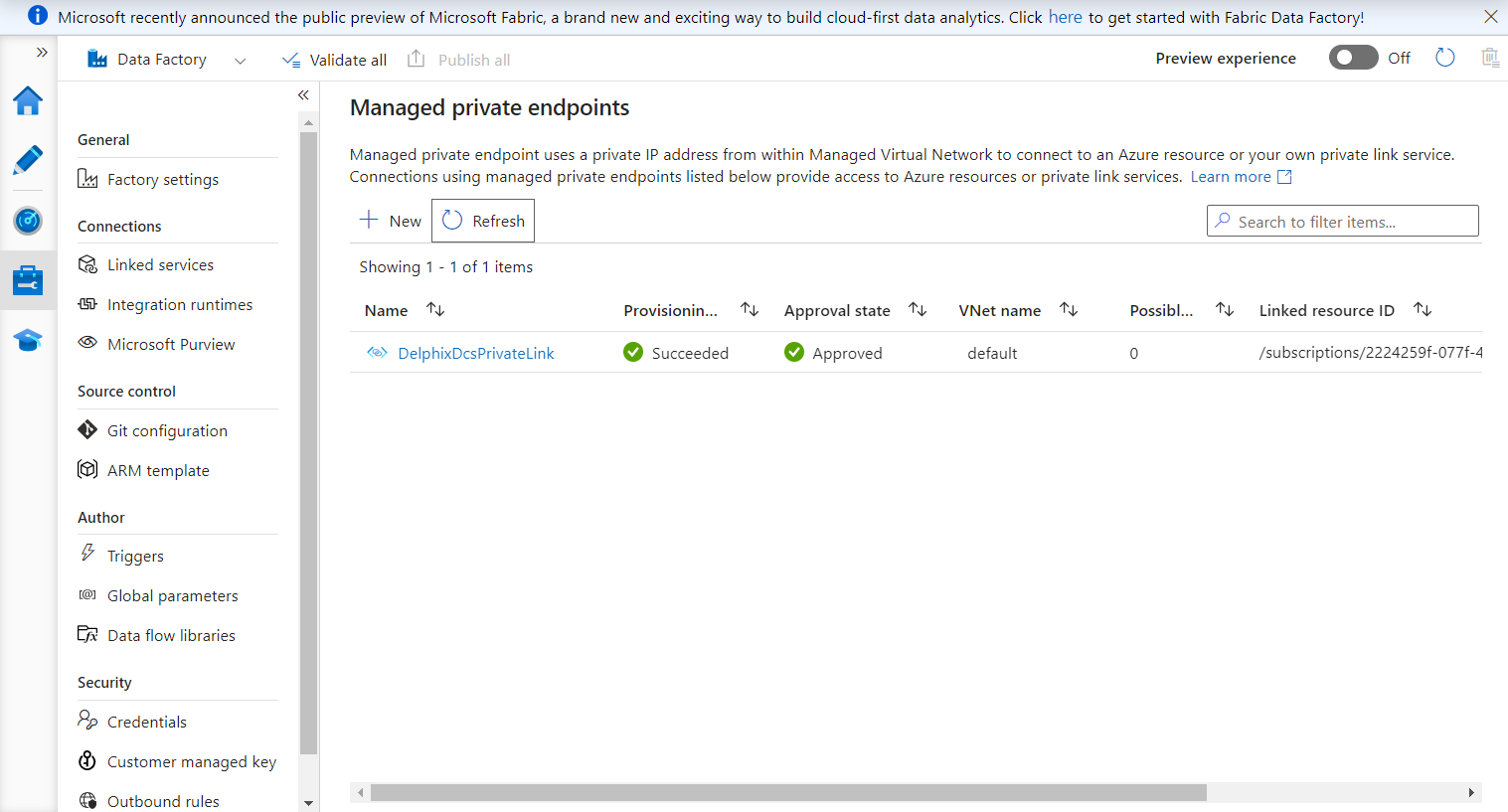
Once the Delphix team approves the private link, it will change to the Approved state, indicating that the private link is ready for use:
- Configure the Dataflow
Configure the pipeline and linked service to use the new integration runtime that has managed VNet enabled:
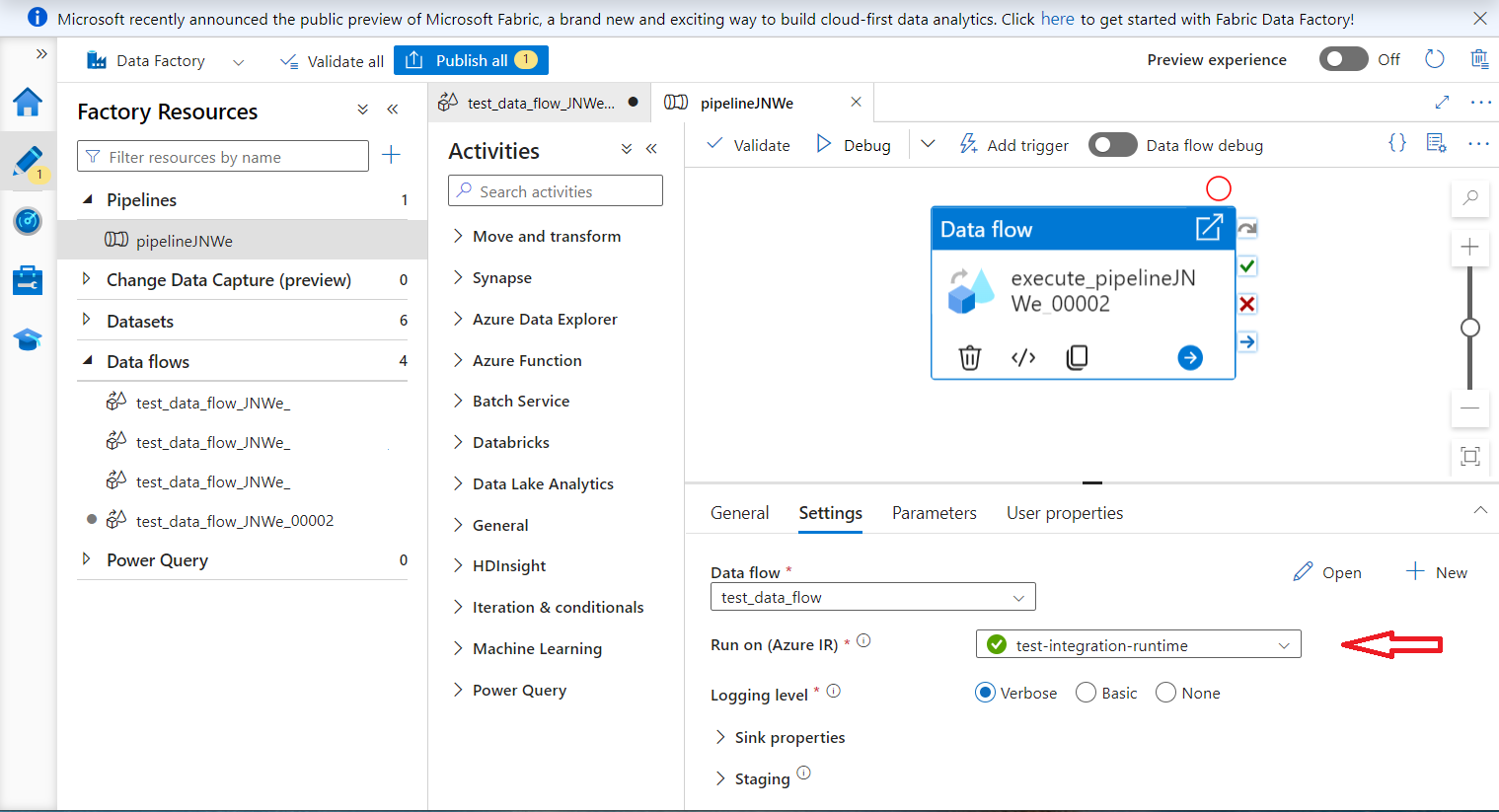
Then, update the linked service for the DCS REST call to use the new integration runtime and point the URL to the private endpoint. This assumes you have a working dataflow pointing to the Delphix public endpoint; only the linked service entry needs to change:
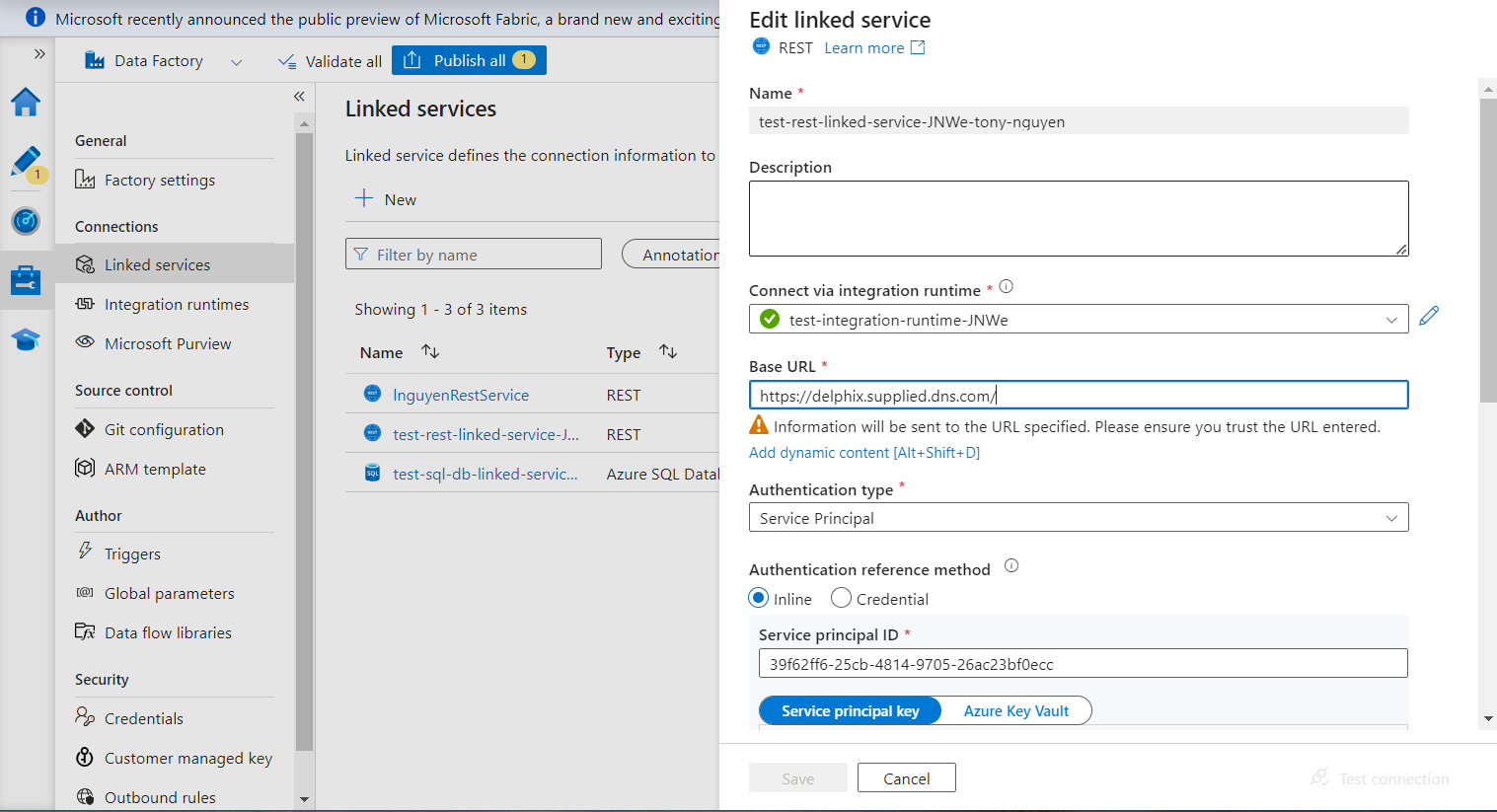
This completes the setup. The pipeline can now run against the Delphix private link endpoint.