
Learn how to configure an Azure Function App to securely retrieve an Azure Cosmos DB access key stored in Azure Key Vault using a system-assigned managed identity. This approach avoids storing secrets in code or configuration.
Prerequisites
- An Azure Key Vault with the Azure Cosmos DB access key stored as a secret
- An existing Azure Function App
- Permissions to assign RBAC roles on the Key Vault
Steps
-
Enable managed identity on Azure Function.
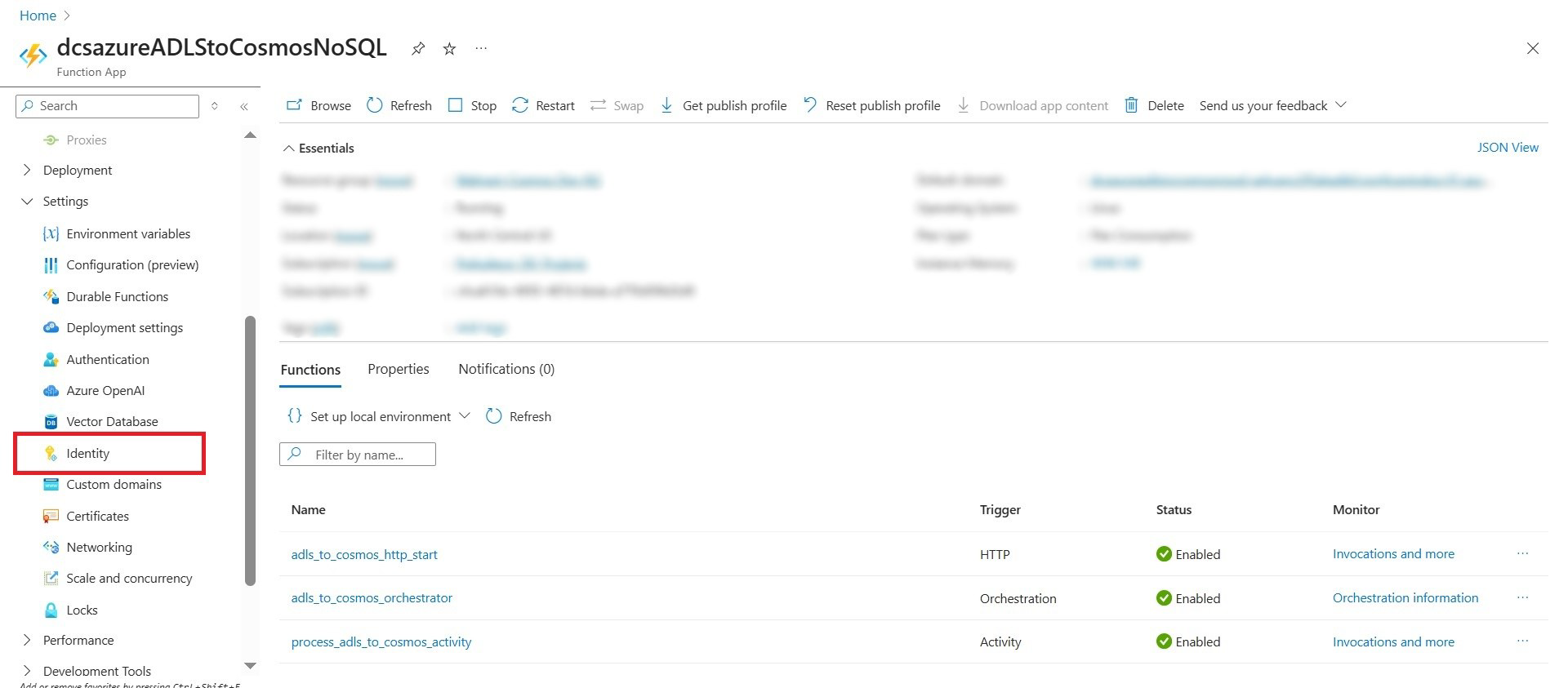
- Navigate to the Azure Function App in the Azure Portal.
- Select Identity from the left menu.
- Under System assigned, set Status to On.
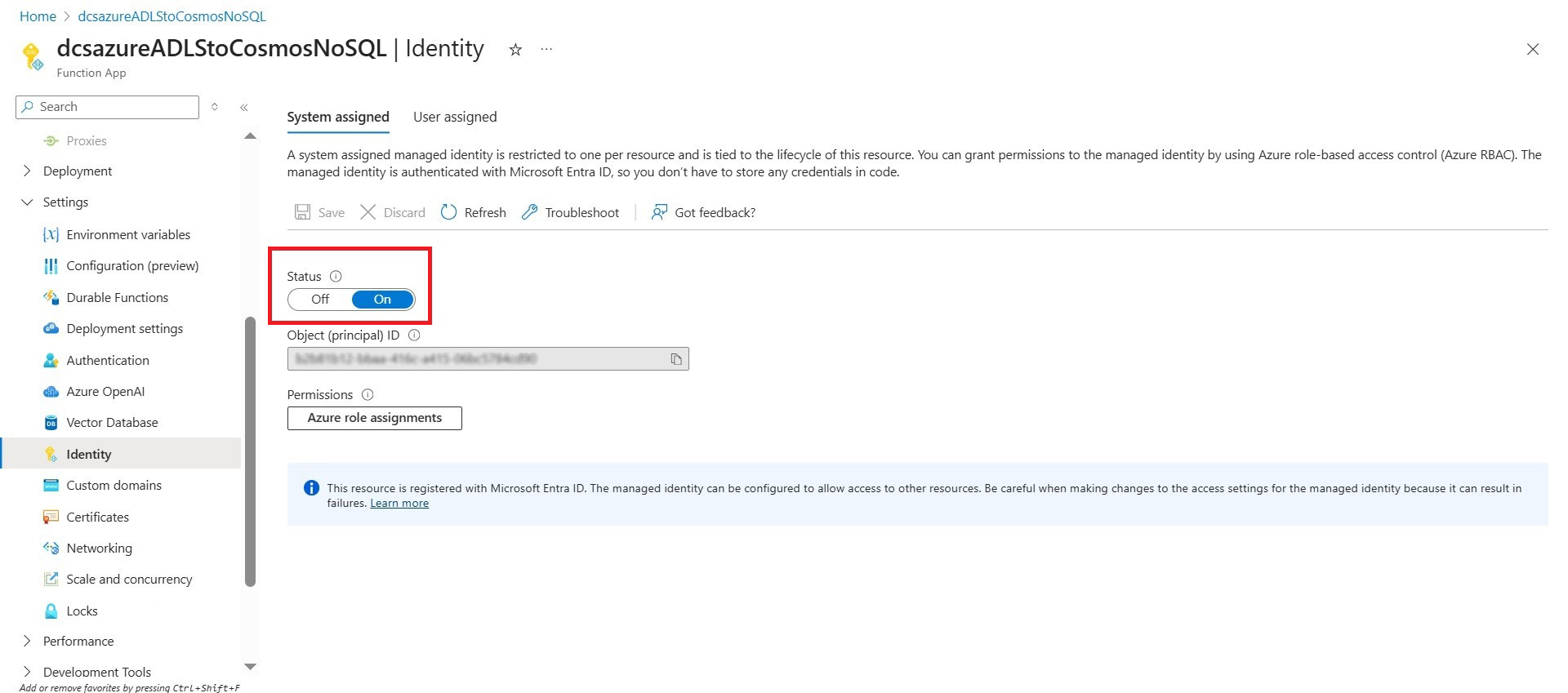
- Save the configuration.
Enabling a system-assigned managed identity creates an Azure-managed service principal for the Function App.
-
Grant Key Vault Access to Azure Function.
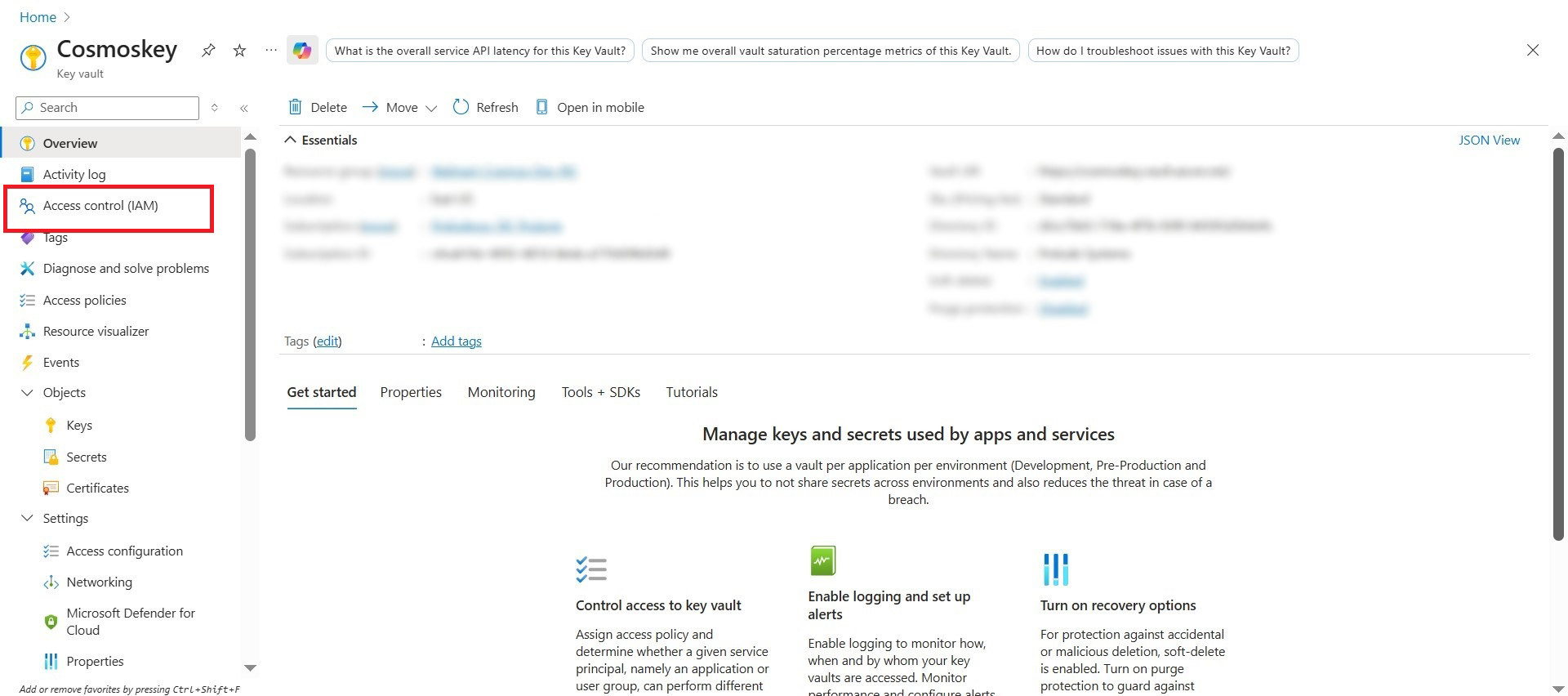
- Navigate to the Azure Key Vault.
- Select Access control (IAM).
- Click Add role assignment.
-
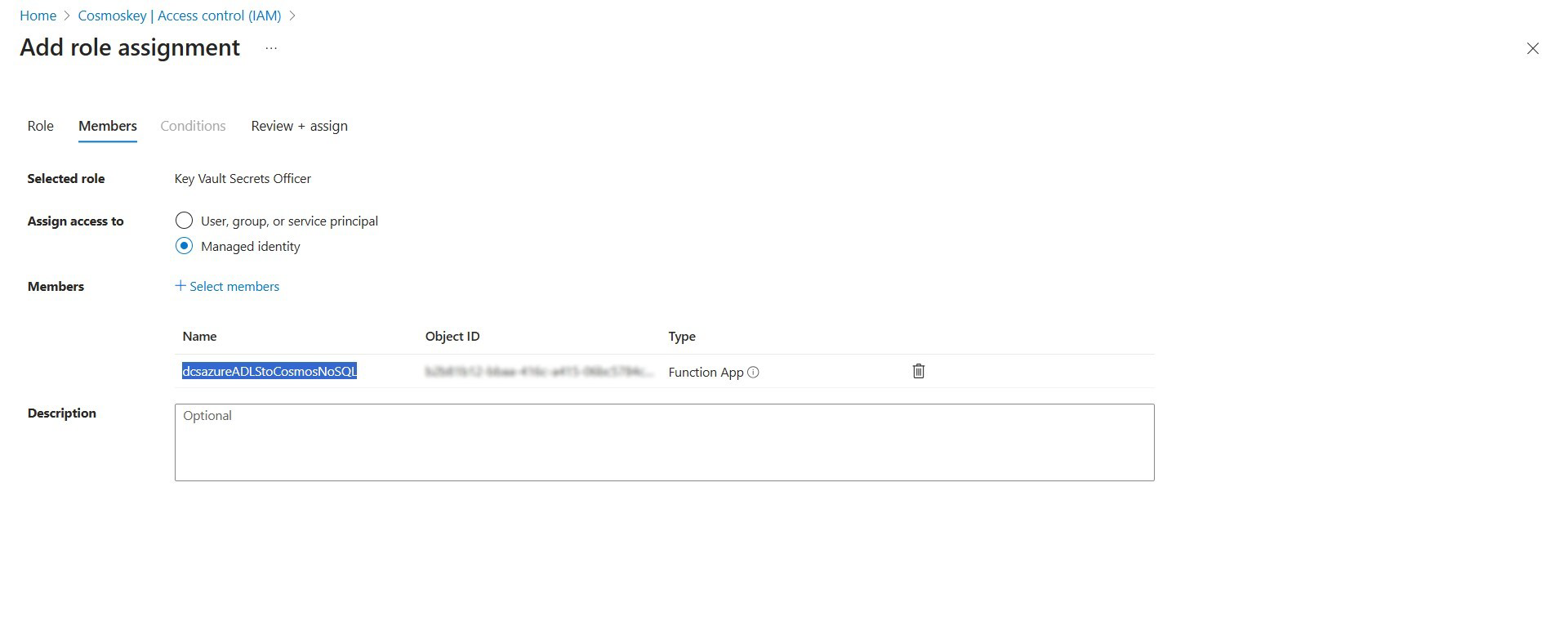
Configure the assignment as follows:
- Role: Key Vault Secrets User
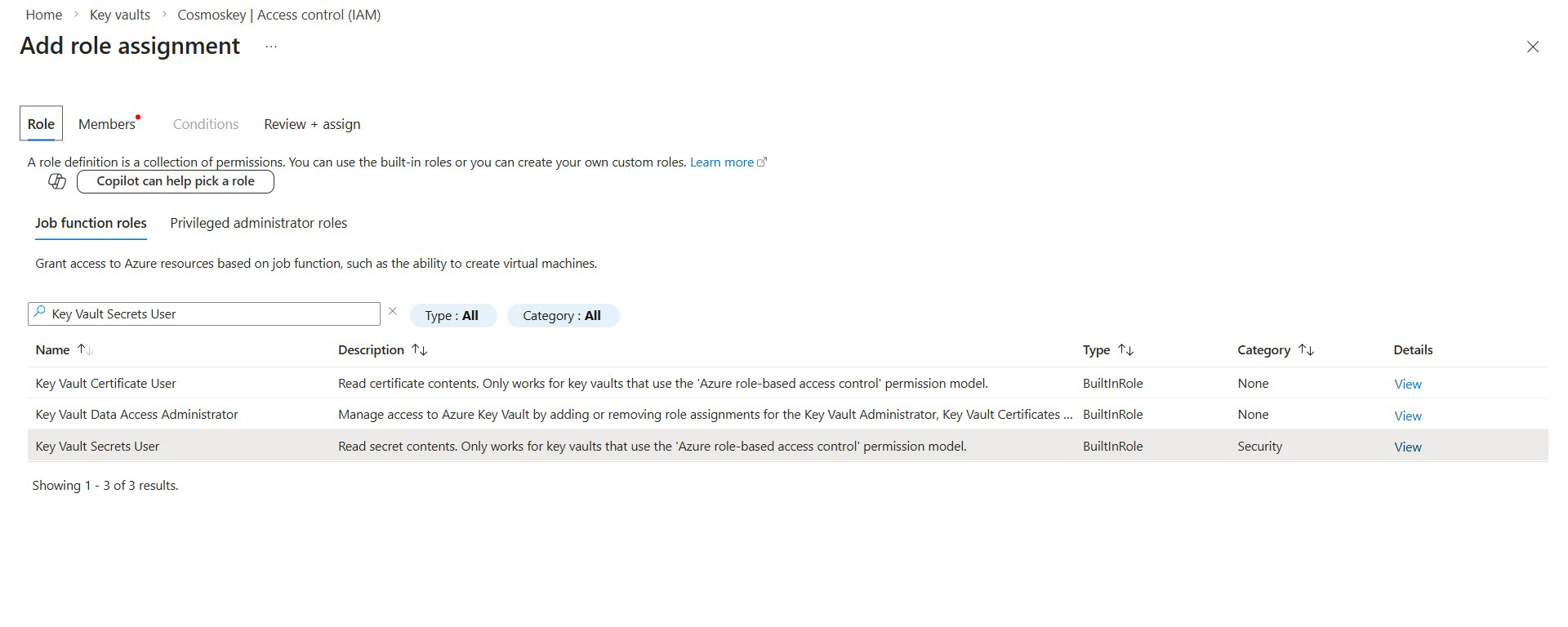
- Assign access to: Managed identity
- Member: Azure Function App
- Role: Key Vault Secrets User
-
Save the role assignment.
RBAC permission propagation may take several minutes.
After completing these steps, the Azure Function can securely retrieve the Cosmos DB access key from Azure Key Vault at runtime using its managed identity, without storing secrets in code or configuration.